
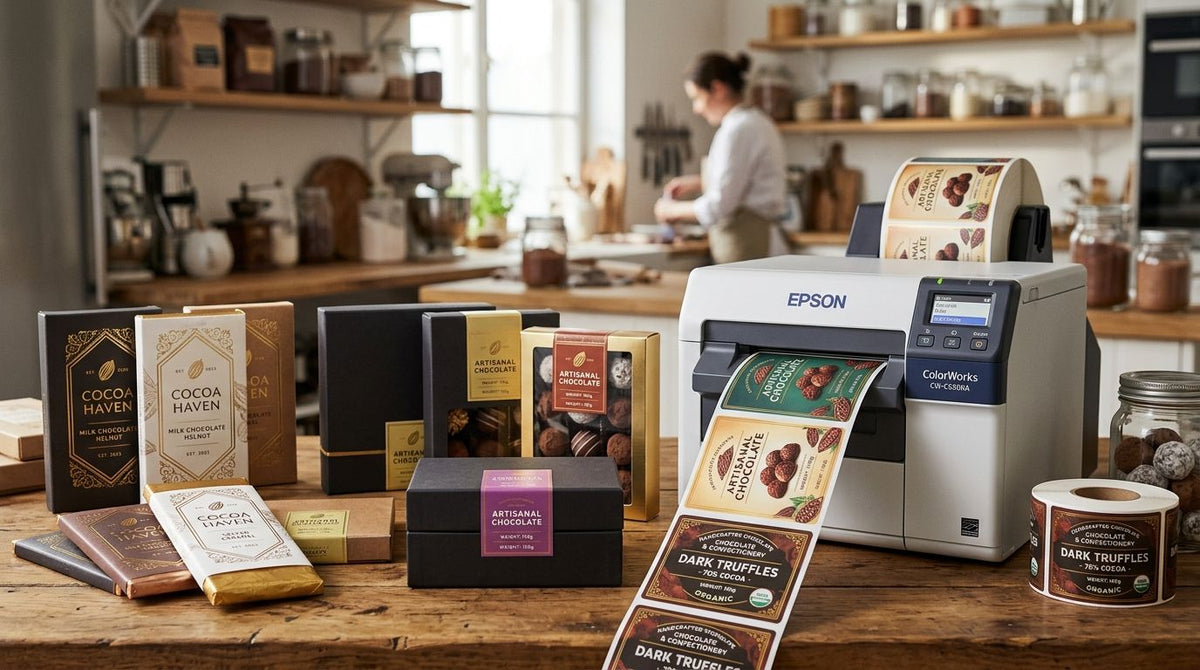
Chocolate and confectionery packaging needs a label printer that survives heat, humidity, and cocoa butter migration without blurring barcodes or allergen text — the print method and resolution you pick in 2026 decide whether labels hold up on a retail shelf or peel off in a warm delivery van.
- The best label printer for chocolate and confectionery packaging in 2026 is a thermal transfer unit — direct thermal fades under retail heat lamps.
- GoDEX ZX430i+ (300 DPI) handles fine logo detail and foil label stock; 203 DPI thermal transfer covers everyday wrapped bars and boxes.
- Allergen text under 6pt needs 300 DPI or better — 203 DPI blurs small print past the legibility threshold.
- Print batch codes in-house on a thermal transfer setup instead of ordering pre-printed labels so you can react same-day to formula or date changes.
Why label printing matters for chocolate and confectionery packaging
Confectionery labels carry more than a logo. They hold a scannable barcode for wholesale accounts, an allergen statement, and a batch code tied to a specific tempering run — all on a label that might sit in a warm delivery van or a humid retail case. A label printer for food products built for chocolate has to survive that combination without smearing ink or letting the adhesive lift.
Get the print method wrong and you reprint whole batches the week before a holiday rush — expensive in 2026 when co-packers and retail buyers expect a barcode that scans on the first pass, not the third. Brands searching for a label printer for chocolate and confectionery packaging are usually chasing one of three problems: labels fading in storage, barcodes that won't scan, or a print setup too slow for a seasonal spike.
McAuley Labels builds thermal printers and label stock for exactly that kind of production pressure, from small-batch bonbon runs to multi-location wholesale accounts. The right McAuley Labels printer and stock combination depends less on brand preference and more on where your product physically travels between the tempering room and the customer's hand.
How to choose a label printer for chocolate and confectionery packaging
1. Map your durability needs before you shop
Start with the physical path your product travels, not the printer spec sheet. A label that survives a walk-in cooler doesn't automatically survive a delivery van in August.
- Note every temperature zone the product passes through: tempering room, cold storage, delivery van, retail shelf under heat lamps.
- Check for cocoa butter bloom and oil migration — they break down cheap paper adhesives faster than heat alone.
- Test humidity exposure if you sell through farmers markets or outdoor pop-ups.
- Flag any SKU sitting under direct sunlight in a retail window; UV fades ink on any material given enough time.
- Decide whether labels need to survive freezer storage for shipped gift boxes.
2. Decide between direct thermal and thermal transfer print
Direct thermal burns the image directly into heat-sensitive paper — no ribbon, cheaper per label, but the image fades when the label gets warm again. That's a real risk for chocolate sitting near heat lamps or in a summer delivery van. Thermal transfer melts a wax or resin ribbon onto the label, and that image doesn't fade with reheating.
- Use direct thermal for short-run, low-heat-exposure labels like internal batch tags in a cold room.
- Use thermal transfer for anything on the retail floor, in a warm van, or shipped in a gift box.
- Match ribbon type to stock: wax ribbons for paper labels, resin ribbons for foil or film labels common on premium chocolate bars.
- Default to thermal transfer when you're not sure where a label will end up — it's the safer call for anything with a shelf life past 30 days.
3. Match print resolution to your logo and barcode detail
A standard 203 DPI thermal transfer printer, like the GoDEX RT700i+, prints clean barcodes and batch codes at typical sizes. Once your logo text drops below 8 points, or you're printing a fine foil-style border on a gift box label, 300 DPI keeps the lines from turning into a blur. The GoDEX ZX430i+ 300 DPI printer prints at double the resolution of a standard 203 DPI unit and adds a color display for switching between SKUs without reprogramming.
- 203 DPI: fine for standard barcodes, batch codes, and text above 8pt — most everyday wrapper labels.
- 300 DPI: needed for small nutrition panels, fine script logos, or QR codes under 1 inch square.
- Check your barcode's minimum bar width against printer DPI before running a full production batch.
- Proof a new SKU label under a loupe before committing to a resolution.


4. Build compliant allergen, nutrition and batch code labels
Confectionery labels carry allergen statements, nutrition facts, and a batch or lot code tied to your tempering run — mandatory in most markets and non-negotiable for wholesale accounts.
- Print allergen statements at a size that survives 300 DPI or better once text drops below 6pt.
- Tie batch codes to your tempering log so a complaint traces back to a specific melt.
- Print expiration dates in a separate variable field so a recipe change doesn't force a full label redesign.
- Keep a master template with locked brand elements and a variable field for date and lot data.
5. Plan for seasonal and limited-run packaging
Chocolate brands spike hard around Valentine's Day, Easter, and the winter holidays. A label setup that can't turn around new art in-house misses the window entirely.
- Keep blank label stock on hand so holiday art doesn't wait on a reorder.
- Design seasonal labels with the same barcode and batch code fields as core SKUs — only the art changes.
- Print small test batches before a full holiday run; foil stock behaves differently under resin ribbon than paper does under the same settings.
- Budget printer capacity for the spike — a desktop printer handling 50 labels a day in March won't keep up in November.
6. Standardize your workflow as volume grows
Once you're running multiple SKUs across wholesale and retail, ad hoc printing turns into a bottleneck fast.
- Move print files to label design software a second employee can run without retraining.
- Batch print by SKU family instead of one-off runs to cut ribbon changeovers.
- Track ribbon and label stock consumption so a holiday run doesn't catch you short.
- Standardize on one resolution across SKUs unless a specific label genuinely needs 300 DPI.
“If a barcode blurs on your wrapper, you don't have a printing problem — you have a resolution problem.”
Label printer options for chocolate and confectionery packaging
| Option | Best for | Key limitation | Verdict |
|---|---|---|---|
| Direct thermal desktop printer | Internal batch tags in cold storage, short shelf-life items | Image fades under heat or direct sunlight | Skip for customer-facing labels |
| 203 DPI thermal transfer (GoDEX RT700i+) | Everyday wrapped bars and boxes with standard barcodes | Fine logo text and small QR codes blur | Buy for core SKU runs |
| 300 DPI thermal transfer (GoDEX ZX430i+) | Premium gift boxes, foil labels, fine branding detail | Resin ribbon costs more per label than wax | Buy for branded and premium lines |
| Pre-printed outsourced labels | Brands running a small, fixed catalog with no frequent changes | Can't react same-day to allergen, formula or date changes | Hold until SKU count or volume grows |
Common mistakes chocolate and confectionery brands make with label printing
- Printing direct thermal labels for bars that sit under retail heat lamps. The image fades within weeks and the barcode stops scanning at checkout.
- Running 6pt allergen text on a 203 DPI printer. The print blurs past the legibility line even though it looks fine on screen at full zoom.
- Skipping ribbon-to-stock matching. Wax ribbon on foil label stock smears batch codes the first time a delivery box warms up.
- Testing a new label design too late before a holiday launch. Foil stock and resin ribbon behave differently than the paper proof did weeks earlier.
- Treating batch codes as optional on small-batch runs. A single bad batch with no lot trace turns into a full-line pull instead of a targeted recall.
FAQ
What's the best label printer for chocolate and confectionery packaging in 2026?
A thermal transfer printer is the best label printer for chocolate and confectionery packaging in 2026 because it resists fading under heat and humidity better than direct thermal. Choose 203 DPI for everyday wrapper labels and 300 DPI, like the GoDEX ZX430i+, for fine logo detail and foil stock.
Is direct thermal or thermal transfer better for chocolate labels?
Thermal transfer is better for most chocolate labels because the print doesn't fade when the label reheats near a display case or a warm delivery van. Direct thermal works fine for internal batch tags kept in cold storage where heat exposure is minimal.
Do chocolate labels need to be waterproof?
Chocolate labels don't always need to be fully waterproof, but they need to resist condensation from cold storage and humidity from tempering rooms. Foil and film label stock with a resin ribbon handles moisture better than uncoated paper.
What DPI do I need for small confectionery labels?
203 DPI covers standard barcodes, batch codes and text above 8 points. Move to 300 DPI once your logo text drops below 8pt or you're printing a small QR code under one inch square.
How do I print allergen labels for chocolate packaging?
Print allergen statements at 300 DPI or better if the text runs below 6 points, since 203 DPI can blur small print past legibility. Keep allergen text in a locked field on your master label template so it never gets edited out by mistake.
Can I print batch codes and my logo on the same label?
Yes — set up a master template with locked brand art and a variable field for batch code, lot number and expiration date. That way a recipe or date change doesn't force a full label redesign.
What label material handles cold storage and tempering rooms best?
Film or foil label stock printed with a resin ribbon handles temperature swings and condensation better than uncoated paper with a wax ribbon. Wax ribbon on paper is fine for dry, stable storage but not for repeated cold-to-warm cycling.
How fast can a thermal transfer printer handle a holiday packaging spike?
Throughput depends on the printer model and label size, but a desktop unit sized for a March production run typically can't keep pace with a November holiday spike without a second unit or longer print windows. Plan printer capacity around your busiest month, not your average month.
One last thing
Cocoa butter bloom — the white film that forms when chocolate temperature-cycles — attacks paper label adhesive faster than heat alone does. If a bar travels through even one uncontrolled-temperature leg, a delivery van in August or a customer's mailbox in winter, test the label on a bloom-affected bar before locking in a full production run, not just on a fresh one straight out of tempering.