
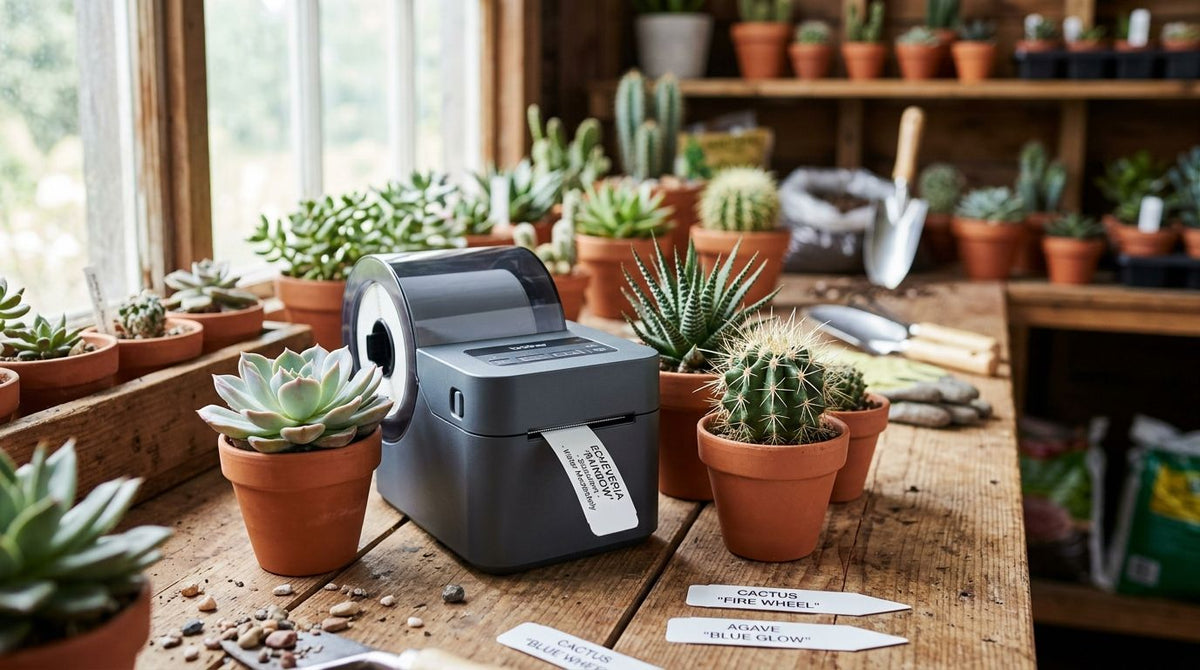
Succulent and cactus growers need a plant tag printer that produces waterproof, fade-resistant tags able to sit in direct sun and irrigation runoff for an entire growing season — not the thin paper labels that print fine indoors and disintegrate the first time a hose passes over the bench. This segment prints differently than a houseplant nursery or landscaping outfit: cactus and succulent operations carry more cultivars per square foot, tags stay outside for months at a stretch, and customers handle the same tag dozens of times while browsing a retail bench before it ever reaches a register.
- A plant tag printer for succulent and cactus growers needs 300 DPI and thermal transfer ribbon for sun-stable tags.
- GoDEX G530 and ZX430i+ print small-format tags at 300 DPI without an industrial footprint.
- Direct thermal paper tags fade within one growing season in full sun; thermal transfer holds up longer.
- Barcode or QR tags let succulent retailers scan cultivars at checkout instead of hand-keying SKUs.
Why this matters
A cactus and succulent operation lives or dies on cultivar turnover. A grower might carry 80 to 200 named varieties across a single season, and tags need to reflect species changes, price adjustments, and care-code updates as fast as inventory moves. Pre-printed static tags ordered in bulk cannot keep pace with that churn — by the time a box of 500 tags arrives, half the cultivars on the bench have rotated. A desktop plant tag printer that prints on demand solves the churn problem and the durability problem in one move, because you print exactly what is on the bench today, on stock rated for the exposure it will actually see.
The exposure question is specific to this segment. Cactus and succulent tags spend more time in full sun than almost any other plant tag category in 2026 — no shade cloth, no greenhouse glass, often pushed directly into gritty, fast-draining soil that dries out and blows dust across the tag face. That combination punishes paper stock and direct thermal print in ways a shaded houseplant tag never experiences.
Build a print setup that survives full sun and soil contact
Choose tag material rated for sun and soil exposure
Start with the substrate, not the printer. Material choice decides whether a tag survives June through September or fades by week six.
- Polyester or vinyl tag stock resists UV breakdown better than uncoated paper
- Thermal transfer print bonds ink into the tag surface instead of relying on heat-sensitive paper coating
- Rounded corners and a slotted or perforated top reduce tearing when tags get pushed into gritty cactus mix repeatedly
- Skip high-gloss finishes in full sun — glare makes small care codes unreadable at the bench
Match print resolution to your tag size
Succulent tags run small — often 1 inch by 2 inches or less — which makes resolution matter more here than on a full-size nursery sign.
- 203 DPI is fine for a common name and a single price line at 12-14pt type
- 300 DPI is the safer default when tags carry a botanical name, common name, and a care icon on the same 1-inch card
- 600 DPI only earns its keep for fine barcodes or dense QR codes on a tag under 0.75 inches wide
- Print a proof tag before committing to a full batch — small serif fonts blur first at low resolution
Build a species and care-code library once, reuse it every season
- Keep a master spreadsheet of botanical name, common name, light requirement, and water frequency per cultivar
- Import that list into your label design software instead of retyping tags one at a time
- Standardize care icons so customers read them the same way across every bench
- Update the master file the day a cultivar sells out or a new one arrives, not at end of season
Print in batches by bench or greenhouse zone
Printing zone by zone cuts errors and speeds up bench resets.
- Batch tags by physical location (Bench 3, Greenhouse B) rather than alphabetically by species
- Reprint only the SKUs that changed since the last batch, not the whole inventory
- Keep spare blank stock loaded so a sold-out replacement takes minutes, not a full reprint cycle
- Store finished tags flat, away from direct heat, until they go out to the bench
Add barcodes or QR codes for retail scanning
Farmers market and nursery retail sales move faster with a scannable tag than a hand-keyed SKU.
- A 1D barcode covers standard POS lookup for common cultivars sold in volume
- A QR code can point to a care guide page instead of just a SKU, which cuts questions at the register
- Keep code size proportional to tag size — a barcode too small to scan reliably defeats the purpose
- Test scan reliability outdoors in bright light before printing a full run
Pick the right printer and ribbon combination
- A compact desktop unit like the GoDEX ZX430i+ 300 DPI thermal printer prints 300 DPI thermal transfer tags without the footprint of an industrial floor printer
- Match ribbon chemistry to your tag stock — thermal transfer ribbon in a wax/resin blend covers most coated tag stock used outdoors
- Confirm ribbon width matches your printer print head width before ordering; mismatched ribbon jams more than any other single setup mistake
- If a tag never leaves a shaded retail counter, direct thermal stock without ribbon is a workable shortcut for short-life pricing tags
Test durability before committing to a full print run
- Print a sample batch and leave it outdoors, in soil, for one full week before ordering stock for the season
- Check for smearing after a watering pass, not just a dry wipe test
- Confirm text stays legible after handling by five or six people, simulating a busy retail bench
- Lock in the full run only once the sample survives both sun and handling


Comparison: tagging options for succulent and cactus growers
| Option | Best for | Key limitation | Verdict |
|---|---|---|---|
| Desktop 300 DPI thermal transfer printer | Growers with 50+ cultivars needing sun-stable tags | Requires ribbon and slightly more setup than direct thermal | Buy |
| Desktop 203 DPI direct thermal printer | Short-run indoor pricing tags only | Fades within one season outdoors | Hold for indoor use |
| Pre-printed static tags ordered in bulk | Growers with a fixed, unchanging cultivar list | Cannot keep pace with weekly SKU turnover | Skip for rotating benches |
| Handwritten tags | Emergency restock or one-off cultivars | Inconsistent, hard to read, no barcode option | Skip as a primary system |
A 300 DPI thermal transfer setup is the right call in 2026 for any succulent or cactus operation carrying more than a couple dozen cultivars outdoors for a full season. Anything printed direct thermal on paper is a temporary fix, not a bench standard.
Common mistakes succulent and cactus growers make
- Ordering bulk pre-printed tags for a fast-rotating bench. Cultivar turnover outpaces a printed box of 500 within weeks, leaving stacks of tags for varieties no longer on hand.
- Using direct thermal paper stock outdoors. It prints cleanly on day one and fades under a month of direct sun.
- Sizing tags too small for both a name and a care icon. Cramped tags push growers into 6pt type nobody can read at the register.
- Skipping a ribbon compatibility check. Mismatched ribbon width against print head width is the most common jam complaint with thermal transfer printers.
- Treating retail scanning as an afterthought. Adding barcodes mid-season means re-tagging an entire bench instead of building it in from the first print run.
FAQ
What is the best plant tag printer for succulent and cactus growers in 2026?
A 300 DPI desktop thermal transfer printer such as the GoDEX ZX430i+ is the best fit for most succulent and cactus operations in 2026, because it holds fine detail on small tags and runs thermal transfer ribbon. A 203 DPI unit works fine for larger tags with simple text.
Is thermal transfer or direct thermal better for outdoor cactus tags?
Thermal transfer is better for any tag that spends a season outdoors. Direct thermal relies on heat-sensitive paper coating that degrades under UV exposure, while thermal transfer ribbon transfers ink onto the tag material.
What DPI do I need for small succulent pot tags?
300 DPI is the safer default for tags under 2 inches that carry a botanical name, common name, and a care icon. 203 DPI is adequate for larger tags with a single price line.
Can I print barcodes on plant tags for retail sales?
Yes. A 1D barcode or QR code fits on the same tag as the plant name and price, letting a nursery scan cultivars at checkout instead of keying SKUs by hand.
How long do thermal-printed plant tags last outdoors?
Direct thermal tags on paper stock commonly fade within one growing season in full sun. Thermal transfer print on polyester stock holds legible text longer under the same exposure.
What tag material holds up best against soil and watering?
Polyester or vinyl tag stock resists moisture and soil grit better than uncoated paper. It also survives repeated handling at a retail bench without tearing at the insertion slot.
Do I need a ribbon for plant tag printing?
You need ribbon only for thermal transfer printing, which is the recommended method for outdoor tags. Direct thermal printing skips ribbon entirely but trades away UV durability.
Is a desktop printer enough or do I need an industrial unit?
A desktop 300 DPI printer covers most succulent and cactus operations printing tags in-house. Industrial floor-standing units make sense only at very high daily volumes across multiple product lines.
One last thing
The detail growers miss most in 2026: tag failure is usually a ribbon-to-stock mismatch, not a printer fault. The same ribbon that prints sharp on polyester can smear or flake on an incompatible surface — the printer did its job, the substrate did not hold it. Match ribbon chemistry to tag material before blaming print quality.