
A barcode scanner for construction tools only earns its keep if it survives dust, rain, and a 20-foot drop off a pickup bed — and the right pick in 2026 depends on whether you're running one tool crib or five active sites at once.
- GoDEX GS220 USB barcode scanner is the best barcode scanner for construction tools with a single check-out station.
- Wireless 2D Bluetooth scanners win for crews scanning tools scattered across one active job site.
- Rugged Android handhelds fit general contractors auditing tools across multiple sites at once.
- A scanner is only as reliable as the tag under it — pair it with 3M heavy-duty asset tags outdoors.
- Smartphone QR scanning apps work as a free starting point before buying dedicated hardware in 2026.
Why this matters
Tools walk off job sites constantly, and most crews still track them on a clipboard or not at all. A barcode scanner turns a gang box check-out into a five-second scan instead of a guessing game, but only if the scanner and the tags that carry the codes both hold up outdoors.
The scanner hardware gets most of the attention in buying guides. On an actual job site, the tag matters just as much — a barcode printed on a paper label fades or peels within weeks of concrete dust and rain, and a scanner reading a blurred code is a scanner that doesn't work. This guide ranks scanner types by the job they actually do on a site, not by spec sheet noise.
What makes the best barcode scanner for construction tool tracking
- Durability rating — resistance to dust, drops, and rain, not just an IP number on a box
- Symbology support — 1D-only for basic barcodes, or 2D for barcodes plus QR codes and Data Matrix
- Connection type — wired USB (keyboard wedge, zero setup) versus Bluetooth or Wi-Fi (freedom of movement)
- Battery and charging — how it holds up on a site without a reliable outlet
- Software fit — does it plug into a spreadsheet, or does it need a dedicated inventory app
- Tag compatibility — the scanner has to read the actual label material crews are using outdoors
At a glance
| Scanner type | Best for | Standout feature | Key limitation |
|---|---|---|---|
| GoDEX GS220 USB scanner | Single tool crib check-out station | Plug-and-play, no drivers, 3-year warranty | Wired only, 1D barcodes only |
| Wireless 2D Bluetooth scanner | Scanning tools spread across one site | Reads QR codes, no cable to a fixed desk | Needs daily charging discipline |
| Rugged Android handheld | Multi-site tool audits for GCs | Built-in GPS ties scans to location | Steep learning curve, bulkier |
| Smartphone QR scanning app | Small crews testing the system first | Zero hardware cost | Slower in poor light, drains battery |
| Scanner + heavy-duty asset tag | High-turnover rental or laydown yards | Tag survives what paper labels can't | Tag and scanner bought separately |
1. GoDEX GS220 USB Barcode Scanner: best for a single tool crib check-out station
The GoDEX GS220 is a wired 1D USB barcode scanner that works as a keyboard wedge — plug it into any laptop or desktop at the tool crib and it types the scanned code straight into a spreadsheet or inventory field. No driver install, no pairing screen.
GoDEX GS220 pros:
- Works immediately with any software that accepts keyboard input, including a plain spreadsheet
- Backed by a 3-year warranty
- Low learning curve for crews who've never used a scanner before
- No batteries to manage at a fixed station
GoDEX GS220 cons:
- Wired connection ties it to one desk or gang box station
- Reads 1D barcodes only — no QR code support
- Not built for a foreman walking the yard scanning as they go
Best for: a single tool crib or check-out window where one person scans tools in and out. Verdict: Buy — for a fixed station, this is the simplest path into a barcode scanner for construction tools system.
2. Wireless 2D Bluetooth handheld scanner: best for scattered job site scanning
A cordless 2D handheld reads barcodes and QR codes and pairs with a laptop, tablet, or phone over Bluetooth. It goes where the crew goes instead of making the crew come to it.
Wireless 2D scanner pros:
- No cable, so it works walking a laydown yard or scanning a stack of gang boxes on a trailer
- Reads QR codes, useful for linking a tag to a maintenance or service history page
- Typically rechargeable rather than battery-swap only
Wireless 2D scanner cons:
- Costs more up front than a wired unit
- Bluetooth range drops near steel containers, trailers, and structural steel
- Someone has to remember to charge it every night
Best for: crews scanning tools spread across one active site without returning to a desk. Verdict: Buy — if the job site is bigger than one room, wired scanning becomes a bottleneck fast.
3. Rugged Android handheld computer: best for multi-site tool audits
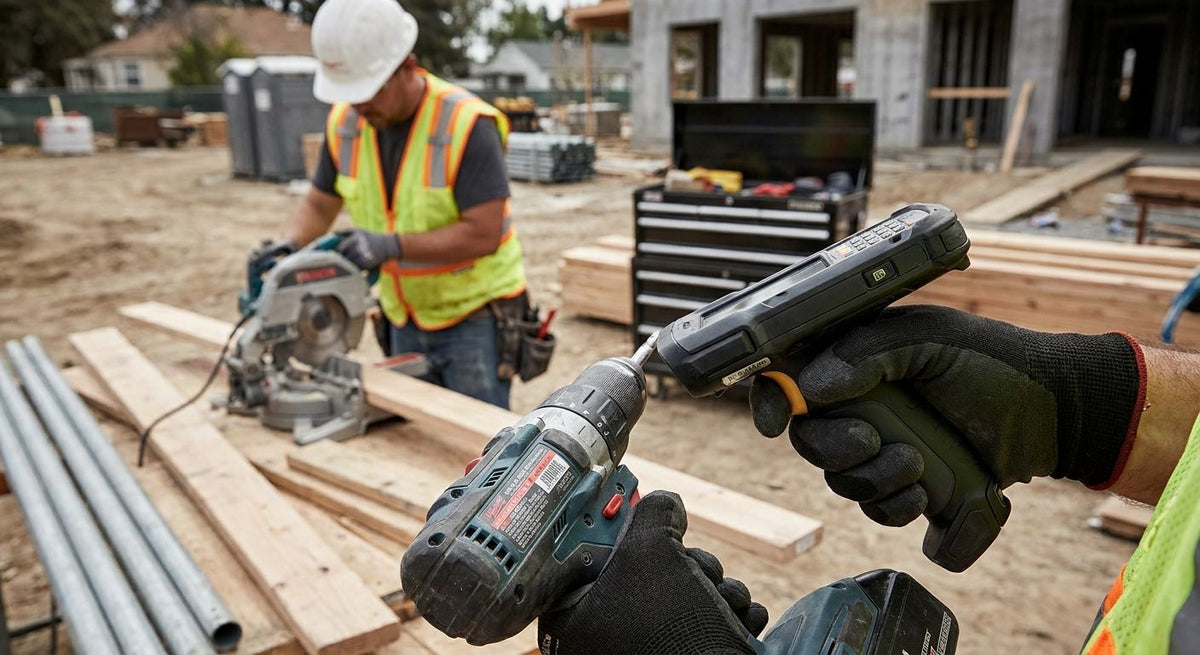
Brands like Zebra and Honeywell build rugged handheld computers that combine a scanner, a camera, GPS, and a full Android inventory app in one device rated for drops and dust. This is a step up from a simple scanner into a mobile inventory terminal.
Rugged handheld pros:
- Ties every scan to a GPS location, useful when tools move between multiple active sites
- Survives the drops and dust that kill consumer-grade electronics
- Runs a full inventory app, not just a data-entry line
Rugged handheld cons:
- Steeper learning curve for crews who've only used a phone or a simple scanner
- Heavier and bulkier to carry all day
- More device than a single-site sub with a handful of tools actually needs
Best for: general contractors auditing tool inventory across several active job sites. Verdict: Buy for multi-site operations; Skip if you run one site with a small tool count.
4. Smartphone QR scanning app: best for small crews on a tight budget
A phone the crew already carries can scan a QR-coded tag through a camera-based scanning app, no dedicated hardware required. It's the lowest-friction way to test whether tool tracking sticks before buying equipment.
Smartphone scanning pros:
- Zero additional hardware cost
- Works on any smartphone a foreman or crew lead already has
- Fast to roll out to a crew of five without ordering equipment
Smartphone scanning cons:
- Slower than a dedicated scanner in low light or on a scuffed, dirty tag
- Drains the phone's battery over a full shift
- A cracked screen or dead phone takes the tracking system down with it
Best for: small crews or subcontractors piloting tool tracking before committing to hardware. Verdict: Hold — a real starting point in 2026, but plan to graduate to dedicated hardware once the tool count grows.
5. Scanner paired with heavy-duty asset tags: best for high-turnover yards
Any scanner above only works as well as the code it's reading. Pairing one with heavy-duty silver barcode asset tags built on 3M metalized polyester keeps the code legible through concrete dust, rain, and UV exposure that destroys a printed paper label in weeks.
Scanner + tag combo pros:
- Tag material survives outdoor conditions a standard label can't
- Numbered, sequential tags speed up onboarding a full tool inventory
- Metalized polyester resists UV fading better than paper stock
Scanner + tag combo cons:
- Scanner and tags are purchased as separate line items, not a bundle
- Heavy-duty tags cost more per unit than standard inventory labels
Best for: rental yards and laydown yards where tools move in and out constantly. Verdict: Buy — for anything stored outside, the tag is not the place to cut corners.


How we ranked these
Each scanner type is judged against the criteria above: durability, symbology support, connection type, battery behavior, software fit, and tag compatibility. None of these five wins on every dimension — that's the point. A tool crib with one desk doesn't need Bluetooth, and a five-site GC doesn't need a wired scanner chained to a single laptop.
If the scanner can't read the tag after three months outdoors, the scanner was never the problem.
Which barcode scanner should you choose?
Running one job site with a fixed check-out desk: buy the GoDEX GS220 and pair it with numbered heavy-duty asset tags. Running a site where tools spread across a yard: go wireless with a 2D Bluetooth handheld. Running multiple active sites at once: the rugged Android handheld earns its extra cost. Testing the idea before spending anything in 2026: start with a smartphone QR app and upgrade once the tool count justifies dedicated hardware.
“The scanner is rarely what fails on a job site — the tag underneath it is.”
FAQ
What's the best barcode scanner for construction tool tracking in 2026?
For a single tool crib check-out station, the GoDEX GS220 USB scanner is the best barcode scanner for construction tools in 2026 because it needs no software install and carries a 3-year warranty. Sites with scattered tools or multiple locations need a wireless or rugged handheld instead.
Is a 2D scanner better than a 1D scanner for tracking job site tools?
A 2D scanner is better if you plan to use QR codes, since it reads both barcodes and QR codes while a 1D scanner reads barcodes only. If your tags are simple barcodes and you scan at one fixed desk, a 1D scanner is cheaper and just as reliable.
Do construction crews need a wireless barcode scanner?
Only if tools are spread across an active site rather than staged at one check-out point. A wired USB scanner works fine for a single desk, but a wireless Bluetooth model saves time when crews are scanning gang boxes across a yard.
Can a smartphone replace a dedicated barcode scanner on a job site?
A smartphone with a QR scanning app can replace dedicated hardware for a small crew testing the idea. It's slower in poor light and drains the phone's battery, so most crews graduate to a dedicated scanner once the tool count grows.
What kind of asset tags work best with a barcode scanner outdoors?
Heavy-duty metalized silver or 3M polyester tags hold up to rain, concrete dust, and UV exposure far better than paper labels. A scanner is only useful if the code underneath it is still legible after weeks outside.
How do you set up a barcode tool tracking system from scratch?
Start by tagging every tool with a numbered, durable asset tag, then pick a scanner that matches your workflow — wired for a fixed desk, wireless for a spread-out site. Log scans into a spreadsheet or inventory app tied to each tag's number.
What's the difference between a USB and Bluetooth barcode scanner?
A USB scanner plugs directly into a computer and works as a keyboard wedge with zero setup, but it's tethered to that one station. A Bluetooth scanner is cordless and moves with the crew, at the cost of needing regular charging.
One last thing
Most tool tracking systems don't fail because the scanner breaks — they fail because the label underneath it does. A paper barcode sticker fades or peels within weeks of job site dust and rain, and a scanner reading a blurred code is a scanner doing nothing. Match a durable tag to whatever scanner you pick, or the hardware upgrade won't fix the actual problem.