
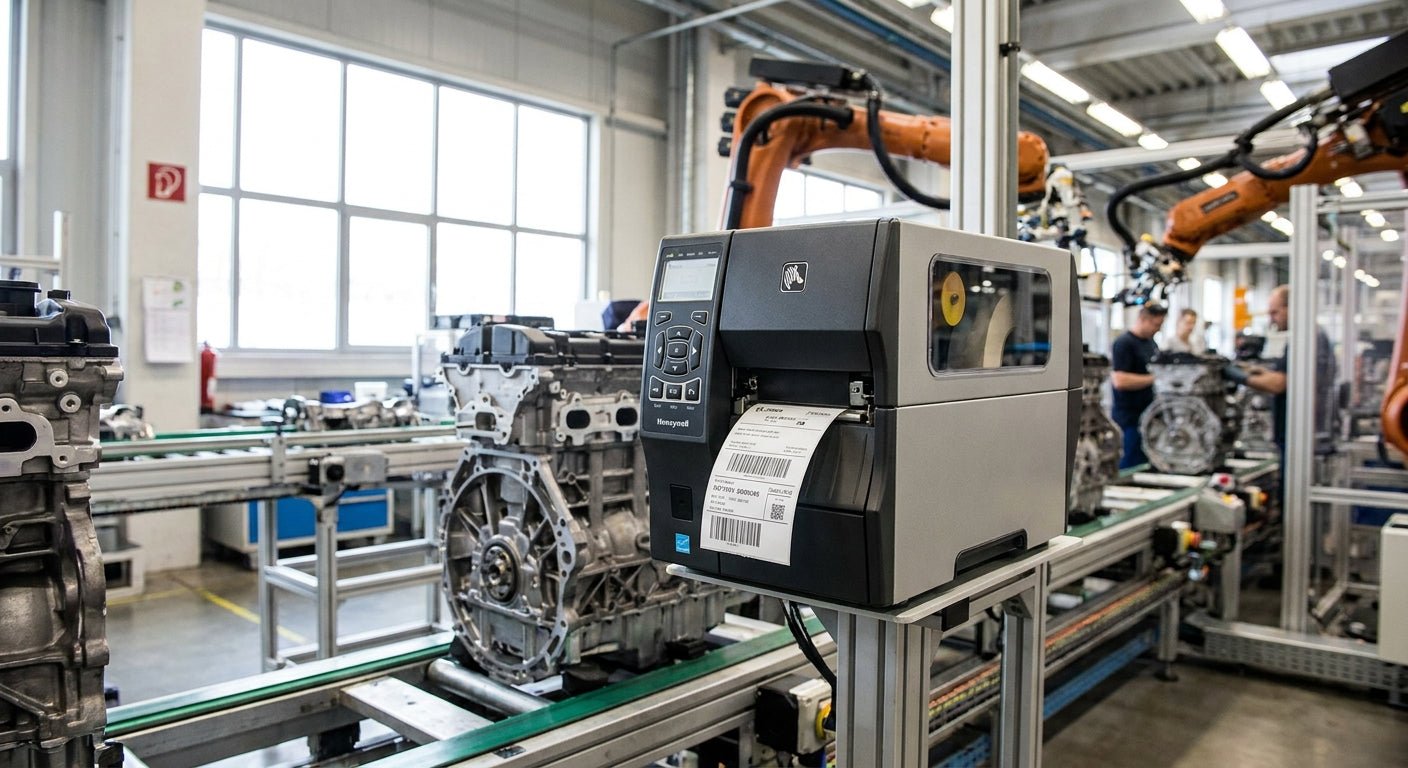
Automotive manufacturing lines run on barcodes: VIN tags, part traceability labels, work-order routers, and asset tags on tooling and fixtures. Pick the wrong printer and you get faded 2D codes that scanners reject on the line in 2026, not next quarter.
- GoDEX ZX430i+ wins for best industrial label printer for automotive manufacturing at 300 DPI and $945 — Buy.
- GoDEX RT700i+ covers general floor labeling at 203 DPI for $581 — Buy for secondary stations.
- 3M Heavy-Duty Silver barcode asset tags at $115 handle fixture and tooling ID where paint-booth heat destroys standard labels.
- Skip entry-level 203 DPI printers for small 2D part codes — resolution below 300 DPI blurs at typical automotive label sizes.
Why this matters
Automotive assembly and parts plants run label-dependent tracking on almost every station — VIN plates, part-number barcodes, work-in-process routers, tool and fixture asset tags. A printer that can't hold 300 DPI resolution on a 2D code produces labels that scanners misread on the line, and a misread is a line stop.
Most automotive labeling programs also route through heat, oil, and solvent exposure that consumer-grade printers and labels were never built for. The manufacturing floor label printer guide breaks down duty-cycle math for continuous shifts if you're comparing beyond this list.
The picks below are ranked on resolution, duty cycle, connectivity, and label material compatibility — the four things that actually break down on an automotive line in 2026.
How we ranked
Each printer is evaluated against four criteria that matter specifically for automotive manufacturing: print resolution against 203 DPI minimum / 300 DPI preferred thresholds common in AIAG and Odette-style transport label formats, connectivity (USB/Serial/Ethernet for line integration), warranty coverage, and published 2026 list pricing on mcauleylabels.com. Ranking is based on aggregated spec sheets and manufacturer-published data, not lab testing claims.
Label and tag material is scored separately from the printer hardware, since a 300 DPI printer running the wrong stock still fails in a paint booth or engine bay.
The ranked list
1. GoDEX ZX430i+ Thermal Printer — the resolution pick
This is a 4-inch dual thermal printer running 300 DPI with a color display and USB/Serial/Ethernet connectivity, priced at $945 in 2026. That resolution is the threshold where small 2D part-number codes and dense VIN barcodes stay scannable after thousands of print cycles.
GoDEX backs it with a 3-year warranty, which matters on a line that runs the printer daily across multiple shifts. Verdict: Buy for any station printing 2D codes or dense part-number barcodes.
2. GoDEX RT700i+ Thermal Printer — the general-purpose floor unit
Built as a 4-inch dual thermal printer at 203 DPI with a color display, this one lists at $581 in 2026 — roughly $364 less than the ZX430i+. 203 DPI is the accepted floor for standard 1D barcodes and larger asset labels, though it's the wrong call for small 2D codes.
It carries the same 3-year GoDEX warranty and the same USB/Serial/Ethernet connectivity for line integration. Verdict: Buy for secondary or backup stations printing standard barcodes, not fine 2D codes.
3. GoDEX RT200i Thermal Printer (203 DPI) — the line-side spare
At 203 DPI, this model handles routine work-order and bin labels without the cost of a 300 DPI unit. It's the right printer to keep as a spare next to a critical station, not the primary printer running dense automotive barcodes.
Verdict: Consider as a backup unit only — don't run it as your primary VIN or 2D-code printer.
4. 3M Heavy-Duty Silver Barcode Asset Tags — the fixture and tooling ID
A printer only matters if the label survives what it's stuck to. These are 3M heavy-duty metalized silver barcode tags priced at $115 per pack in 2026, built to stay legible on tooling, fixtures, and equipment exposed to oil, heat, and repeated handling — the exact conditions on an automotive assembly line.
This is a separate purchase from the printer hardware, but it's the piece most plants get wrong by running standard paper labels on metal fixtures. Verdict: Buy for any asset tagging outside the paint booth environment.
3M Heavy-Duty Silver Barcode Asset Tags
5. Thermal Transfer Ribbon (wax/resin, 2.25" x 243', 1/2" core) — the consumable nobody budgets for
A wax/resin ribbon at this spec runs $9 and is built for shop-floor daily printing where oil exposure and handling would smear a straight wax ribbon within days. Running the wrong ribbon chemistry on a resin-rated print head is the single most common cause of faded barcodes on a manufacturing floor.
Verdict: Buy — match ribbon chemistry to label stock before troubleshooting print quality anywhere else.
“If the label can't survive an oil-exposed shop floor for a full production run, the printer choice underneath it doesn't matter.”


Comparison table
| Printer / product | Resolution | 2026 price | Warranty | Verdict |
|---|---|---|---|---|
| GoDEX ZX430i+ | 300 DPI | $945 | 3 years | Buy |
| GoDEX RT700i+ | 203 DPI | $581 | 3 years | Buy |
| GoDEX RT200i | 203 DPI | — | 3 years | Consider |
| 3M Heavy-Duty Silver asset tag | n/a (label) | $115 | n/a | Buy |
| Wax/resin ribbon 2.25" x 243' | n/a (consumable) | $9 | n/a | Buy |
Where to buy
- Buy printer and consumables (ribbon, label stock) as a matched set — mismatched ribbon chemistry is the most common cause of returned "defective" printers.
- Confirm 300 DPI availability before ordering if any station prints 2D codes under 0.5 inches — 203 DPI units cannot be field-upgraded to 300 DPI.
- For fixture and tooling tags exposed to paint-booth or engine-bay heat, buy 3M heavy-duty stock separately from general floor labels rather than standardizing on one material for every use case.
FAQ
What's the best industrial label printer for automotive manufacturing in 2026?
The GoDEX ZX430i+ is the strongest overall pick for automotive manufacturing in 2026, running 300 DPI resolution at $945 with USB/Serial/Ethernet connectivity and a 3-year warranty. It's built for dense 2D part-number codes and VIN barcodes that 203 DPI printers can blur.
Is 300 DPI necessary for automotive barcode labels?
300 DPI is necessary when printing small 2D codes or dense VIN barcodes under roughly 0.5 inches. Standard 1D barcodes and larger asset tags print fine at 203 DPI, which also costs less per unit.
How much does an industrial label printer cost for a manufacturing line?
Industrial thermal printers for automotive lines range from about $581 for a 203 DPI unit like the GoDEX RT700i+ to $945 for a 300 DPI unit like the GoDEX ZX430i+ in 2026. Higher-throughput models with touchscreens run well above $2,000.
What label material survives a paint booth or engine bay?
3M heavy-duty metalized silver tags are built for oil, heat, and handling exposure common in paint booths and engine bays. Standard semi-gloss paper labels degrade quickly in those conditions.
Does ribbon type affect barcode readability on a manufacturing floor?
Yes — wax/resin ribbon is built for daily shop-floor printing where oil exposure would smear a straight wax ribbon within days. Mismatched ribbon chemistry is the leading cause of faded or unscannable barcodes.
Should every station on an automotive line use the same printer?
No. Stations printing dense 2D codes need 300 DPI hardware, while stations printing standard 1D barcodes or large asset tags can run 203 DPI printers at lower cost. Standardizing everything on the most expensive unit wastes budget.
Can a 203 DPI printer be upgraded to 300 DPI later?
No, print head resolution is fixed at the hardware level and cannot be upgraded in the field. Confirm resolution needs before purchase rather than planning to upgrade later.
One last thing
The printer gets the attention, but the ribbon-to-label match is what actually breaks barcode readability on most automotive floors in 2026 — check that pairing before you troubleshoot the hardware.