
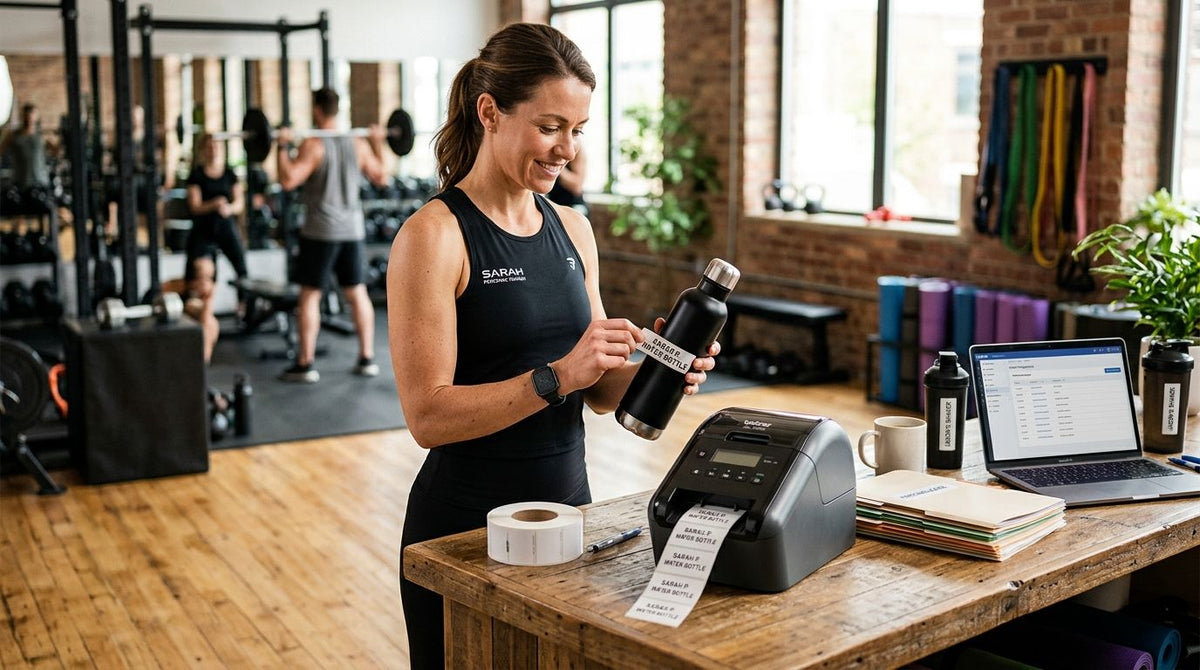
The best overall label printer for personal trainers and fitness studios in 2026 is the GoDEX RT700i+. The best option for a solo trainer running a tight front desk is the GoDEX DT200L. The best pick for a studio that resells supplements or gear is the GoDEX ZX430i+. The best choice for a multi-location fitness franchise is the GoDEX GX4200i.
- The GoDEX RT700i+ is the best overall label printer for personal trainers and fitness studios in 2026.
- Solo trainers with tight desk space get more from the ribbon-free GoDEX DT200L direct thermal printer.
- Studios reselling supplements need the 300 DPI GoDEX ZX430i+ for scannable barcode labels.
- Multi-location franchises print faster with the GoDEX GX4200i, rated up to 16 inches per second.
Why this matters
A fitness studio prints more label types than most small businesses realize: retail price tags for supplements and apparel, barcode labels for inventory, equipment tags for treadmills and racks, and front-desk labels for schedules or waivers. A basic office label maker chokes on barcode density and can't survive a front desk that gets wiped down with disinfectant twenty times a day.
The right label printer for personal trainers and fitness studios comes down to matching resolution and consumable type to the actual job, not buying the most expensive machine on the shelf. A studio selling supplements needs sharper barcode resolution than one just printing class schedules. A solo trainer working out of a single room doesn't need the same throughput as a five-location franchise.
2026 pricing on thermal printers has stabilized enough that the decision is really about workload, not budget panic. Get the resolution and ribbon question right first.
What makes the best label printer for personal trainers and fitness studios
- Print resolution matched to the job. 203 DPI handles schedule tags and shipping-style labels fine; 300 DPI is what you need for small, dense barcodes on supplement bottles.
- Ribbon vs. ribbon-free operation. Direct thermal printing skips ribbon entirely and cuts consumable costs for high-frequency front-desk printing; thermal transfer adds a ribbon step but produces labels that survive more handling.
- A footprint that fits a reception counter, not a warehouse floor.
- Standalone or touchscreen controls so front-desk staff can reprint a label without calling IT.
- USB, Serial, or Ethernet connectivity for studios running the same label template across more than one location.
- Label stock that holds up to sweat, cleaning spray, and daily handling at a gym counter.
Label printers for fitness studios: at a glance
| Printer | Best for | Standout feature | Key limitation |
|---|---|---|---|
| GoDEX RT700i+ | Overall studio labeling | 4-inch dual thermal, 203 DPI, color display | More printer than a trainer who only prints occasional tags needs |
| GoDEX DT200L | Solo trainers, small desks | 2-inch linerless, direct thermal, no ribbon | 2-inch width caps larger label formats |
| GoDEX ZX430i+ | Retail and supplement barcoding | 300 DPI high-resolution printing | Requires thermal transfer ribbon as a consumable |
| GoDEX GX4200i | Multi-location franchises | Up to 16 IPS, 5-inch touchscreen | Bigger footprint built for volume, not a single desk |


1. GoDEX RT700i+: best label printer for personal trainers running a full studio
The GoDEX RT700i+ is a 4-inch dual thermal printer that runs at 203 DPI with a color display for quick status checks. It handles retail price tags, schedule labels, and general studio printing without needing a second machine on the counter. USB, Serial, and Ethernet connections mean it drops into whatever setup the front desk already uses.
GoDEX RT700i+ pros:
- Color display makes status and errors easy to read at a glance
- 4-inch width covers most retail and studio label formats
- Runs both direct thermal and thermal transfer jobs
GoDEX RT700i+ cons:
- 203 DPI is not sharp enough for very small, dense barcodes
- More printer than a single-room trainer printing a handful of tags a week needs
Best for: studios that print a mix of retail tags, schedules, and general labels daily.
2. GoDEX DT200L: best label printer for solo trainers and small studio desks
The GoDEX DT200L is a 2-inch linerless direct thermal printer, meaning it never needs ribbon and produces no liner waste. That makes it the leanest option for a solo personal trainer or a studio with one small reception desk instead of a full retail counter.
GoDEX DT200L pros:
- No ribbon consumable to buy or replace
- Linerless format cuts label waste and storage space
- Compact footprint fits a small desk
GoDEX DT200L cons:
- 2-inch width rules out larger retail or barcode labels
- Direct thermal prints can fade faster under heat or sun exposure than thermal transfer
Best for: solo trainers and single-desk studios printing basic tags and schedules.
3. GoDEX ZX430i+: best label printer for retail and supplement barcoding
The GoDEX ZX430i+ prints at 300 DPI, the resolution barcode scanners need for small, dense codes on supplement bottles or retail apparel tags. It's a 4-inch dual thermal printer with a color display and the same USB/Serial/Ethernet connectivity as the RT700i+, just built for sharper output.
GoDEX ZX430i+ pros:
- 300 DPI resolution scans cleanly on small barcode formats
- Handles both direct thermal and thermal transfer ribbon jobs
- Color display simplifies daily operation
GoDEX ZX430i+ cons:
- Thermal transfer jobs require ribbon as an ongoing consumable
- Overkill for a studio that only prints schedule tags, not retail barcodes
Best for: studios that resell supplements, apparel, or gear and need scannable barcodes.
4. GoDEX GX4200i: best label printer for multi-location fitness franchises
The GoDEX GX4200i is built for volume: a 5-inch touchscreen, print speeds up to 16 inches per second, and 203 DPI resolution with USB, Serial, and Ethernet connections. A franchise running the same label template across several locations gets more consistent output and faster batch printing than a single-desk machine can deliver.
GoDEX GX4200i pros:
- Up to 16 IPS keeps batch label runs fast
- 5-inch touchscreen simplifies training across multiple staff
- Networked connectivity supports shared templates across locations
GoDEX GX4200i cons:
- Larger footprint than a single reception desk usually needs
- Built for volume, so a one-location studio may never use its full speed
Best for: fitness franchises printing the same labels across multiple sites.
How we ranked these
Each printer was matched against the criteria above: resolution for the label type, ribbon versus ribbon-free operation, footprint, and connectivity for single- versus multi-location use. The GoDEX RT700i+ wins overall because it covers the widest mix of studio label jobs without forcing a compromise on resolution or size.
Tagging gym equipment separately
Labeling retail items and schedules is one job; tracking treadmills, racks, and benches for maintenance is another. Barcode asset tags on equipment let a studio log service dates and usage without a spreadsheet guess. If that's the bigger pain point than retail labeling, the gym equipment tracking guide covers what durable, scannable tags look like for a training floor. Any of the 203 DPI printers above can print that stock; the tag material matters more than the printer for this use case.
Which label printer should you choose?
For most personal trainers and fitness studios weighing options in 2026, the GoDEX RT700i+ is the safe default: it prints retail tags, schedules, and general labels at 4 inches wide without demanding a ribbon-only or barcode-only tradeoff. Drop to the GoDEX DT200L if the studio is one room and one desk. Move up to the GoDEX ZX430i+ the moment barcode scanning on retail products becomes a daily task, and to the GoDEX GX4200i once a second or third location is on the calendar.
FAQ
What's the best label printer for personal trainers and fitness studios in 2026?
The GoDEX RT700i+ is the best overall pick for 2026 because it handles retail tags, schedules, and general studio labels at 4 inches wide with both direct thermal and thermal transfer support. Solo trainers with less volume are better served by the smaller GoDEX DT200L.
Do I need a 300 DPI printer for a fitness studio?
Only if the studio prints small, dense barcodes for retail items like supplements or apparel. The GoDEX ZX430i+ covers that at 300 DPI; a 203 DPI printer like the GoDEX RT700i+ is enough for schedule tags and general labels.
Is a direct thermal printer or thermal transfer printer better for a gym front desk?
Direct thermal, like the GoDEX DT200L, skips ribbon entirely and works well for labels that don't need long-term durability. Thermal transfer printers like the GoDEX ZX430i+ hold up better on labels that get handled or scanned repeatedly.
How do I label gym equipment for maintenance tracking?
Use durable barcode asset tags rather than standard paper labels, since equipment tags face sweat, cleaning chemicals, and daily contact. Any 203 DPI printer in this guide can print that stock; the tag material is what determines how long it lasts.
Can one label printer handle both retail price tags and barcode labels?
Yes, a 4-inch dual thermal printer like the GoDEX RT700i+ or GoDEX ZX430i+ prints both formats. The difference is resolution: 300 DPI on the ZX430i+ reads more reliably on small, dense barcodes.
What's the difference between the GoDEX RT700i+ and the GoDEX ZX430i+?
Both are 4-inch dual thermal printers with color displays, but the RT700i+ prints at 203 DPI and the ZX430i+ prints at 300 DPI. Choose the ZX430i+ if retail barcode scanning is a daily requirement.
Do multi-location fitness franchises need a different printer than a single studio?
Generally yes. A single studio rarely needs the print speed of the GoDEX GX4200i, which runs up to 16 inches per second and includes networked connectivity for shared templates across several locations.
One last thing
The detail most studios miss: linerless direct thermal printers like the GoDEX DT200L don't just save on ribbon, they cut the liner waste that piles up next to a busy front desk. If a studio is printing dozens of small tags a day, that's a real difference in how much trash a front-desk staffer deals with by the end of a shift in 2026.