
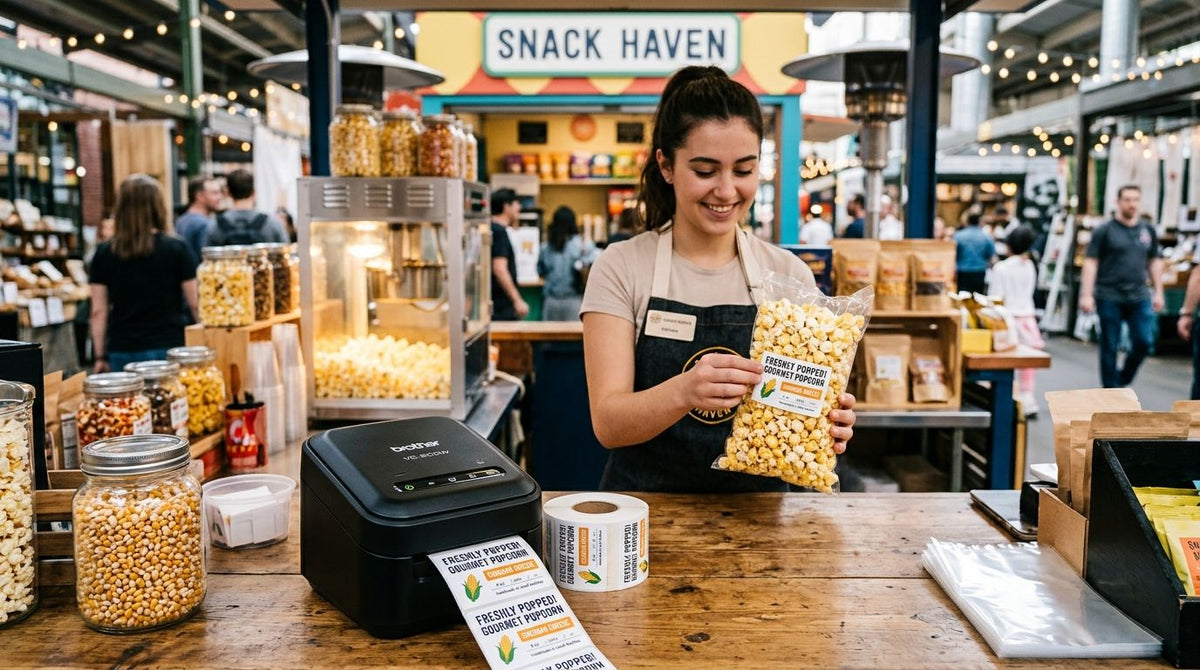
Best label printer for popcorn and snack kiosk packaging overall: GoDEX ZX430i+ Thermal Printer (300 DPI). Best for grease-resistant labels on buttered or kettle corn bags: GoDEX GE330 Thermal Transfer Printer. Best for multi-location kiosk chains: GoDEX RT700i+ Thermal Printer. Best budget pick for a single kiosk counter: GoDEX RT200i Thermal Printer (203 DPI).
- GoDEX ZX430i+ Thermal Printer is the best label printer for popcorn and snack kiosk packaging in 2026 for small allergen text.
- GoDEX GE330 uses thermal transfer ribbon that resists butter and oil where direct thermal labels smear.
- GoDEX RT700i+ standardizes labels across multi-location snack kiosk chains with a color display.
- GoDEX RT200i (203 DPI) is the budget pick for a single counter running basic date and weight labels.
Why this matters
Popcorn tins, kettle corn bags, and snack pouches carry more required text than they look like they should: net weight, an allergen statement, a best-by date, and a barcode if the kiosk runs through a POS system. Squeeze that onto a 2-inch label and print resolution stops being a spec sheet number — it decides whether a customer can actually read the peanut warning before handing over cash.
Grease is the other variable most buyers miss until it's too late. Butter, oil, and steam off a popcorn warmer degrade a basic direct thermal label fast, darkening the print or letting the adhesive give out mid-shift. A label printer for popcorn and snack kiosk packaging has to survive the counter it sits on in 2026, not just print a clean first label in the showroom.
McAuley Labels compares four GoDEX printer models here on resolution, ribbon compatibility, and print width — the three specs that decide what actually happens at a snack counter during a Saturday rush.
What makes the best label printer for popcorn and snack kiosk packaging
- Print resolution matched to label size — 300 DPI keeps small allergen and ingredient text legible; 203 DPI is fine for larger price tags and barcodes.
- Ribbon compatibility for grease resistance — thermal transfer printers running wax/resin ribbon outlast direct thermal on buttered or oiled packaging.
- Print width that fits snack packaging — most popcorn bags, tins, and pouches need a 2 to 4-inch label, so the printer's maximum width should match.
- Throughput for rush periods — movie premieres, fairs, and stadium concessions push volume in short bursts, and a printer needs to keep pace without jamming.
- Multi-location consistency — chains running the same label template across counters need printers that produce identical output at every station.
- US-based support and parts — McAuley Labels ships GoDEX printers and ribbon from US inventory, which matters when a printhead fails mid-season.
Label printer for popcorn and snack kiosk packaging: at a glance
| Printer | Best for | Standout feature | Key limitation |
|---|---|---|---|
| GoDEX ZX430i+ (300 DPI) | Detailed allergen/nutrition text | High-resolution 300 DPI printing | Costs more to run than 203 DPI models |
| GoDEX GE330 (4", 203 DPI) | Grease-resistant snack labels | Thermal transfer ribbon compatibility | Requires ribbon on hand |
| GoDEX RT700i+ (4", color display) | Multi-location kiosk chains | Color display speeds staff training | 203 DPI ceiling on tiny text |
| GoDEX RT200i (203 DPI) | Single-kiosk budget setups | Lower up-front cost | No color display |
1. GoDEX ZX430i+ Thermal Printer: best label printer for popcorn and snack kiosk packaging overall
The ZX430i+ prints at 300 DPI with a color display and supports USB, serial, and Ethernet connections, so it drops into an existing kiosk POS setup without extra hardware. That resolution is the difference between a legible allergen statement and a smudged block of text on a 2-inch popcorn bag label. It's built as a dual-thermal model, meaning it runs direct thermal or thermal transfer depending on the ribbon loaded.
GoDEX ZX430i+ pros:
- Sharp text at small label sizes, built for ingredient and allergen disclosures
- Color display cuts training time for new counter staff
- Multiple connectivity options for POS integration
- 4-inch print width covers standard popcorn, tin, and pouch labels
GoDEX ZX430i+ cons:
- Higher-resolution printheads and ribbon cost more to replace than 203 DPI models
- More capability than a kiosk selling only plain price tags actually needs
Best for: kiosks printing detailed ingredient or allergen text on small snack bags. Verdict: Buy.
2. GoDEX GE330 Thermal Transfer Printer: best for grease-resistant snack labels
The GE330 pairs a 203 DPI print engine with wax/resin ribbon compatibility, which means the print sits on the label as a melted layer rather than a heat-reactive coating. That holds up against butter, oil, and steam in a way direct thermal can't — see the full breakdown in McAuley Labels' guide to choosing between direct thermal and thermal transfer.
GoDEX GE330 pros:
- Ribbon-based print resists smearing from grease and oil contact
- 203 DPI is sharp enough for barcodes and short ingredient lines
- 4-inch print width matches standard snack bag tags
GoDEX GE330 cons:
- Needs ribbon stocked and swapped — not a load-and-forget printer
- Ribbon changeovers slow down peak-rush relabeling
Best for: popcorn, kettle corn, and fried snack counters where grease contact is constant. Verdict: Buy.
3. GoDEX RT700i+ Thermal Printer: best for multi-location snack kiosk chains
The RT700i+ runs at 203 DPI with a color display, built to produce the same label output across several counters without drift in quality. Consistency matters more than raw resolution when the same template is running at five fair booths at once in 2026.
GoDEX RT700i+ pros:
- Color display standardizes setup across locations and reduces staff errors
- 4-inch print width works across popcorn, snack, and drink cup labels
- Consistent 203 DPI output keeps labels uniform chain-wide
GoDEX RT700i+ cons:
- 203 DPI falls short of the ZX430i+ on very small allergen text
- Color display adds a small learning curve versus a single-line screen
Best for: kiosk chains running identical label templates at multiple counters. Verdict: Buy.
4. GoDEX RT200i Thermal Printer: best budget option for a single kiosk
The RT200i is a straightforward 203 DPI printer built for one counter running basic weight, date, and price labels — no color display, no extras, just a dependable single-station machine.
GoDEX RT200i pros:
- Lower up-front cost than the ZX430i+ or RT700i+
- Simple setup for a single-register kiosk
- 203 DPI handles barcodes and short text without issue
GoDEX RT200i cons:
- No color display for quick status checks
- Resolution ceiling makes fine allergen text harder to read at small sizes
Best for: a single popcorn stand or seasonal kiosk with basic labeling needs. Verdict: Buy for one counter; skip it if you're scaling to more than one location.
How we ranked
The comparison above weighs four factors: print resolution against label size, ribbon compatibility for grease resistance, print width fit for snack packaging, and consistency across multiple counters. The GoDEX ZX430i+ topped the list because 300 DPI resolves the smallest required text — allergen statements — better than any 203 DPI model in this set. The GE330 earned its spot on ribbon compatibility alone; grease resistance isn't optional at a popcorn counter. Budget and multi-location use cases got their own slots because neither problem is solved by resolution — they're solved by cost and consistency, which is exactly how McAuley Labels frames every label printer comparison it runs.
Which label printer for popcorn and snack kiosk packaging should you choose?
Default to the GoDEX ZX430i+ Thermal Printer if you're printing allergen or nutrition text at 2026's shrinking label sizes — it's the safest starting point for most kiosks. Move to the GoDEX GE330 the moment butter or oil is part of the packaging process; a smeared label is a liability, not a shortcut. Kiosk chains standardizing across counters should look at the GoDEX RT700i+, and a single seasonal stand on a tight budget can run the GoDEX RT200i without missing anything essential for basic labeling in 2026.
“If the ribbon can't survive butter grease and steam, it doesn't belong on a popcorn kiosk counter.”


FAQ
What's the best label printer for popcorn and snack kiosk packaging?
The GoDEX ZX430i+ Thermal Printer is the best overall pick for popcorn and snack kiosk packaging in 2026 because its 300 DPI resolution keeps small allergen and ingredient text legible. Kiosks dealing with grease should look at the GoDEX GE330 instead.
Is 300 DPI or 203 DPI better for snack labels?
300 DPI is better when a label carries small ingredient or allergen text, since it resolves fine detail more sharply than 203 DPI. 203 DPI is fine for larger price tags, weights, and standard barcodes.
Do I need a thermal transfer printer for popcorn bags?
You need thermal transfer, like the GoDEX GE330, if the packaging contacts butter, oil, or steam regularly. Direct thermal print can darken or smear when exposed to grease and heat over time.
What's the cheapest label printer for a single snack kiosk?
The GoDEX RT200i (203 DPI) is the budget option for a single-counter kiosk running basic date, weight, and price labels. It skips the color display and higher resolution of the ZX430i+ and RT700i+.
Can one printer model serve a multi-location snack kiosk chain?
The GoDEX RT700i+ is built for that use case, producing consistent 203 DPI output and a color display across multiple counters. Chains standardizing label templates across locations should start there.
What print width do popcorn and snack labels need?
Most popcorn bags, tins, and snack pouches need a label between 2 and 4 inches wide. All four GoDEX models compared here print up to 4 inches, covering standard snack packaging sizes.
Is direct thermal or thermal transfer better for greasy snack packaging?
Thermal transfer is better for greasy snack packaging because the ribbon-based print resists smearing from oil and butter contact. Direct thermal works fine for dry snacks with lower grease exposure.
Does a snack kiosk need a color display on its label printer?
A color display isn't required, but it speeds up staff training and status checks, which matters most for multi-location chains like those served by the GoDEX RT700i+. A single kiosk on a budget can skip it, as the GoDEX RT200i shows.
One last thing
Direct thermal labels darken when they sit near a popcorn warmer or heat lamp, because the print coating itself is heat-reactive — the same chemistry that fades a thermal receipt left in a hot car. If your kiosk keeps labeled bags anywhere near a heat source, thermal transfer ribbon isn't a nice-to-have for 2026 — it's the only way the label survives the shift intact.