
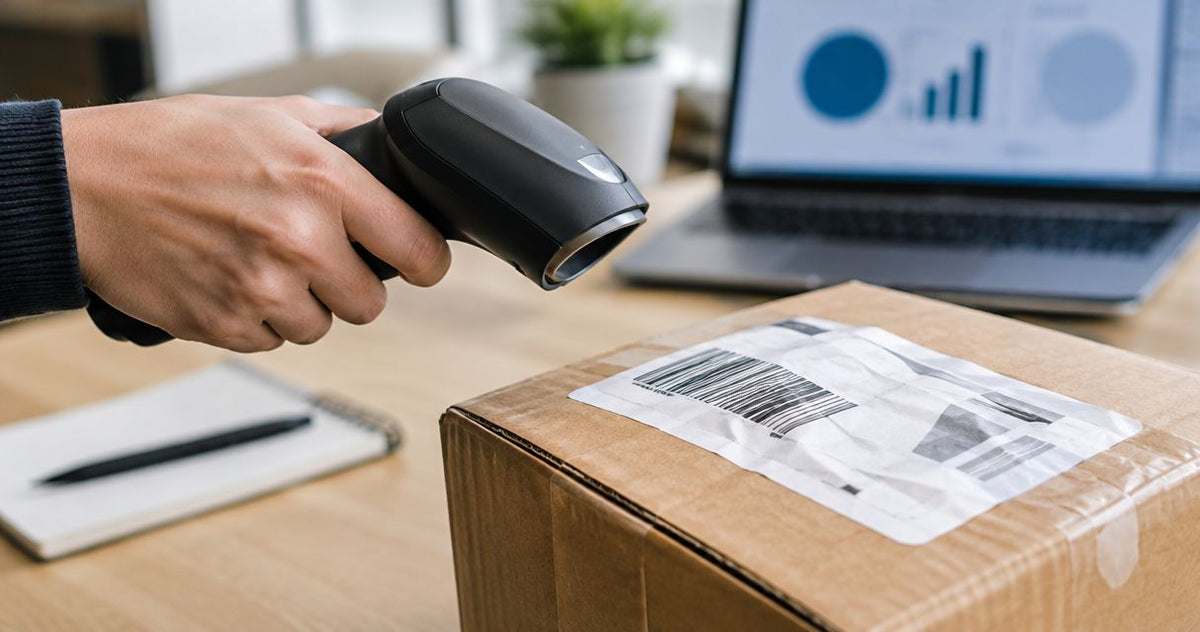
Yes, a barcode scanner can read damaged or wrinkled labels when enough of the barcode remains visible and the reader supports that barcode format. A crease, scratch, or faded patch does not automatically make a label unreadable, but missing bars, obscured identification patterns, and severe distortion can prevent decoding.
- Can a barcode scanner read damaged labels? Yes, if enough readable barcode information remains.
- QR Code error correction helps recover damaged data, but it does not guarantee a successful scan.
- McAuley Labels barcode printers suit businesses printing replacement asset tags; printer resolution alone does not prevent wrinkles.
- Replace unreliable labels using the verified original identifier, not a guessed reconstruction.
Can a barcode scanner read damaged or wrinkled labels?
Damage location matters as much as damage size. A scratch outside the symbol has a different effect from a tear through its essential patterns. A scanner also needs adequate contrast and a clear surrounding margin, called the quiet zone.
Use this comparison to separate recoverable presentation problems from damage that calls for replacement. For labels that start out pale or incomplete, begin with how to fix blurry or faded thermal label prints before replacing the scanner.
| Label condition | What affects readability | First action | Main limitation |
|---|---|---|---|
| Wrinkled but fully printed | Distortion, shadows, and glare across the symbol | Present the label flatter and adjust the angle | A sharp fold can conceal part of the code |
| Scratched linear barcode | Whether an uninterrupted path remains across all bars | Aim across an undamaged portion of the barcode height | Missing information across the full height defeats this approach |
| Partially damaged QR Code | Remaining data, error correction, and intact locating patterns | Capture the entire symbol with a compatible reader | Error correction cannot recover every damage pattern |
| Faded print | Contrast between dark elements and the background | Compare with a fresh label | Changing angles cannot restore missing contrast |
| Torn or missing section | Which encoded elements and structural patterns are absent | Retrieve the original identifier and reprint | A reader cannot reliably reconstruct arbitrary missing information |
A label that reads once is not necessarily suitable for continued use. Test it in its normal position with the reader your staff actually use, and confirm that the decoded identifier matches the intended record.
Why this matters
Repeated scan attempts turn a labeling defect into a workflow problem. Before buying hardware in 2026, determine whether the failure follows the label, the scanner, or the application receiving the data.
A barcode reader decodes a symbol; your inventory or asset system decides what that decoded value means. If the reader returns text but the application rejects it, investigate the record, field format, or scanner output settings rather than assuming the wrinkle caused the failure.
Keep identification and physical condition separate. You need the correct record and a label that remains readable during normal handling, not merely a successful beep at the inspection bench.
Linear barcodes: an intact scan path can survive a scratch
A linear barcode encodes information through the widths and arrangement of bars and spaces. Its height repeats that pattern, so a horizontal scratch does not necessarily destroy every usable path across the symbol.
For example, a damaged strip through the middle can leave a readable path above or below it. Aim across the full barcode width through that undamaged area, including the clear margins at either end.
A vertical tear through the full height is a different problem. It removes the same part of the encoded sequence from every available scan path; moving the aiming line higher does not restore the missing bars.
Best for: checking whether a localized scratch leaves a usable linear barcode. The limitation is structural: ordinary linear barcodes do not have the same data-recovery system as QR Codes, and a check digit is not a repair mechanism.
QR Codes: error correction helps, but positioning still matters
QR Codes include error-correction information that supports recovery from some missing or damaged data. Recovery depends on the encoded error-correction level and the location and extent of the damage—not simply the percentage of the label that looks intact.
The reader must also locate and interpret the symbol. Damage to the prominent corner patterns, severe folding, or an obstructed quiet zone can prevent that process before data recovery helps.
Best for: applications that need a two-dimensional code and compatible image-based readers. The trade-off is that a QR Code still needs an appropriate printed size, clear individual modules, and a reader that supports the format.
For a 2026 label redesign, do not switch formats solely because QR Codes tolerate some damage. Confirm that your software accepts the encoded data and that every scanning station supports the new symbol before changing production labels.
Which scanner type should you try?
Use a compatible area imager when testing damaged QR Codes or mixed barcode formats. An area imager captures an image for decoding; a conventional linear laser scanner reads supported linear barcodes rather than QR Codes.
| Reader option | Best for | Useful capability | Limitation |
|---|---|---|---|
| Linear laser scanner | Existing linear-barcode workflows | Reads a path across bars and spaces | Does not read QR Codes |
| Area-imaging scanner | Mixed linear and two-dimensional barcode workflows | Captures the symbol as an image | Damaged-label performance varies by model and configuration |
| Phone camera with compatible software | A secondary QR Code check | Helps distinguish a reader-specific problem | Does not reproduce the conditions of a dedicated scanning station |
Do not treat an aiming pattern as proof of the reader's decoding capability. Check the scanner documentation for supported symbologies, operating distance, and configuration requirements.
A second compatible reader is useful for diagnosis, not proof that the label is acceptable. If only the backup reader succeeds, either replace the label or resolve the capability mismatch before returning the item to normal use.
Why damaged-label readability varies
These factors explain why similar-looking labels produce different results. Use them as a troubleshooting checklist in 2026 rather than assigning a universal damage-tolerance percentage.
- Damage location: A mark over unused label space differs from damage through bars, data modules, or locating patterns.
- Remaining contrast: Faded dark elements and darkened backgrounds reduce the distinction the reader needs.
- Surface shape: Wrinkles, tight curves, and folds change how much of the symbol the reader sees at once.
- Quiet zone: Printing, tape edges, or nearby graphics can interfere with the clear margin surrounding the code.
- Reader capability: Supported formats, focus range, illumination, and decoding settings affect the result.
- Print quality: Gaps, spreading bars, and poorly formed modules leave less tolerance for subsequent wear.
A stronger adhesive does not correct poor print quality. Likewise, a more capable scanner does not repair a label folded around an edge that hides part of the symbol.
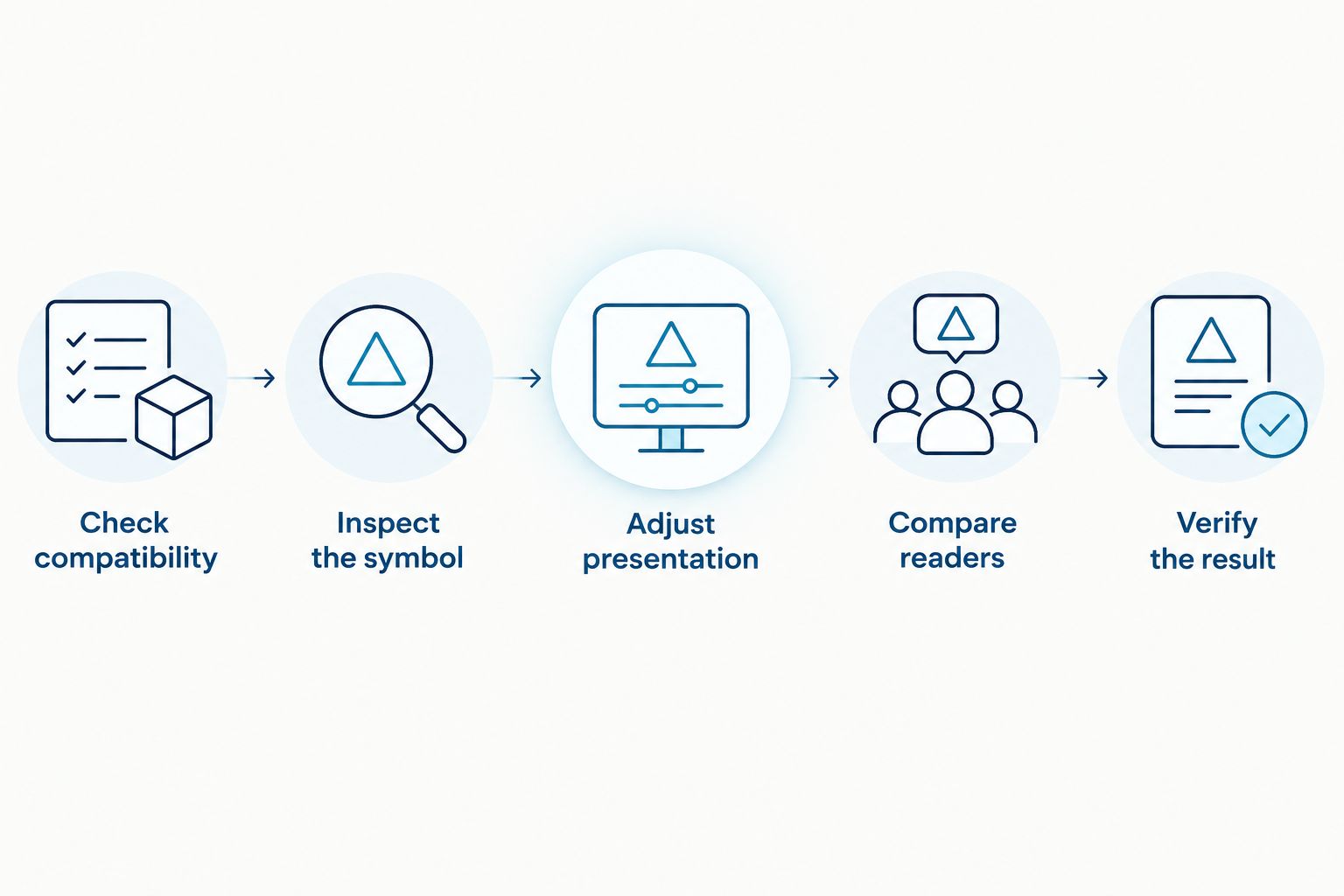
How do you troubleshoot a damaged label without guessing?
Start with a known-good label of the same barcode format. This comparison separates a damaged symbol from a disabled symbology or a reader that is not sending data correctly.
- Check compatibility. Confirm that the reader supports the barcode format and that the format is enabled. Test the known-good label before changing other settings.
- Inspect the symbol. Look for missing print, folded sections, dirt, glare, and covered margins. Distinguish a surface mark from an actual loss of printed information.
- Adjust presentation. Keep the whole symbol visible, change the angle to reduce reflection, and work within the reader's specified distance. For linear codes, try an intact path across all bars.
- Compare readers. Try another compatible reader without altering the identifier or drawing over damaged areas. Record whether the problem follows the label.
- Verify the result. Compare the decoded value with the authoritative item record. Replace an unreliable label using that verified identifier.
Avoid rubbing, heating, or applying solvents to an unknown label material. Follow the label and equipment care instructions; an attempted cleaning method can remove print or damage a heat-sensitive surface.
Stop retrying when the code is visibly incomplete and the original record is accessible. Reprinting from verified data is a better corrective action than relying on a special angle that the next operator will not know.
How do you prevent replacement labels from failing again?
Fix the cause before printing a batch. A sharp replacement barcode will develop the same wrinkle if you apply it over the same seam, flexible packaging fold, or unsuitable curve.
Match the material to the exposure
Identify abrasion, moisture, cleaning chemicals, heat, and handling conditions before selecting label stock and printing supplies. Material suitability and printed-image durability are separate requirements; confirm both for the actual environment.
For equipment identification, McAuley Labels lists metalized silver barcode asset tags. Their role is to carry the equipment identifier; correct placement and a readable barcode remain necessary, and material selection alone does not guarantee scan performance.
Match resolution to the barcode design
Printer resolution describes dot density, not resistance to damage. A 203 DPI printer, a 300 DPI printer, and a 600 DPI printer provide different design constraints for narrow bars and small modules; none makes a folded barcode flat.
Generate the barcode for the printer's actual resolution rather than stretching a low-resolution screenshot. Preserve the required quiet zone, and check that the smallest printed features remain distinct on the finished label.
For a 2026 printer purchase, test your intended barcode size and encoded content on the proposed stock. Higher resolution is not a substitute for suitable dimensions, correct settings, or compatible ribbon and media.
Test the label after application
Apply a sample to the real surface and scan it in its working position. A code that reads on its backing sheet can become distorted when wrapped tightly around a tube or pressed across a ridge.
McAuley Labels barcode printers are best suited to businesses producing their own replacement labels. The printer creates the replacement; you still need verified source data, suitable media, and an application method that keeps the symbol readable.
Can I smooth a wrinkled label instead of replacing it?
You can improve presentation when a wrinkle hides otherwise intact print, but smoothing does not repair missing barcode elements. Avoid stretching the label or lifting an adhesive label unless its application instructions permit it.
Replace the label if normal handling brings the fold back or scanning requires unusual positioning. For 2026 operating procedures, make ordinary-use readability the acceptance condition rather than a single successful retry.
Does a successful scan prove barcode quality?
A successful scan proves that a particular reader decoded the symbol under those conditions. It does not establish a formal barcode quality grade or demonstrate that other readers will succeed.
Use barcode verification when your customer, application standard, or quality procedure requires measured symbol quality. A scanner and a barcode verifier serve different purposes, even when both report the encoded data.
Should I recreate a damaged barcode from the text underneath?
Recreate the barcode from the authoritative system record whenever possible. Human-readable text can help identify the item, but displayed text does not always show every encoded character, separator, or formatting requirement.
Confirm the identifier before issuing a replacement and prevent conflicting active labels on the same item. McAuley Labels replacement-label workflows still depend on that record check; printing a clean symbol cannot correct the wrong source value.
FAQ
Can a barcode scanner read damaged labels if some bars are scratched?
Yes, a barcode scanner can read damaged labels when an intact path remains across all required bars and spaces. A scratch that removes information across the full barcode height is more serious than damage confined to one strip.
Will a wrinkled QR Code still scan?
A wrinkled QR Code can scan if the reader can locate the symbol and recover its data. Deep folds, hidden sections, and damaged locating patterns can prevent decoding despite error correction.
Is an area imager better than a laser scanner for damaged labels?
An area imager is the appropriate option for QR Codes and other supported two-dimensional symbols. For damaged linear codes, compare specific reader capabilities rather than assuming every imager outperforms every laser scanner.
Can I put clear tape over a damaged barcode?
Clear tape does not restore missing barcode information. Tape can also introduce glare, bubbles, or wrinkles, so test the finished surface and replace the label when readability remains unreliable.
Can a phone read a barcode that a warehouse scanner rejects?
A phone with compatible software can sometimes decode a symbol that another reader rejects. That result does not prove the label will work at the warehouse scanning station or that the application's data requirements are satisfied.
Does a higher-DPI printer prevent barcode scanning problems?
Higher resolution does not prevent wrinkles, scratches, or incorrect placement. It supports finer printed detail, but barcode dimensions, contrast, media, and print settings still determine the finished result.
Should I draw over missing barcode bars with a marker?
Do not redraw damaged barcode bars with a marker. Changes to bar widths and spaces can make decoding unreliable; print a replacement from the verified original data instead.
One last thing
A barcode that reads correctly can still identify the wrong item. Before returning relabeled equipment or stock to use, compare the scanned value with the physical item's authoritative record—not just the number printed on the old sticker.