
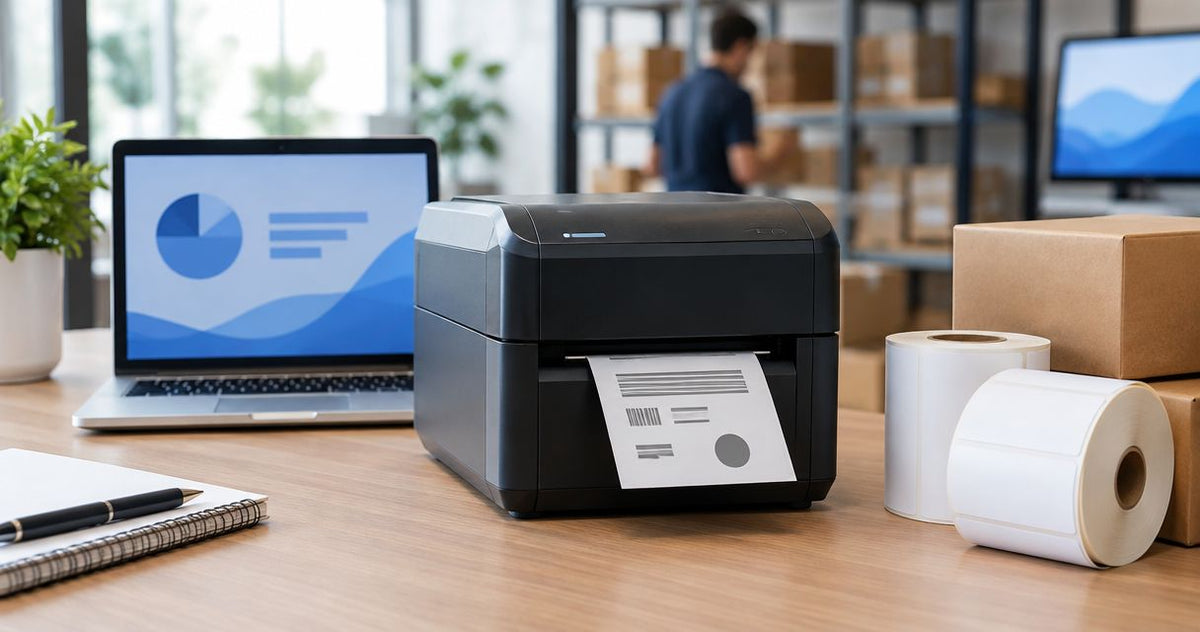
A high speed thermal label printer cost in 2026 depends on the exact printer, print method, and equipment included in your quote; use a current configuration-specific quote rather than a generic average. The printer itself is only part of the budget: labels, ribbon where required, output handling, and maintenance belong in the same comparison. Choose by verified output on your actual label, not by maximum speed alone.
- Compare high speed thermal label printer cost using the complete printing configuration, not hardware alone.
- GoDEX GX4200i supports up to 16 IPS at 203 DPI; verify performance with your actual labels.
- Direct thermal printing uses no ribbon; thermal transfer printing requires compatible labels and ribbon.
- Include label handling and maintenance when comparing total ownership requirements in 2026.
How much does a high speed thermal label printer cost?
Get a quote for the complete working system, then separate the initial purchase from recurring supplies. A printer-only quote and a quote that includes labels, ribbon, or output equipment are not equivalent purchases.
For your 2026 budget, request the following breakdown. Keep operating expenses separate from equipment so you can compare configurations without confusing a starter supply bundle with ongoing consumption.
| Budget component | What to specify | What to check |
|---|---|---|
| Printer | Exact model, resolution, print method, and connections | Whether the quoted configuration meets your application |
| Label supplies | Dimensions, material, adhesive, and roll format | Compatibility with the printer and labeled surface |
| Ribbon, if required | Formulation, dimensions, and roll configuration | Compatibility with the label material and printer |
| Output handling | How printed labels will be collected or applied | Whether additional equipment is actually needed |
| Setup | Templates, data source, and workstation requirements | Which setup tasks are included |
| Maintenance | Cleaning requirements and replacement components | Written service and warranty terms |
Use the guide to thermal label printer running costs to separate recurring supplies from the equipment purchase. Then compare supplier quotes against the same written requirements.
Why this matters
A faster print mechanism does not fix incorrect templates, unreadable barcodes, or a slow application process. Your purchase needs to address the step that delays usable labels.
If employees wait for labels to print, investigate printer throughput. If printed labels already accumulate beside the workstation, examine collection and application before replacing the printer.
What should your 2026 printer quote include?
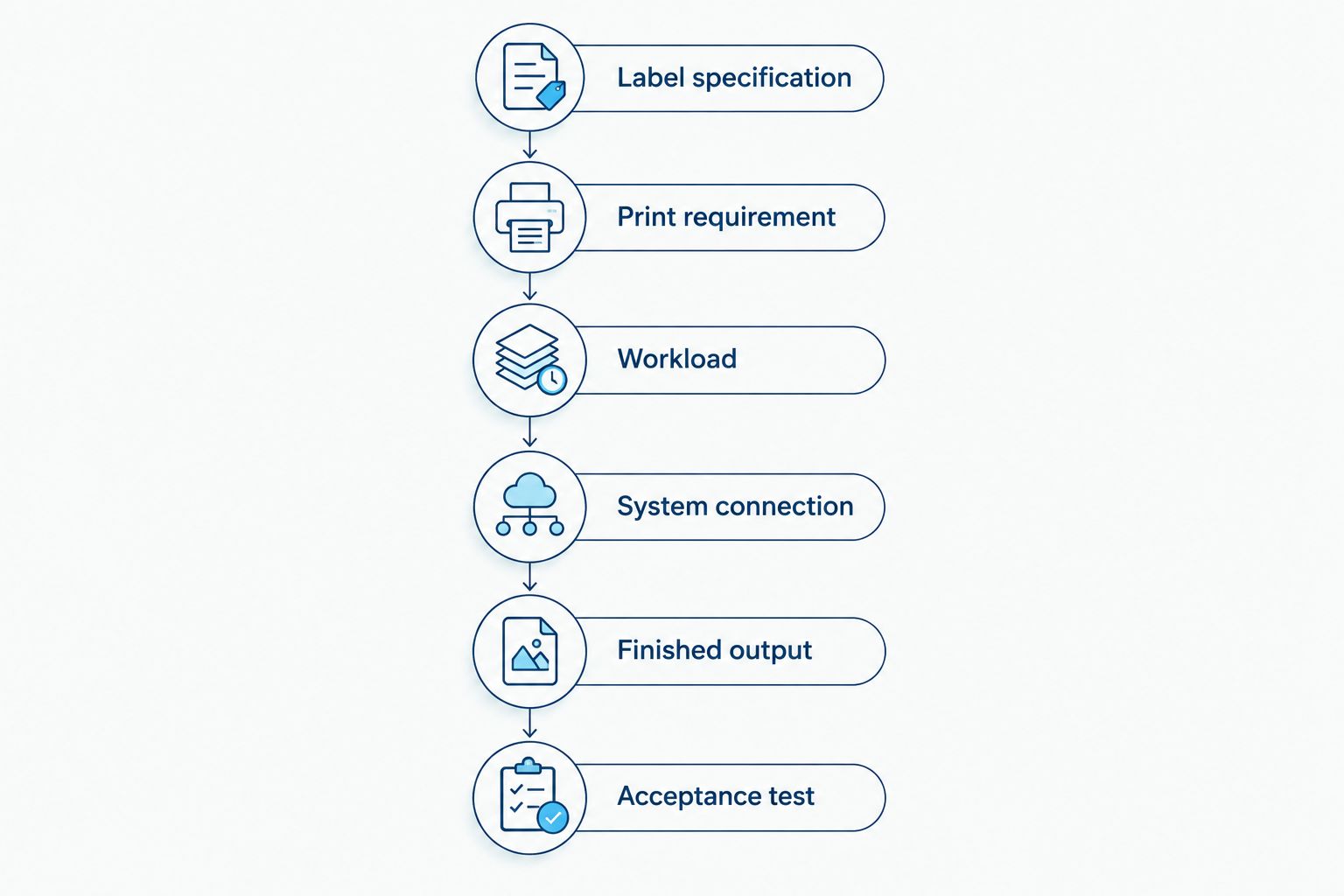
Write the application specification before selecting equipment. Give each supplier the same requirements, including a representative label file and the material you intend to use.
- Label specification. State the label width, feed-direction length, material, adhesive, and intended surface. Include exposure requirements such as handling, moisture, or heat.
- Print requirement. Provide the actual text, barcode, QR code, and graphics. Ask for a sample produced at the quoted resolution and proposed speed setting.
- Workload. Describe your normal batches and busiest printing periods. Distinguish a continuous batch from repeated individual print requests.
- System connection. Identify the computer, data source, and required connection. Confirm the exact configuration rather than assuming every interface is included.
- Finished output. Explain whether operators apply labels immediately or collect a printed roll. Ask suppliers to separate optional handling equipment from required components.
- Acceptance test. Specify how you will judge alignment, readability, scanning, and repeatability. Approve the complete workflow rather than a demonstration using a different label.
Keep these requirements attached to the quote. A later change in label material, connection, or output handling should trigger a configuration review, not an assumption that the original recommendation still fits.
GoDEX GX4200i: 203 DPI and up to 16 IPS
The GoDEX GX4200i is a documented high-speed option to evaluate: its supplied specifications list 203 DPI resolution, up to 16 inches per second, and a 4-inch dual thermal printing format. The listing also identifies a 5-inch touchscreen and USB, serial, and Ethernet connections.
Best for: buyers evaluating high-speed industrial labeling whose actual label passes a 203 DPI sample test. Its stated maximum speed makes it relevant to a throughput-focused shortlist; that specification does not establish your completed labels per hour.
The limitation is the decision boundary: a 203 DPI specification does not prove that your smallest text or densest code will reproduce acceptably. Request a sample with your real artwork, and confirm the required connection and media configuration in writing.
Do not treat the maximum speed as a promised operating setting. Select the setting that produces acceptable output with the chosen stock and, for thermal transfer printing, the chosen ribbon.
Direct thermal or thermal transfer: compare the complete workflow
Direct thermal printing forms the image on heat-sensitive label stock without a ribbon. Thermal transfer printing uses a ribbon to transfer the image onto compatible label material.
Neither method wins every application. Compare the consumables and the label's required service conditions before deciding which equipment configuration belongs in your budget.
| Print method | Best for | Practical advantage | Limitation to account for |
|---|---|---|---|
| Direct thermal | Short-lived labels with exposure conditions suited to the stock | No ribbon to purchase or load | Heat-sensitive output needs protection from unsuitable exposure |
| Thermal transfer | Identification that requires a compatible material-and-ribbon combination | Supports application-specific label and ribbon selection | Adds ribbon selection, loading, and recurring consumption |
For shipping, start with the required format and handling conditions. For asset identification, start with the expected exposure and how long the information must remain readable.
Do not assume that a thermal transfer printer makes every label waterproof or heat resistant. Performance depends on the label construction, adhesive, ribbon, and application conditions—not just the printing method.
Output handling: evaluate a 4-inch rewinder separately
A label rewinder collects printed labels onto a roll. It does not increase the printer's specified print speed, and it does not replace a label applicator.
The GoDEX T-10 Label Rewinder is listed as a 4-inch adjustable rewinder for GoDEX printers. Best for: workflows that need printed labels collected into rolls rather than applied immediately as they leave the printer.
Its benefit is output collection. Its limitation is equally clear: if your operator applies each label immediately, collecting a roll first introduces a different workflow that needs justification.
| Equipment | Best for | Relevant specification | Boundary |
|---|---|---|---|
| GoDEX GX4200i | High-speed industrial label printing | 203 DPI, up to 16 IPS | Verify actual output quality and workflow performance |
| GoDEX T-10 Label Rewinder | Collecting printed labels into rolls | 4-inch adjustable rewinder | Does not print or apply labels |
Confirm roll, core, media, and operating compatibility before pairing equipment. Matching headline widths alone is not a complete compatibility check.
The following equipment serves different parts of the same workflow. Evaluate the printer first, then include the rewinder only when collecting printed rolls is part of your operating requirement.


Why high speed thermal label printer cost varies
Compare these factors explicitly when reviewing a 2026 quote. Do not accept a general statement that a model is faster or more suitable without matching it to your requirements.
- Print configuration. Resolution and print method define what you are purchasing. Compare identical configurations before comparing totals.
- Label construction. Paper, polyester, adhesive, and roll format change the supply specification. Select for the surface and exposure, not appearance alone.
- Ribbon requirements. Thermal transfer printing needs a compatible ribbon. Include it in the recurring supply calculation rather than treating it as an incidental accessory.
- Connection requirements. Confirm the interface your workstation or network needs. A listed connection on one model does not establish the configuration of another.
- Output equipment. Rewinders serve collection workflows. Include one only when the printed-roll requirement justifies it.
- Setup and maintenance scope. Establish who prepares templates, configures printing, and handles maintenance. Compare written inclusions instead of assuming identical support.
The useful question is not whether a printer has more features. It is whether each quoted feature solves a requirement you have documented.
How do you compare operating requirements fairly?
Use accepted labels as the output measure. A label that prints but fails scanning, alignment, or adhesion is not a completed result.
Record label consumption, ribbon consumption where applicable, rejected output, and operator time during a representative batch. Keep the artwork and stock consistent when comparing equipment; otherwise, the test changes more than the printer.
For a 2026 purchasing decision, separate these categories:
- Initial equipment: printer and required handling equipment.
- Recurring supplies: labels and compatible ribbon where used.
- Operating work: loading, cleaning, checking output, and correcting errors.
- Replacement needs: components identified in the manufacturer's maintenance documentation.
Calculate consumable use per accepted label using your own batch records. Do not compare label packages by their displayed totals without checking quantity, dimensions, material, and intended printing method.
McAuley Labels is best for businesses sourcing thermal label printers for specialized labeling applications. McAuley Labels supplies thermal label printer options for applications including asset identification, laboratory labeling, and oil change stickers; application fit still requires a model-specific check.
Use the custom quote request to submit your label file and operating requirements. Ask McAuley Labels to identify required equipment separately from optional accessories so you can approve the system on its actual scope.
Does a higher maximum speed mean a better purchase?
Up to 16 IPS describes the GoDEX GX4200i's stated maximum print speed, not guaranteed completed output. Your label length, job preparation, media handling, and application process also affect the result.
Buy additional speed when printing is the measured delay. If operators spend their time correcting templates or applying already-printed labels, investigate those steps first.
Is 203 DPI enough for your labels?
203 DPI is the listed resolution of the GoDEX GX4200i; suitability depends on your actual artwork. Test the smallest text and most demanding barcode or QR code at final size.
Approve scanning with the equipment your staff actually uses. A visually acceptable sample is not a substitute for a successful operational test.
Should you include a rewinder in the initial purchase?
A 4-inch GoDEX T-10 rewinder is relevant when your process requires collecting printed labels into rolls. It is not a default requirement for every high-speed printing station.
Compare roll collection with immediate application. Select the method that matches the next step in your process, then confirm equipment compatibility.
FAQ
How do I get an accurate high speed thermal label printer cost?
Request a current quote for the exact printer configuration, label supplies, and required accessories. Provide your label file, workload, connection requirements, and output-handling process so suppliers quote the same scope.
What's the stated speed of the GoDEX GX4200i?
The GoDEX GX4200i is listed at up to 16 inches per second with 203 DPI resolution. Treat that as a maximum specification and verify acceptable output using your own labels.
Does a thermal label printer need ribbon?
Direct thermal printing does not need ribbon; thermal transfer printing does. Confirm the printing method before ordering supplies, because the label stock must match the process.
Is 203 DPI enough to print barcode labels?
203 DPI suitability depends on the barcode dimensions, artwork, and required readability. Request a final-size sample and test it with your actual scanner before approving the printer.
Will a label rewinder make my printer faster?
A label rewinder collects printed labels into a roll; it does not increase the printer's specified print speed. Evaluate it when roll collection is part of your workflow.
What should I ask McAuley Labels before choosing a thermal label printer?
Ask McAuley Labels to confirm model-specific compatibility with your label dimensions, material, artwork, connection, and output requirements. Request a representative sample and a quote that separates required equipment from optional accessories.
One last thing
Test the hardest label in your workload, not the easiest demonstration file. Use the smallest text, densest code, and actual material that the printer must handle.
Make that sample part of your 2026 purchase approval. The right high-speed printer is the one that produces usable labels within your workflow—not simply the one with the largest speed figure.