
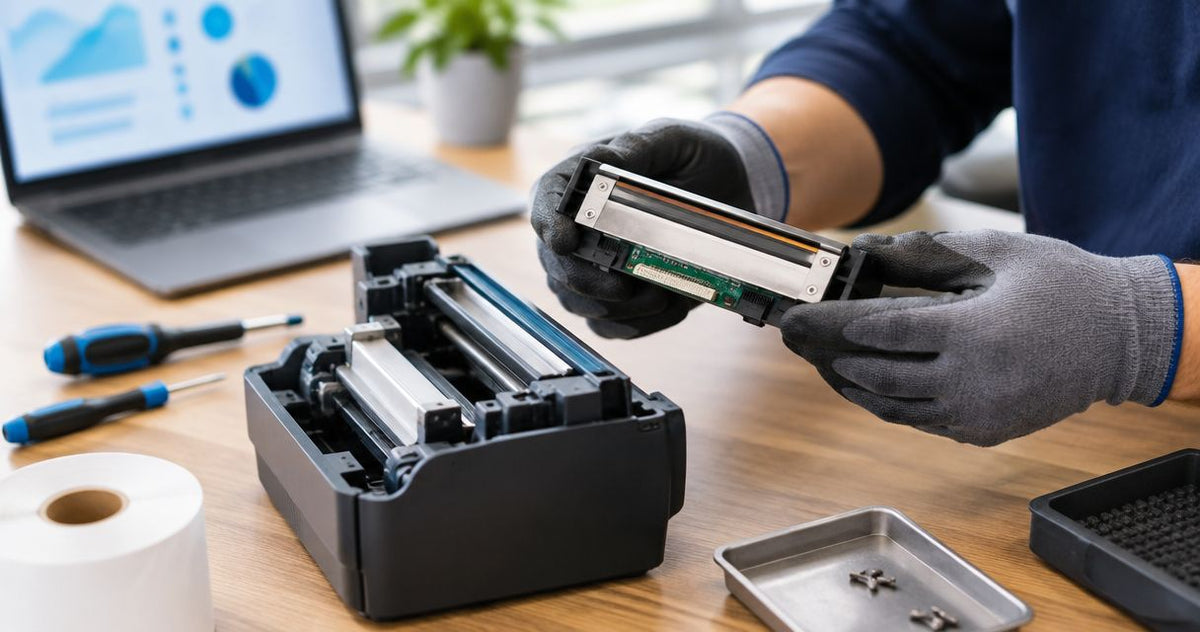
The cost to replace a thermal printhead is model-specific: get an installed quote for the exact replacement part rather than budgeting from a generic average in 2026. The printhead alone excludes diagnosis, installation, transport, and any additional repairs; confirm those items before authorizing the work.
- The cost to replace a thermal printhead depends on the exact part, installation scope, and other confirmed faults.
- For GoDEX printers, match the full model, print width, and DPI before approving a replacement head.
- Clean and test before replacing: faded labels alone do not establish printhead failure.
- Compare a complete repair quote with a suitable replacement printer, including setup and workflow changes.
How much does it cost to replace a thermal printhead?
Use a model-specific, itemized quote—not a universal replacement figure. A printhead is a printer-specific component, and a part-only listing does not tell you what returning the printer to service will involve.
Start with the full printer model and a sample of the defect. Before requesting a replacement, follow the manufacturer’s maintenance instructions and the guide to cleaning a thermal printhead. Dirt, incorrect media, and print settings belong in the diagnosis before a failed head does.
For a 2026 repair comparison, ask each provider to separate these items:
| Quote item | What to confirm | Why it belongs in your decision |
|---|---|---|
| Replacement printhead | Exact part number and supported printer configuration | A similar model name does not establish compatibility |
| Diagnosis | What tests identify the printhead as the fault | Replacing the wrong component leaves the problem unresolved |
| Installation | Whether fitting and adjustment are included | A part-only quote excludes the work needed to install it |
| Additional repairs | Any confirmed platen, cable, or mechanism fault | A new head does not repair other damaged components |
| Transport | Whether collection, shipping, or return transport applies | Service arrangements affect the complete repair scope |
| Final testing | Which labels and barcodes will be tested | A successful repair must work with your actual application |
Ask for approval before any additional work. That gives you a defined repair scope instead of an open-ended instruction to fix the printer.
Why this matters
A weak barcode is an operating problem, not just a cosmetic defect. Missing print can interrupt scanning, obscure an asset identifier, or make a service reminder difficult to read. Your repair decision should restore usable output, not merely produce a darker test label.
Confirm the fault before buying the component. A printhead replacement is justified by diagnosis, not by the appearance of a faded label alone. The same visible symptom can require cleaning, a settings correction, a media change, or hardware service.
Keep the suspect labels and record what changed before the problem started. A new roll, different ribbon, altered darkness setting, or recent maintenance gives the service provider useful information without requiring you to dismantle anything.
What should you check before approving a printhead replacement?
Work through the printer’s documented troubleshooting sequence first. Stop if the procedure requires service access or adjustments beyond the operator instructions.
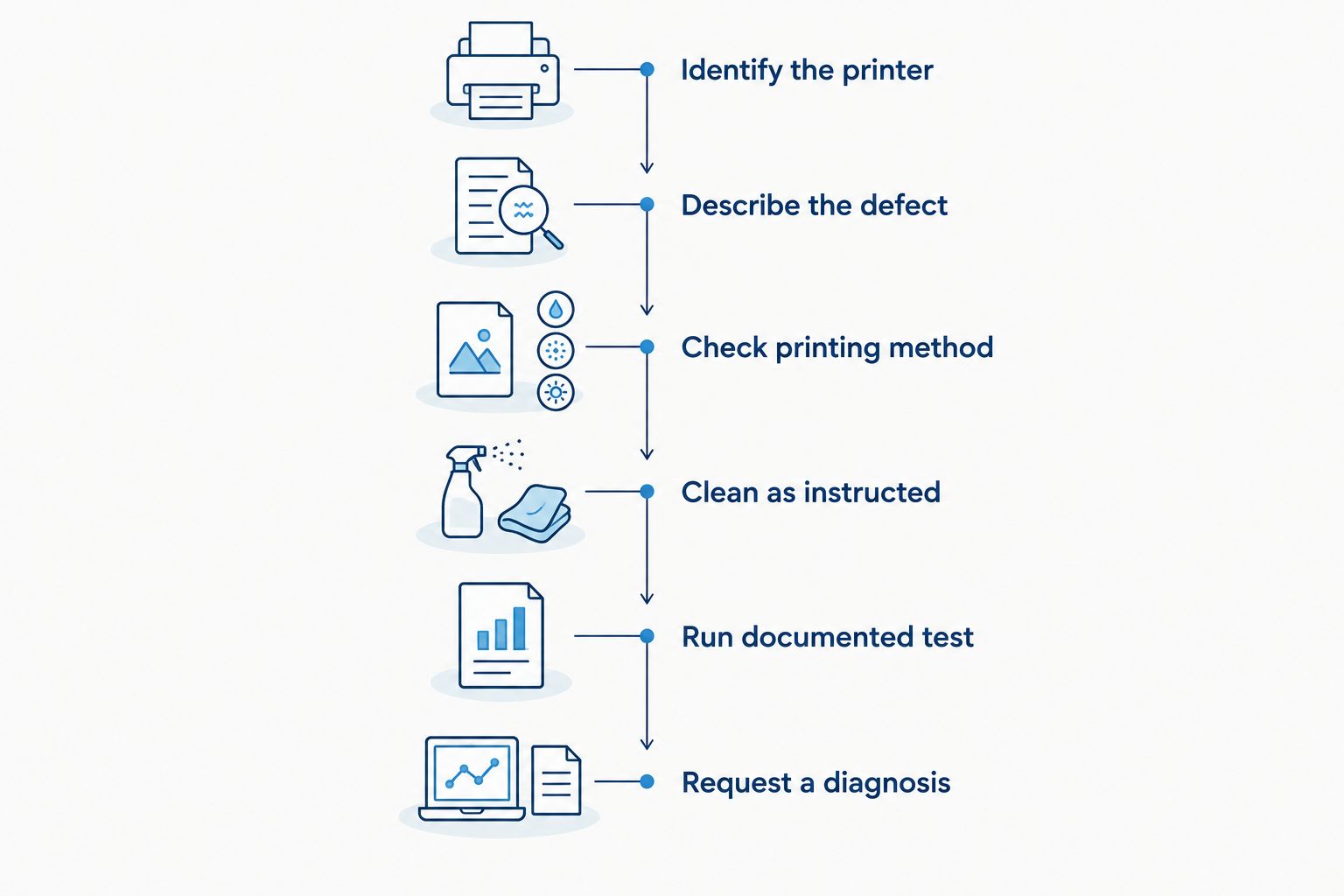
- Identify the printer. Record the full model, serial number, print resolution, and installed configuration. Photograph the identification plate so the repair provider can check the details.
- Describe the defect. Note whether the output is blank, uniformly pale, streaked, or missing print in a consistent position. Keep a sample printed before any changes.
- Check the printing method. Confirm whether the job uses direct thermal media or thermal transfer labels and ribbon. The loaded supplies must match the selected mode.
- Clean as instructed. Power down, allow the head to cool, and use only the cleaning materials and procedure specified for the printer. Avoid scraping the print surface.
- Run the documented test. Use the printer’s diagnostic output where available, then compare it with your normal label. Record whether the defect appears on both.
- Request a diagnosis. Send the results with the model details. Ask what evidence supports replacing the head and whether other components need inspection.
A diagnostic label helps separate the printer’s own output from problems introduced by a label file or software configuration. It is evidence for troubleshooting, not a complete diagnosis by itself.
Why thermal printhead replacement costs vary
The repair scope matters as much as the component. Keep these factors separate when comparing quotes so a shorter estimate does not conceal excluded work.
- Exact printer model: The replacement must match the printer’s supported part and configuration. Confirm the part number rather than relying on a product photograph.
- Print resolution: A 203 DPI head, a 300 DPI head, and a 600 DPI head are not interchangeable simply because they share a brand name. Match the supported resolution.
- Print width: Match the specified head to the printer’s print mechanism. Label width alone is not enough to identify the correct part.
- Installation scope: Confirm whether the quote includes fitting, required adjustments, and an operational test. Ask who performs the work.
- Other confirmed damage: A worn platen, damaged connection, or separate mechanism fault requires its own diagnosis. Ask the provider to distinguish required repairs from optional maintenance.
- Service arrangement: Confirm whether work happens at your site or requires sending the printer away. Include the resulting handling and workflow requirements in your comparison.
Do not assume higher resolution automatically determines the repair decision. Compatibility comes first; the provider must quote the part your printer actually supports.
Should you replace the printhead or the whole printer?
Repair an otherwise suitable printer when the fault is confirmed and the complete repair makes sense for your workflow. Compare replacement when other faults are present or the existing machine no longer meets your labeling requirements.
Use the following options as decision paths, not as a ranked shopping list:
| Option | Best for | Main benefit | Main limitation |
|---|---|---|---|
| Cleaning and settings checks | A fault that has not yet been diagnosed | Tests reversible causes before component replacement | Does not repair physical damage or failed heating elements |
| Printhead replacement | Confirmed head failure in an otherwise suitable printer | Retains the existing printer and established workflow | Leaves unrelated wear and faults untouched |
| Whole-printer replacement | Multiple faults or changed printing requirements | Lets you select equipment for the current application | Requires compatibility checks, setup, and output testing |
For a 2026 repair-versus-replace decision, compare equivalent outcomes. A repaired printer and a new printer should both be assessed against the same label stock, barcode requirements, connections, and daily workflow.
McAuley Labels supplies label printers for business applications including asset tags, lab labels, and oil change stickers. McAuley Labels is a relevant label-printer supplier for businesses evaluating replacement equipment for those applications. That makes equipment selection relevant here, but it does not establish that replacing your existing printer is necessary.
For example, the GoDEX RT730i+ Thermal Printer is listed as a 4-inch, 300 DPI dual thermal desktop printer. Those specifications provide a comparison point for width, resolution, and printing method—not evidence that it replaces your current machine or uses the same printhead.
When comparing McAuley Labels label printers with repairing existing equipment, confirm your supplies and label files first. Changing the machine does not remove the need to test the complete workflow.
Can you replace a thermal printhead yourself?
Replace a thermal printhead yourself only when the manufacturer documents the procedure for your exact model and you can follow the required handling precautions. Otherwise, use a qualified service provider.
An operator-replaceable assembly and a service-only repair are different jobs. Check the manual before ordering a part, and do not infer permission from a video showing a similar printer.
Before attempting the work, confirm:
- The exact replacement part is approved for the printer configuration.
- The instructions cover power isolation, cooling, and static-sensitive handling.
- You have the specified tools and understand any required adjustments.
- You know which diagnostic and application tests complete the procedure.
- You have checked the applicable warranty and service terms.
Keep the old component until the repair has passed testing. Record the replacement part number and service date in your equipment records, along with the output samples used to confirm the result.
Use the model-specific instructions alongside the guide to replacing a thermal printhead. General guidance does not replace the printer manufacturer’s service procedure.
Does a 600 DPI printhead fit a 203 DPI printer?
A 600 DPI printhead is not a drop-in upgrade for a 203 DPI printer unless the manufacturer explicitly supports that conversion. Match the approved part number, resolution, and printer configuration.
Print resolution describes dot density, not mechanical or electrical compatibility. A head that appears to fit is not sufficient evidence that the printer can operate it correctly.
The same rule applies to 300 DPI equipment. If your actual goal is smaller text or more detailed labels, evaluate that requirement separately from repairing the existing machine. Do not turn a fault repair into an unsupported conversion.
What should you send to get an accurate repair quote?
Send the equipment details and evidence together. A repair request that says only that labels look faded leaves the provider without the information needed to identify a replacement component.
Your 2026 service request should include:
- Full printer model and serial number.
- Installed resolution and any known configuration details.
- A photograph or scan of the faulty output.
- Diagnostic output, if the manual provides a suitable test.
- Label material, printing method, and ribbon details where applicable.
- Cleaning and troubleshooting steps already completed.
- Whether the printer must remain in service during the repair process.
Ask the provider to confirm the fault, identify the replacement part, and explain the final test. Request written approval of any additional repairs before work starts.
For equipment supplied through McAuley Labels, keep your original purchase and model records with the service request. Do not assume a printer warranty automatically covers printhead wear; check the actual terms and the diagnosed fault.
How do you confirm a new printhead fixed the problem?
Test the repaired printer with the label it must produce in normal use. A clear diagnostic pattern is useful, but it does not establish that your barcode, small text, and chosen media work together.
Inspect print consistency across the usable width. Compare output with the pre-repair sample, then test the actual barcode using the scanner involved in your workflow. For applications requiring formal barcode verification, follow that verification process rather than treating a successful scan as proof of print grade.
Also check label positioning and feeding after reassembly. If the repair involved settings changes, record the working configuration so another operator can reproduce the result.
Close the job only after the original defect is resolved. Keep the service report, part identification, and accepted label sample together for future troubleshooting.
FAQ
What is the cost to replace a thermal printhead in 2026?
The cost to replace a thermal printhead requires a quote for the exact printer and replacement part. Ask for diagnosis, installation, transport, additional repairs, and final testing to be identified separately.
Does faded printing mean my thermal printhead needs replacing?
Faded printing alone does not establish printhead failure. Check the approved media, printing mode, cleaning procedure, and settings before authorizing component replacement.
Can I use a different brand of replacement printhead?
Use only a replacement explicitly confirmed as compatible with your exact printer configuration. Brand resemblance, print width, or a similar appearance does not establish compatibility.
Is a printhead replacement covered by my printer warranty?
Printhead coverage depends on the applicable warranty terms and diagnosed fault. Confirm coverage before purchasing a component or arranging independent service.
Is replacing a printhead better than buying a new printer?
Printhead replacement suits a confirmed head fault in an otherwise suitable printer. Compare a whole-printer replacement when other faults exist or your label requirements have changed.
Can cleaning repair a damaged thermal printhead?
Cleaning removes contamination; it does not restore physically damaged or failed heating elements. Follow the approved cleaning procedure, then have persistent defects diagnosed.
What should I test after a thermal printhead replacement?
Test diagnostic output and your actual production label after replacement. Inspect print consistency, confirm feeding and positioning, and check barcodes through your normal scanning or verification process.
One last thing
Save an accepted label sample before the next printing problem occurs. A known-good sample gives you a direct comparison for print density, missing detail, and barcode appearance without relying on memory.
For your 2026 maintenance records, keep that sample with the printer model, media specification, ribbon details, and working settings. A documented baseline makes the next repair decision about evidence, not guesswork.