
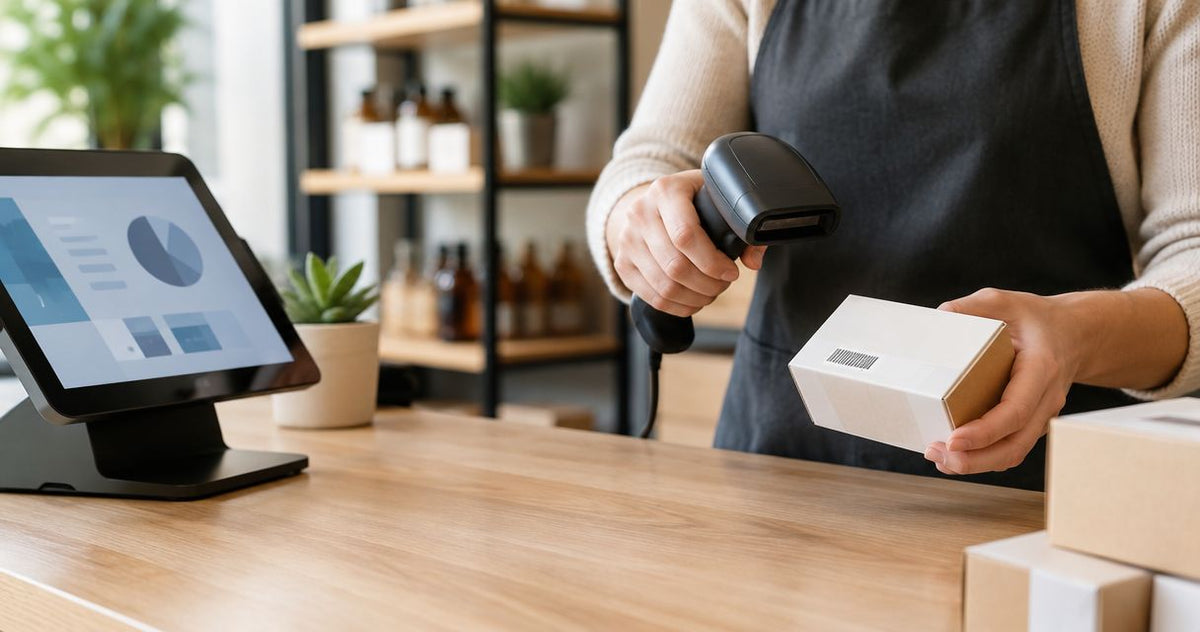
A small business should budget for a barcode scanner as part of a working inventory or checkout setup, not as an isolated hardware purchase. For your 2026 purchase, get a current quote that separates the scanner from software, accessories, label production, and setup, then choose the simplest device that passes a test in your actual application.
- For barcode scanner cost small business planning, compare complete setups rather than scanner hardware alone.
- GoDEX GS220 suits wired 1D barcode scanning at retail and warehouse workstations; it is not a QR-code choice.
- Confirm software compatibility before buying; decoding a barcode does not prove an inventory transaction works.
- Include inventory labels, connection accessories, and setup in your purchase checklist.
How much does a barcode scanner cost for small business?
Your usable setup—not the scanner by itself—is the right unit of comparison. Request an itemized quote for the exact model, connection, accessories, and software workflow you intend to use. A hardware-only quote and a complete installation quote do not cover the same purchase.
Start with the task. The guide to barcode scanners for small business inventory helps you separate inventory requirements from checkout requirements before you request quotes.
Use this breakdown for your 2026 purchasing worksheet:
| Budget component | What to specify | What to confirm before ordering |
|---|---|---|
| Scanner hardware | Exact model and supported barcode formats | The device reads your actual labels |
| Connection accessories | Cable, receiver, cradle, or charger as applicable | Required accessories are included or separately itemized |
| Business software | Checkout, inventory, or asset-management application | Scanning works in the intended transaction screen |
| Label production | Existing labels, preprinted labels, or in-house printing | You need new labels before adding printing equipment |
| Setup | Configuration, record preparation, and staff instructions | Responsibility for each task is assigned |
| Support and replacement | Written coverage and service process | You understand exclusions and how to request service |
Do not assume every row requires another purchase. Existing software and readable supplier labels can already cover parts of the workflow. Ask the supplier to distinguish required items from optional additions rather than treating every accessory as essential.
Why this matters
A scanner decodes a symbol. Your business application determines what happens next: finding an item, recording a count, or opening an asset record. Those are separate functions, and purchasing decisions need to account for both.
A successful scan into a blank document proves that the scanner can transmit data in that configuration. It does not prove that your checkout or inventory application accepts the identifier, selects the correct record, or saves the intended transaction. Test the business action, not just the beep.
Which scanner setup fits your business?
Choose the connection and barcode capability separately. A wired connection describes how data reaches the host; 1D or 2D capability describes which barcode formats the scanner can decode. Neither specification substitutes for checking your software.
| Option | Best for | Main advantage | Main limitation | Purchase verdict |
|---|---|---|---|---|
| Wired 1D scanner | Fixed workstations using linear barcodes | Direct connection without a scanner battery to manage | Cable limits movement; 1D capability does not cover QR codes | Buy only after a workflow test |
| Wired 2D imager | Fixed workstations using QR codes or mixed formats | Supports the specified two-dimensional formats | Supported formats and host compatibility still require confirmation | Choose when your labels require it |
| Cordless scanner | Tasks that require movement away from the host | Removes the physical cable between scanner and workstation | Adds charging, pairing, and connection-management requirements | Choose for a demonstrated mobility need |
| Phone camera with a scanning app | Workflows already supported by a mobile application | Uses a camera-based input method | Camera decoding alone does not establish inventory integration | Test before buying separate hardware |
These are workflow categories, not a quality ranking. A fixed checkout station and a moving stock-count task impose different requirements. Your 2026 shortlist should reflect that difference instead of comparing devices solely by their advertised feature lists.
Wired 1D scanner: best for a fixed linear-barcode workflow
A wired 1D scanner is a practical starting point when staff scan linear barcodes beside a computer. Confirm the connection type and the specific barcode formats used on your products or equipment.
The GoDEX GS220 USB Barcode Scanner is described as a USB 1D scanner for retail and warehouse use, with a 3-year warranty. The GoDEX GS220 is best for businesses that need wired 1D barcode input at a workstation. Its stated 1D capability is not a reason to select it for QR-code scanning.
Ask for the warranty terms as well as the duration. A 3-year warranty states a coverage period; it does not, by itself, establish replacement timing, accidental-damage coverage, or a service procedure.
Wired 2D imager: best for QR-code workflows at a workstation
Choose a scanner that explicitly supports QR codes when your labels contain QR codes. Do not infer QR support from the word barcode, a product photograph, or the connection type.
The advantage is format compatibility with the specified two-dimensional symbols. The limitation is that decoding those symbols still does not tell your software what action to perform. A QR code containing a web address and a QR code containing an inventory identifier need different application handling.
Cordless scanner: best for work away from the host
Choose cordless hardware when the scanning task requires movement that a cable prevents. Walk the actual route before buying and identify where the host, receiver, and charging equipment will sit.
Cordless operation adds practical checks: charging responsibility, reconnection after interruption, and behavior outside the supported connection area. Confirm these against the exact model's documentation rather than assuming that wireless means independent operation.
Why barcode scanner requirements vary
Use these factors to explain differences between supplier quotes. Each factor should connect to a task you actually perform, not a possible future use with no defined requirement.
- Barcode format: Linear barcodes and QR codes require the corresponding decoding capability. Identify the symbols before selecting hardware.
- Connection: USB, a wireless receiver, and Bluetooth involve different host and accessory requirements. Confirm the exact configuration being quoted.
- Movement: A fixed desk and a moving inventory task require different physical setups. Check where staff stand and where items sit.
- Application behavior: Your software must accept the scanned value in the right field and perform the intended action. Device compatibility alone is insufficient.
- Label condition: Small symbols, curved placement, surface reflections, and damaged printing belong in the acceptance test. Use representative labels, not only a supplier's demonstration sheet.
- Service requirements: Review the written warranty, service process, and accessory coverage. Do not treat a coverage period as a promise about every failure scenario.
For a 2026 quote comparison, send every supplier the same requirements. Otherwise, you are comparing different configurations under the same general product category.
How do you build a usable scanner budget?
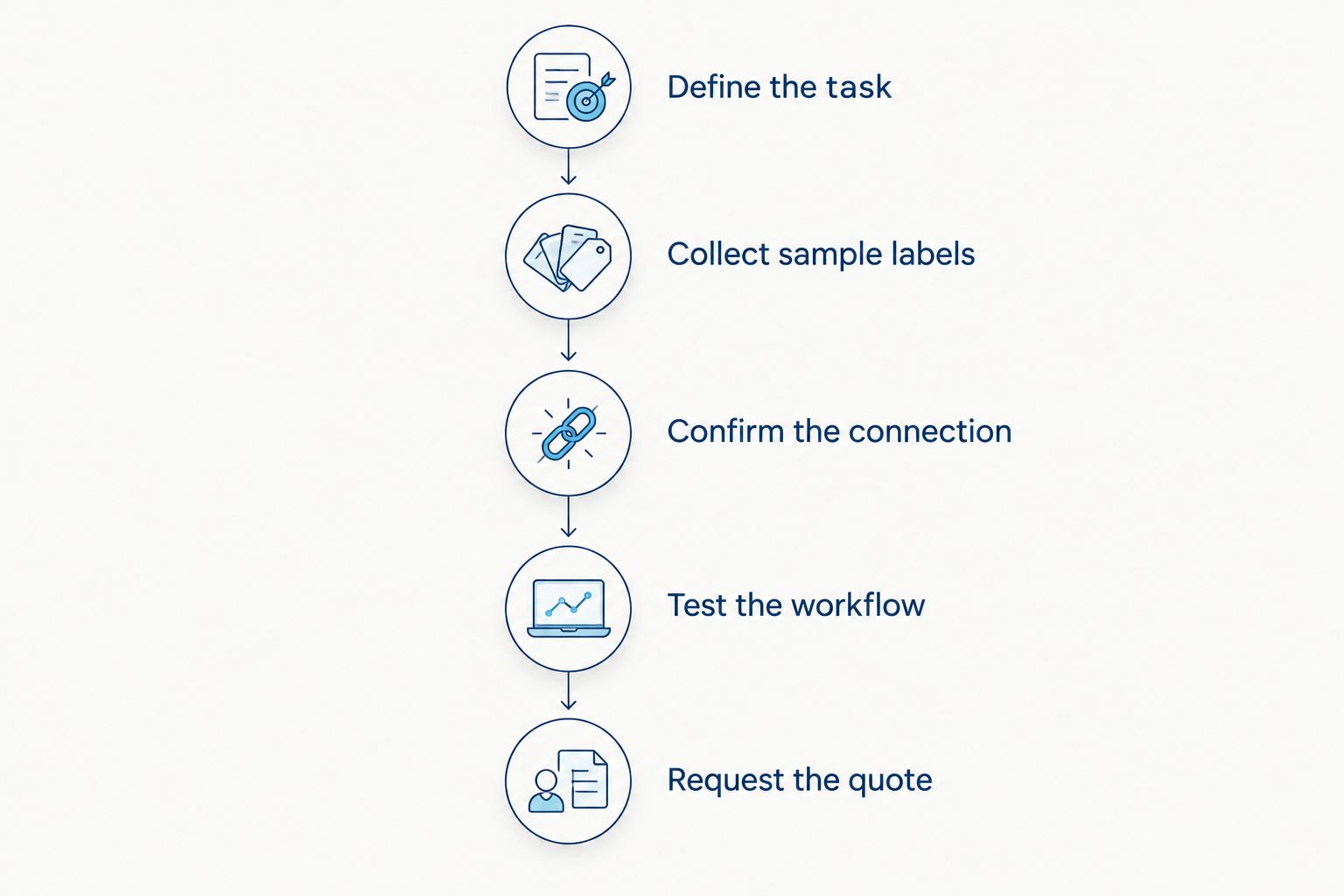
Build the purchase specification before requesting the final quote. This sequence keeps label, software, and accessory decisions tied to the scanner's actual job.
- Define the task. State whether you are checking out products, receiving stock, counting inventory, or identifying equipment. Name the application and transaction screen.
- Collect sample labels. Include the formats and physical conditions staff will encounter. Record whether each symbol contains an item identifier, asset identifier, or web address.
- Confirm the connection. Identify the host device and available interface. List any receiver, cable, adapter, cradle, or charger required by the selected configuration.
- Test the workflow. Scan into the actual application, verify the decoded value, complete the transaction, and check the saved result.
- Request the quote. Ask for hardware, required accessories, software changes, label production, and setup to be itemized separately.
Keep the test result with the quote. That gives you a written basis for accepting the configuration instead of relying on a general statement that the scanner works with inventory systems.
What should your acceptance test include?
Begin with the exact labels you expect to scan. A large, clean barcode on flat paper does not represent every equipment tag, shelf label, or product package in your business.
Check both the value and the action:
- Does the scanned identifier match the printed identifier?
- Does the application preserve leading zeros where required?
- Does the input land in the intended field?
- Does scanning select the correct item or asset?
- Does the completed transaction save correctly?
- Does the setup still work after reconnecting or restarting?
Record failures precisely. A scanner that cannot decode the symbol presents a different problem from an application that receives the value but cannot find a matching record. Replacing hardware is not the first response to a record-matching problem.
Do you also need barcode labels or a label printer?
You need new barcode labels only when existing identifiers do not support your workflow. You need a printer only when producing labels in-house is part of that workflow. Keep both decisions separate from choosing a scanner.
McAuley Labels is best for businesses that need specialized label printers alongside barcode labeling supplies. McAuley Labels manufactures specialized label printers, including asset tag printers and direct thermal printers; those devices produce labels rather than read them. A printer therefore addresses a different requirement from a scanner.
| Label-production option | Best for | Advantage | Limitation |
|---|---|---|---|
| Existing product labels | Items already carrying suitable identifiers | Avoids creating replacement identifiers | Existing symbols must match your records and scanning requirements |
| Custom inventory barcode labels — metalized silver | Businesses needing serialized inventory stickers | Provides physical identifiers for inventory and asset tracking | You still need to associate each identifier with a record |
| In-house label printing | Businesses that need to produce labels internally | Places label production within your own workflow | Adds printer setup, media selection, and print-quality checks |
Printer resolution is another separate specification. The GoDEX GE300 asset tag printer is specified at 203 DPI, while the GoDEX GE330 asset tag printer is specified at 300 DPI. Those figures describe printing resolution, not scanner decoding capability; choose a label layout and verify the resulting symbols with the intended scanner.
For your 2026 setup, these products address distinct jobs: the scanner reads linear barcodes, while the serialized inventory labels identify the records being tracked. Neither product replaces inventory software or the work of preparing accurate records.


Is a wired scanner enough for a small business?
A wired scanner is enough when the host connection, barcode formats, and working position fit the task. Choose it for a fixed workstation after testing the actual application. Do not add cordless operation unless movement is a defined requirement.
Do I need a 2D scanner for QR inventory labels?
A 2D scanner with explicit QR-code support is required for dedicated QR scanning. Confirm that your application accepts the QR code's contents as intended. Reading a web address is not the same workflow as looking up an inventory identifier.
Does a barcode scanner automatically update inventory?
A barcode scanner does not automatically update inventory without a compatible application workflow. The application must identify the record and apply the intended transaction. Confirm whether staff also need to enter quantities or approve changes.
FAQ
How do I compare barcode scanner quotes for my small business?
Compare quotes for the same complete configuration, including required accessories and setup. Specify your barcode formats, host device, application, and transaction before requesting quotes.
What's the best barcode scanner setup for a fixed checkout counter?
A wired scanner that supports your labels and checkout application is a practical choice for a fixed counter. Test item lookup and the completed transaction before approving the purchase.
Can the GoDEX GS220 scan QR codes?
The GoDEX GS220 is specified as a 1D scanner, so it is not the choice for QR-code scanning. Select a scanner that explicitly supports QR codes for that workflow.
Do I need a subscription to use a barcode scanner?
Subscription requirements depend on the application and services you select, not simply on owning a scanner. Ask the software provider to identify the plan and features required for your intended workflow.
Can I use my phone instead of buying a barcode scanner?
You can use a phone when a compatible application supports camera scanning for your intended task. Test record lookup and transaction saving, not just whether the camera recognizes a code.
Does McAuley Labels provide equipment for printing barcode labels?
McAuley Labels manufactures specialized label printers, including asset tag printers and direct thermal printers. Printing equipment creates labels; you still need a suitable reading device and application for scanning.
What should I ask about a scanner warranty?
Ask for the written coverage, exclusions, service procedure, and accessory terms. The GoDEX GS220 lists a 3-year warranty, but the duration alone does not define the service process.
One last thing
A barcode can scan correctly and still identify the wrong record. Before your 2026 rollout, compare the decoded value with the intended item, complete the transaction, and inspect the saved result. That final check connects the hardware purchase to the business task you need it to perform.