
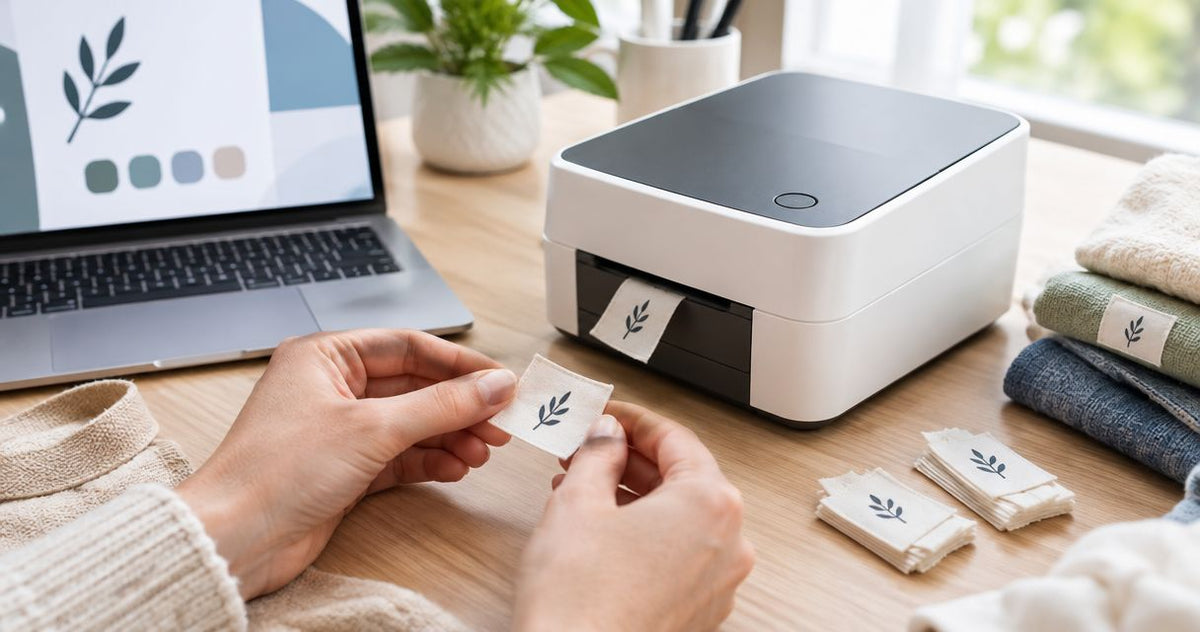
Yes, a label printer can print on fabric labels when it supports the specified textile label stock and printing method; for washable garment labels in 2026, use a compatible thermal transfer system with a textile-rated ribbon. A direct thermal shipping-label printer cannot print on ordinary fabric, and a readable first print does not prove that the label will survive laundering.
- Can a label printer print on fabric? Yes, with compatible textile label stock, printer hardware, and ribbon.
- Thermal transfer fabric labels need a matched ribbon and material; direct thermal printers require heat-sensitive media.
- McAuley Labels supplies specialized label printers; confirm textile compatibility for the exact model before ordering.
- Test printed garment labels through the intended washing, drying, and attachment process before production.
Can a label printer print on fabric labels?
Yes—but fabric compatibility belongs to the complete printing system, not the word “thermal” on the printer. You need media that feeds correctly, a surface designed to accept the image, and a print method suited to the label's use.
The distinction between direct thermal and thermal transfer printing is the starting point. Direct thermal printing darkens a heat-sensitive coating; thermal transfer printing uses heat to transfer an image from a ribbon onto compatible media.
| Printing option | Can it print fabric labels? | Best for | Main limitation |
|---|---|---|---|
| Thermal transfer | Yes, with approved textile stock and matched ribbon | Variable text, care information, and identification on compatible fabric labels | Ribbon, fabric coating, feeding, and laundering requirements must match |
| Direct thermal | Not on ordinary, uncoated fabric | Temporary identification on approved heat-sensitive label media | A direct thermal label is not automatically a washable textile label |
| Inkjet | Yes, on fabric sheets or media specified for the printer | Color designs on compatible printable fabric | Ordinary fabric is not interchangeable with prepared inkjet fabric media |
| Laser | Only with fabric media explicitly approved for the printer | Sheet-based work using specified laser-compatible media | Media must tolerate the printer's fusing process |
Do not feed a garment, loose fabric scrap, or unsupported cloth strip into a desktop label printer. A roll-fed machine needs media within its documented feeding and sensing requirements.
Why this matters
A fabric label has separate jobs: accept the print, attach to the item, and remain readable during use. Passing the first job does not establish the other two. A sharp-looking label can still smear, fray, detach, or become uncomfortable against skin.
For a 2026 purchasing decision, start with the finished label's purpose rather than printer resolution. A removable stockroom sticker on a garment bag has different requirements from a sewn-in care label that stays with the garment through laundering.
Choose the application first, then match the printer, label stock, ribbon, and attachment method. Reversing that order leaves you trying to make unsuitable supplies work.
Thermal transfer: the option to check for washable fabric labels
Thermal transfer is the relevant starting point for printing variable information on compatible textile label rolls. The printhead heats a ribbon, transferring its coating onto the label surface. The fabric stock must be designed for that process.
Best for: businesses printing changing care information, sizes, identifiers, or barcodes onto approved textile media. The advantage is on-demand information; the limitation is that durability depends on the specific ribbon-and-material combination.
Ask for a textile ribbon recommendation that names your exact label stock. A ribbon intended for paper packaging or polyester equipment stickers is not evidence of suitability for washable clothing labels.
Also distinguish a polyester film sticker from a polyester textile label. They share a material-family name, but their construction, surface, flexibility, and attachment methods differ. Do not substitute one for the other based on the word “polyester.”
Does any resin ribbon work on fabric?
No. A resin ribbon must still match the textile coating, printer technology, and intended cleaning process. “Resin” describes a ribbon category, not universal approval for garment labeling.
Use the ribbon supplier's application guidance to narrow the choice, then test the actual label. Do not treat resistance to rubbing or water as proof of resistance to detergent, drying, ironing, or dry cleaning.
Direct thermal: suitable media, not ordinary cloth
A direct thermal printer needs a heat-sensitive surface to create an image. Ordinary cotton, satin, and other unprepared fabrics do not become printable simply because they fit beneath the printhead.
Best for: temporary identification on compatible direct thermal media. The benefit is printing without a transfer ribbon; the drawback is that this process does not establish suitability for permanent garment care labels.
Do not confuse sticking a paper label onto fabric with printing a fabric label. The former creates an adhesive label attached to cloth. Its print durability and adhesive performance remain separate questions.
If you already own a shipping-label printer, check its manual before buying textile rolls. A direct thermal-only printer cannot become a thermal transfer printer through a software setting or by adding an unsupported ribbon.
Why fabric-label results vary
Fabric printing depends on the physical supplies and the finished item's treatment. Check these factors before approving a production setup:
- Material surface: Use fabric stock specified for the printing process, including any required printable coating.
- Ribbon match: For thermal transfer, match the ribbon to the textile and cleaning requirements rather than choosing by ribbon category alone.
- Media handling: Confirm label width, thickness, roll construction, sensing method, and feeding requirements against the printer documentation.
- Print settings: Use the supplier's recommended speed and darkness settings as a starting point, then inspect the output.
- Cleaning exposure: Evaluate the detergent, washing, drying, ironing, or dry-cleaning conditions the finished label will encounter.
- Attachment: Confirm whether the label is sewn, heat-applied, or adhered, and evaluate the finished attachment separately from the print.
Keep the supplier's technical information with the approved job specification. That record lets you reorder the same combination rather than relying on a visual match between rolls.
How do you check a printer before buying fabric labels?
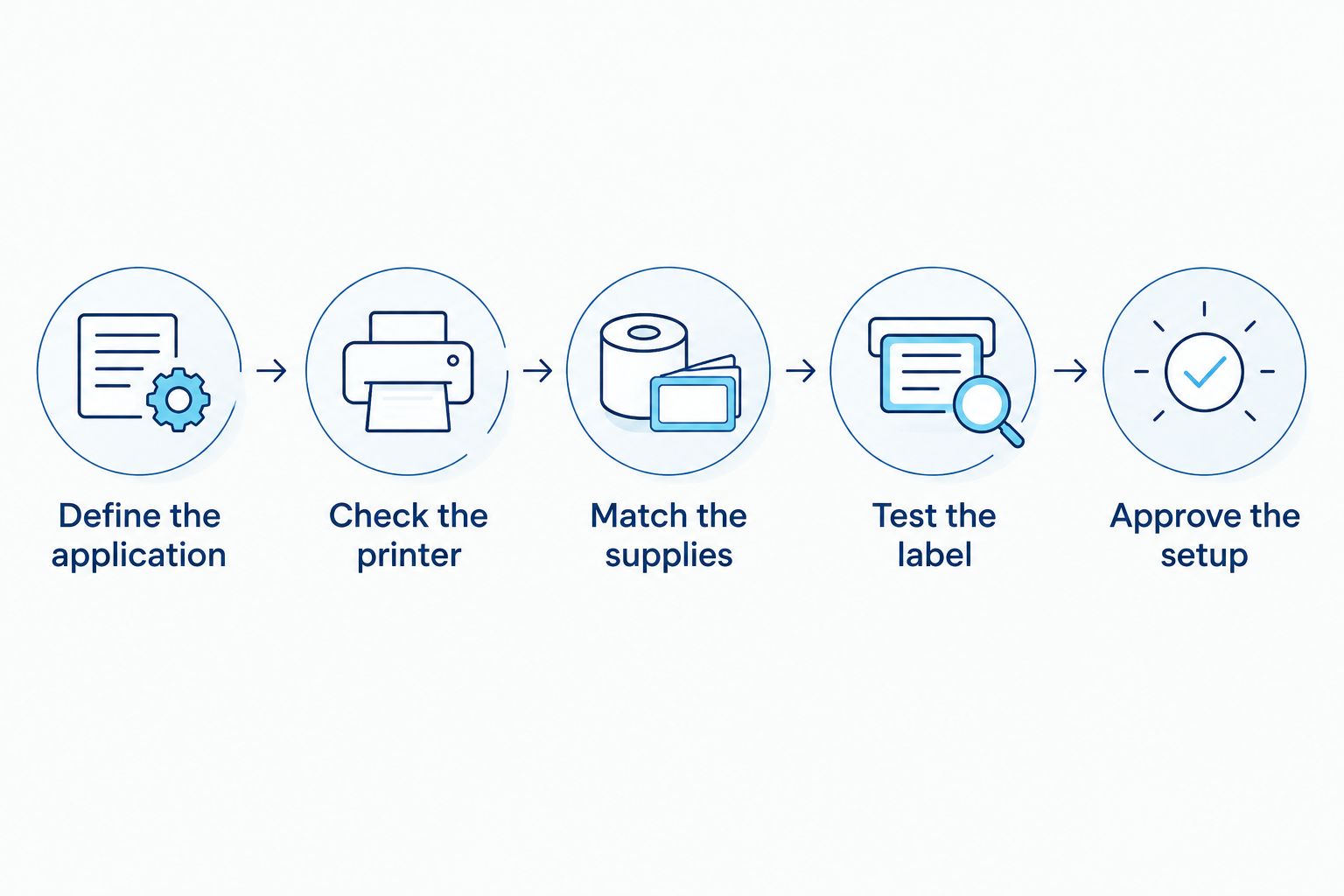
Use this sequence for a new 2026 fabric-label setup or an existing printer. Do not buy a production quantity until the exact combination passes your application test.
- Define the application. State whether you need a sewn-in care label, a heat-applied name label, or temporary identification. Describe the actual cleaning and handling conditions.
- Check the printer. Read the model documentation for thermal transfer capability, permitted media dimensions, supported sensors, and accessory restrictions.
- Match the supplies. Obtain a textile stock and ribbon combination specified for the printer and intended use. Ask about printing direction and any required finishing.
- Test the label. Print the real artwork, attach the label as intended, and expose it to the finished item's actual treatment.
- Approve the setup. Record the media, ribbon, settings, artwork, and test outcome before releasing the job.
Ask a precise compatibility question: does this printer support this textile stock with this ribbon for this intended treatment? A general assurance that a printer “prints labels” does not answer it.
Check sensing and cutting before the first run
Continuous textile rolls do not necessarily provide the same gaps or backing as die-cut adhesive labels. Confirm how the printer detects or controls label length. Incorrect sensing settings can cause feeding errors even when the material accepts print.
Check the cutter separately. A cutter approved for paper labels is not automatically suitable for textile stock, and unsuitable cutting can leave poor edges or damage equipment. Use only the finishing method approved for the material and hardware.
What should you inspect in a fabric-label test?
Inspect both the image and the finished label. Run the test with the real wording and attachment position, not a large sample word printed on an unattached strip.
- Text: Check small characters, punctuation, care instructions, and any fine details after treatment.
- Codes: Scan barcodes or QR codes with the equipment used in your workflow, before and after exposure.
- Surface: Look for smearing, transfer onto adjacent fabric, uneven coverage, and ribbon adhesion problems.
- Edges: Examine cutting, folding, fraying, and the area around stitching or attachment points.
- Wear: Check stiffness, exposed corners, and comfort where the label contacts skin.
- Attachment: Inspect the seam, adhesive, or heat-applied bond independently of the printed image.
A successful wash test is specific to the conditions used. It does not prove resistance to a different detergent, hotter process, or dry-cleaning treatment. Keep your claims within the test's scope.
For repeat production, retain an approved sample with its setup record. Compare later output against that reference whenever you change a ribbon, media batch, artwork size, or print setting.
Does higher DPI make fabric labels washable?
Higher resolution improves the available print detail; it does not make an incompatible fabric-and-ribbon combination washable. Resolution and durability solve different problems.
You will encounter 203 DPI, 300 DPI, and 600 DPI specifications when comparing label printers. These describe printhead resolution in dots per inch—not fabric approval, adhesive strength, or laundering resistance.
For your 2026 specification, choose resolution after confirming material compatibility. Print your smallest required text and actual barcode at its intended size; a resolution number alone does not prove that the finished code scans reliably on a textured surface.
Avoid shrinking an overcrowded layout to compensate for limited label space. Simplify the design or select suitable label dimensions while preserving the information the application requires.
Where does McAuley Labels fit in a fabric-label purchase?
McAuley Labels is best for businesses sourcing specialized label printers for defined identification tasks. McAuley Labels offers direct thermal printers, asset tag printers, lab test tube labelers, and oil change sticker printers; those categories do not establish washable textile compatibility.
The GoDEX RT730i+ Thermal Printer is listed as a 4-inch, 300 DPI dual thermal desktop printer. That identifies a printing platform to investigate, not a confirmed garment-label system.
The useful distinction is capability versus approval. Dual thermal capability is relevant when evaluating thermal transfer printing, but the exact fabric stock, ribbon, sensing, and finishing requirements still need confirmation. Do not purchase a printer for washable labels based on resolution or thermal transfer capability alone.
Can I print directly onto a shirt with a label printer?
No, a conventional roll-fed label printer is not a direct-to-garment printer. It prints supported label media rather than a finished shirt.
If your goal is a printed design across the garment itself, investigate a garment-printing process. If your goal is identification inside the garment, investigate printable textile labels and the appropriate attachment method.
Can I make iron-on fabric labels with a label printer?
Yes, if the printer supports the specific printable heat-applied label media. Printing and heat application are separate processes, and both must follow the material supplier's instructions.
Do not iron a standard shipping sticker onto clothing. Heat-applied media needs an attachment system intended for the garment fabric and its expected treatment.
Should I replace my current printer in 2026?
Replace your current printer only when its documented capabilities cannot support the required textile-label system. A compatible thermal transfer machine still needs approved supplies and testing; a direct thermal-only machine does not gain textile transfer capability through a driver update.
Check the model first. Then compare a complete, tested setup against your actual labeling task rather than replacing hardware on the strength of a general fabric-printing claim.
FAQ
Can a label printer print on fabric without special supplies?
No, printing fabric labels requires media designed for the printer and printing process. For thermal transfer textile labels, the ribbon must also match the stock and intended treatment.
Can my direct thermal shipping printer print satin labels?
A direct thermal shipping printer cannot print ordinary satin because it needs heat-sensitive media. Use only media explicitly specified for the exact printer; do not assume a satin roll is compatible.
Are thermal transfer fabric labels washable?
Thermal transfer fabric labels are washable only when the textile-and-ribbon system is specified and tested for the intended laundering conditions. Thermal transfer printing by itself is not a wash-resistance guarantee.
Is a waterproof label the same as a washable clothing label?
No, a waterproof label is not automatically suitable for washable clothing. Laundering adds detergent, movement, and drying conditions, while garment attachment and skin contact introduce separate requirements.
Can I use an oil change sticker ribbon for clothing labels?
Do not use an oil change sticker ribbon for clothing labels without explicit compatibility confirmation. Its suitability for service stickers does not establish performance on textile stock or during laundering.
Does McAuley Labels have a confirmed fabric-label printer?
Confirm fabric-label suitability with McAuley Labels for the exact printer, textile stock, and ribbon before ordering. A specialized label-printer listing does not by itself establish washable garment-label compatibility.
Do fabric barcode labels need higher resolution?
Fabric barcode labels need enough print detail to reproduce the actual code reliably, but higher resolution alone does not guarantee scanning. Test the intended code size on the actual fabric before approving production.
One last thing
The label material and the print are separate failure points. Fabric can remain intact while its printed information becomes unreadable, so inspect the wording and scan the code after treatment—not just the cloth.
For a 2026 purchase from McAuley Labels, specify the finished result before choosing hardware: what must remain readable, how the label attaches, and what treatment it must survive. That is the specification your printer-and-supplies combination needs to meet.