
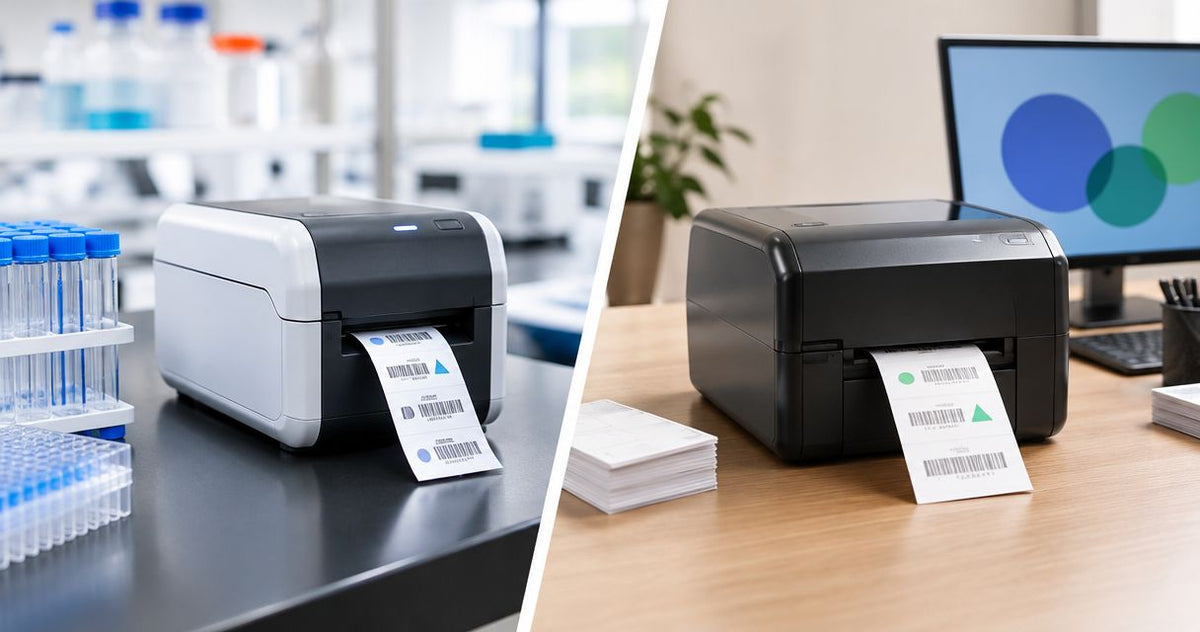
Yes—a lab label printer differs from a standard label printer when its supported labels, print resolution, and software connections meet laboratory requirements that a general-purpose setup does not. The distinction is not a separate printing technology: a standard thermal printer can serve a lab if the complete printer, label, ribbon, and data workflow passes testing under your actual conditions.
- Lab label printer vs standard label printer: choose by specimen requirements, not the machine’s category name.
- McAuley Labels offers specialized label printers; laboratory suitability still requires application-specific testing.
- Thermal transfer uses a ribbon; direct thermal uses heat-sensitive label stock.
- Check tube adhesion, barcode readability, storage exposure, and laboratory information management system compatibility before buying.
Is a lab label printer different from a standard printer?
A lab-ready printing setup must keep the correct identifier readable and attached throughout the specimen’s workflow. A general-purpose label printer qualifies only when its supported materials, output, and software meet that requirement.
Here, standard printer means a general-purpose label printer, not an office document printer. The comparison below describes selection requirements, not features guaranteed by either category name.
| Requirement | Lab-ready setup | General-purpose label setup |
|---|---|---|
| Best for | Specimen identification with defined handling requirements | Routine identification within tested operating conditions |
| Label selection | Matched to the tube, storage, and exposure | Often selected around general labeling needs |
| Print detail | Checked at the actual specimen-label size | Checked at the intended shipping, inventory, or identification size |
| Data connection | Tested with the laboratory’s record system | Tested with its existing label software |
| Main advantage | Evaluated around the full specimen workflow | Usable across applications when requirements match |
| Main limitation | Requires application-specific qualification | Existing suitability elsewhere does not establish laboratory suitability |
Why this matters
A label that looks correct at the printer has passed only the printing step. You still need to establish that it stays attached, scans after handling, and points to the correct record.
For your 2026 purchasing review, separate those checks rather than treating a laboratory product description as proof. The guide to connecting a lab label printer to your LIMS system addresses the data-connection side of that decision.
McAuley Labels is best for business buyers seeking specialized label printers rather than office document printers. That product focus does not replace your laboratory’s acceptance testing; evaluate the proposed printer and consumables together.
Direct thermal: best for workflows that pass exposure testing
Direct thermal printing forms an image by heating a heat-sensitive label coating. It does not use a thermal transfer ribbon, which removes ribbon loading and ribbon matching from the process.
The limitation is exposure sensitivity. Heat, light, and contact with certain substances can affect direct thermal output, so do not assume a shipping-label setup is suitable for specimen storage merely because it prints the correct barcode.
Choose direct thermal only after the exact stock passes your handling and retention requirements. Short-term use is not automatic approval: even a brief workflow can include condensation, cleaning agents, or friction.
Thermal transfer: best for matched ribbon-and-label systems
Thermal transfer printing uses a heated printhead to transfer material from a ribbon onto the label. Its advantage is the ability to select a ribbon and label combination for the intended application.
Its limitation is that compatibility becomes another purchasing and setup requirement. A ribbon that prints clearly on one material does not establish performance on another, and thermal transfer alone does not mean cryogenic or solvent-resistant.
For a 2026 lab specification, name the proposed label material and ribbon formulation together. Approve the printed combination, not the printing method in isolation.
| Printing method | Best for | Practical advantage | Limitation to check |
|---|---|---|---|
| Direct thermal | Workflows where the selected heat-sensitive stock passes testing | No ribbon to load or match | Image stability under actual exposure |
| Thermal transfer | Workflows needing a matched ribbon-and-label system | Consumable selection can address application requirements | Ribbon compatibility and finished-label performance |
Print resolution: 203 DPI, 300 DPI, or 600 DPI?
Printer resolution describes the number of print dots per inch. A 203 DPI printhead, a 300 DPI printhead, and a 600 DPI printhead provide different levels of addressable detail; none establishes chemical resistance or adhesion.
More detail helps only when the label design needs it. Test your smallest text, narrowest barcode elements, and required blank space around the code at the finished label size.
203 DPI: evaluate readable designs without crowding
Best for: designs whose text and barcodes remain readable at 203 DPI. Start with the actual content and label dimensions rather than assuming that every tube requires higher resolution.
The constraint is available detail. If your layout depends on shrinking characters or barcode elements to fit, redesign the label or evaluate a higher-resolution printer instead of forcing an unreadable layout.
300 DPI: evaluate finer text and barcode detail
Best for: designs that need finer detail than a tested 203 DPI output provides. A 300 DPI printer gives you more addressable dots per inch, but the finished label still needs scan testing.
Do not treat resolution as permission to crowd the design. Increasing print density does not restore missing barcode margins or correct an identifier that wraps out of the scanner’s view.
600 DPI: evaluate demanding small-format layouts
Best for: small-format designs that demonstrate a need for 600 DPI output. Higher resolution provides finer addressable detail, not a guarantee that every scanner will read every compact code.
Include the receiving scanner in your 2026 acceptance test. The useful result is a readable, correctly decoded identifier—not simply a sharp-looking print sample.
Why lab label printer requirements vary
Laboratory requirements vary because the container, exposure, and information workflow vary. Use these factors to build your specification before selecting hardware:
- Container geometry: Match label dimensions and placement to the tube’s usable surface. Check edge lifting and the viewing angle of the barcode after application.
- Application conditions: Establish whether operators label dry, room-temperature containers or containers that are already cold or damp. Confirm that the adhesive supports the intended application conditions.
- Storage exposure: Specify the actual storage environment. A label suitable for refrigeration is not automatically suitable for freezing or cryogenic storage.
- Chemical contact: Identify the cleaning agents and laboratory substances the printed label will encounter. Check the finished print as well as the label material.
- Information density: Include required text, identifiers, and barcode margins in the actual layout. Evaluate print resolution against that layout.
- Data workflow: Establish how identifiers reach the printer, how reprints work, and how staff confirm the label matches the specimen record.
A dedicated lab designation is useful only when the supporting specifications address your requirements. Ask for documentation covering the exact consumables and conditions, rather than accepting a broad durability description.
How do you check whether your existing printer is suitable?
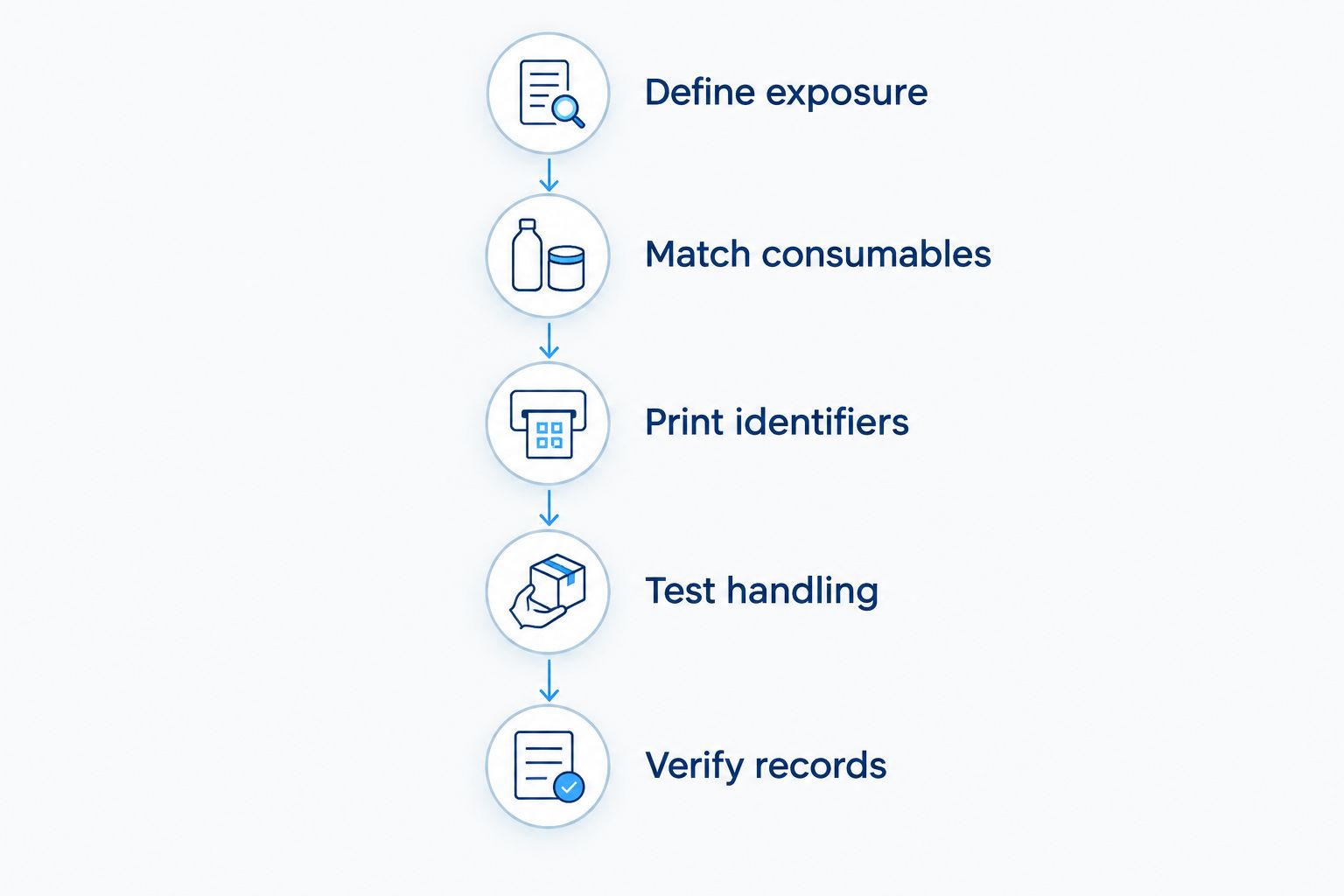
Use a representative workflow trial before replacing a functioning printer. Your 2026 qualification record should identify the hardware, consumables, template, settings, and acceptance criteria so another operator can repeat the setup.
- Define exposure. Record the container material, application conditions, storage environment, handling, and substances that contact the label. Include the full path from labeling to final retrieval.
- Match consumables. Confirm that the printer accepts the required stock dimensions and sensing arrangement. For thermal transfer, confirm the proposed ribbon and label combination.
- Print identifiers. Use a test template containing representative text and barcodes. Check for clipping, missing content, poor contrast, and alignment errors without using live patient information.
- Test handling. Apply labels to representative containers and take them through the intended conditions. Inspect adhesion and print condition afterward, not just immediately after printing.
- Verify records. Scan the handled labels with the intended equipment and confirm that the decoded identifier retrieves the intended test record. Include reprints and interrupted jobs in the trial.
Keep the tested settings with the approved template. A later change to the stock, ribbon, print settings, or barcode layout needs review because the previous trial established performance for a particular combination.
Which printer specifications should you compare?
McAuley Labels lists these desktop thermal printers with different resolutions. They provide a concrete hardware comparison, but neither the listed resolution nor the dual-thermal description establishes suitability for a particular specimen workflow.
| Printer | Listed specifications | Best for evaluating | Limitation |
|---|---|---|---|
| GoDEX RT700i+ Thermal Printer | 4-inch format, 203 DPI, color display, dual thermal | Designs that meet readability requirements at 203 DPI | Does not establish tube adhesion, exposure resistance, or LIMS compatibility |
| GoDEX RT730i+ Thermal Printer | 4-inch format, 300 DPI, color display, dual thermal | Designs requiring finer print detail | Higher resolution does not establish laboratory qualification |
GoDEX RT700i+ is a candidate when its tested output meets your layout requirements; GoDEX RT730i+ is a candidate when your design needs finer detail. Confirm minimum supported label dimensions and software requirements before selecting either printer for tubes.


Can I use a standard label printer for test tubes?
A standard label printer can print test-tube labels when it supports the required stock and passes your workflow testing. Confirm the supported media dimensions, finished barcode readability, and adhesion on the actual tube.
Printing and application are separate tasks. A printer produces the label; do not assume that it also positions or applies the label to a tube unless the equipment explicitly includes that function.
Does a lab printer automatically connect to my LIMS?
A lab printer does not automatically connect to your laboratory information management system. Confirm the supported driver, output format, connection method, and label-template workflow with the relevant software and hardware documentation.
For a 2026 rollout, test record selection and reprinting as carefully as the initial print job. Successful communication with the printer does not prove that the label contains the correct specimen identifier.
FAQ
What is the main difference in a lab label printer vs standard label printer?
The main difference is whether the complete printing setup meets the laboratory’s specimen-label requirements. Supported stock, print detail, exposure performance, and data handling matter more than the category name.
Can I use my shipping label printer in a laboratory?
You can use a shipping label printer only if it supports the required media and passes your laboratory’s application testing. A readable shipping label does not establish suitability for tube labeling or specimen storage.
Is thermal transfer always better for lab labels?
Thermal transfer is not automatically better for every lab label. Its value depends on selecting and testing a ribbon-and-label combination that meets the intended exposure and readability requirements.
Do I need 300 DPI for test-tube labels?
You need 300 DPI when your actual label design requires finer detail than acceptable 203 DPI output provides. Test the finished barcode and text at the intended label size rather than selecting resolution from the application name alone.
Does a waterproof label work in a freezer?
Water resistance does not establish freezer suitability. Confirm the label’s application conditions, storage requirements, and adhesion on the intended container through documentation and testing.
Will a higher-resolution printer stop labels from peeling?
Higher print resolution does not stop labels from peeling. Adhesion depends on the adhesive, surface, application conditions, label geometry, and subsequent exposure.
Does a lab label printer make my workflow compliant?
A lab label printer alone does not make a workflow compliant. Your applicable requirements, procedures, data controls, and documented verification determine whether the complete labeling process meets its obligations.
One last thing
A label can scan successfully and still identify the wrong record. Your final acceptance check must confirm what the scanner retrieves, not merely whether it beeps.
When evaluating a McAuley Labels lab label printer, bring the actual tube type, proposed layout, exposure requirements, and test-record workflow into the decision. That turns a hardware comparison into a usable purchasing specification.