
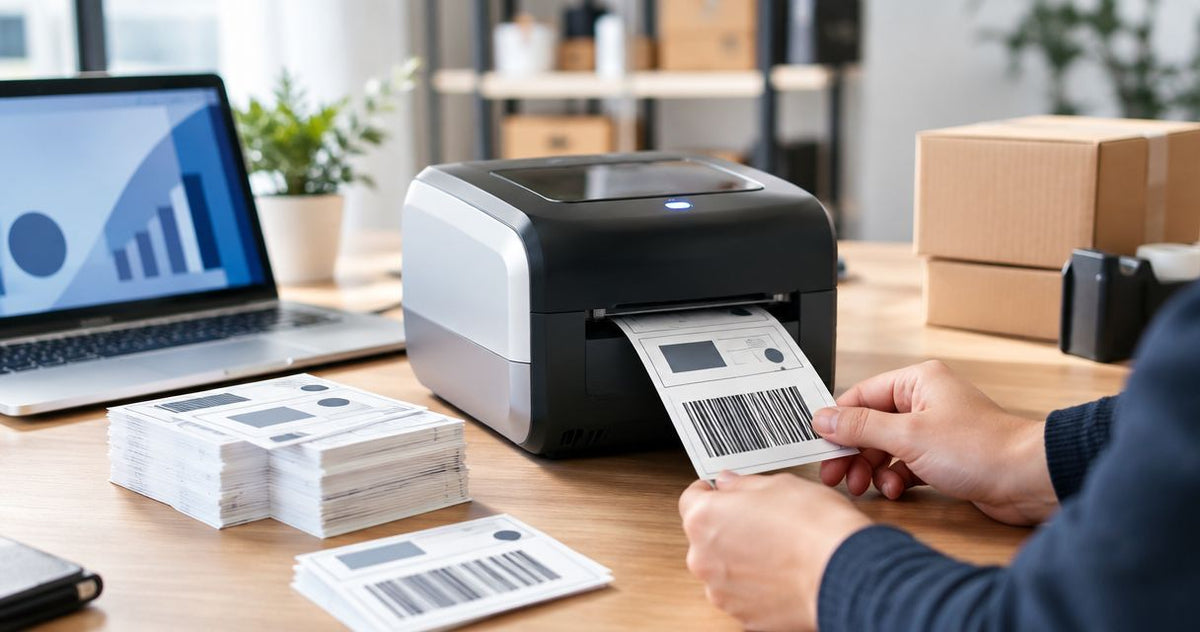
9,600 labels per hour is the theoretical output for a printer running at 16 inches per second with 6 inches of travel per label and no inter-label gap. In 2026, that calculation applies to the listed maximum speed of the GoDEX GX4200i, not a guaranteed production rate; label gaps, job delays, reloads, and rejected prints reduce usable output. This guide shows you how to convert feed speed into labels per hour and measure the rate your actual workflow delivers.
- High speed thermal label printer speed: GoDEX GX4200i lists up to 16 inches per second, not guaranteed hourly output.
- At 6 inches of travel per label, 16 inches per second equals 9,600 theoretical labels per hour, excluding gaps.
- Include label gaps in your calculation; include reloads and rejected prints in your production test.
- Choose thermal printing equipment by usable labels per hour, not feed speed alone.
How many labels per hour can a high speed thermal printer print?
A thermal printer's hourly label count depends on its feed speed and the distance it advances for each label. The calculation is speed in inches per second multiplied by 3,600 seconds per hour, divided by label pitch in inches. Label pitch means the label length in the feed direction plus the gap before the next label.
For the GoDEX GX4200i listed by McAuley Labels, the supplied specification is up to 16 inches per second at 203 DPI. That equals 57,600 inches of media travel per hour if the printer maintains that speed continuously.
| Output measure | Calculation or basis | What it tells you |
|---|---|---|
| Theoretical output with 6-inch travel and no gap | 16 × 3,600 ÷ 6 = 9,600 labels per hour | A mathematical ceiling for this stated scenario |
| Theoretical output including gaps | 57,600 ÷ actual label pitch in inches | A feed-based ceiling for your label stock |
| Usable production output | Accepted labels ÷ elapsed hours | The rate to use for capacity planning |
| Applied-label output | Correctly applied labels ÷ elapsed hours | The rate for the complete labeling operation |
The 6-inch example uses the long dimension of the supplied 4×6 shipping-label format. It assumes that dimension runs in the feed direction and excludes the gap. It is not a measured result for those labels or a claim that every printer can sustain its maximum speed throughout a shift.
Why this matters
A printer can finish a batch quickly while the labeling station still falls behind. The delay might sit before printing, during media replacement, or after the labels leave the printer. Buying more feed speed does not remove a bottleneck elsewhere.
For your 2026 capacity plan, separate the printer's maximum feed rate from the number of correct labels your team can use. The first helps compare specifications. The second determines whether you finish the workload on time.
Count usable labels, not just labels leaving the printhead. A fast run that produces unreadable barcodes or incorrect records does not meet the job requirement.
GoDEX GX4200i: up to 16 inches per second
The supplied GoDEX GX4200i product listing specifies 203 DPI resolution and a maximum speed of 16 inches per second. It also identifies USB, serial, and Ethernet connections. Those are equipment specifications, not an hourly production guarantee.
The GoDEX GX4200i is a high-speed candidate for buyers evaluating 203 DPI label printing; its suitability depends on your actual label and workflow test. Its stated feed speed provides a clear starting point for throughput calculations. The limitation is equally clear: feed speed alone does not establish scan quality, application speed, or sustained output.
Before choosing the GoDEX GX4200i, confirm that your smallest text and barcode details print correctly at the intended settings. Use the actual label stock, label design, data source, and connection you plan to run. A demonstration using a different format answers a different question.
McAuley Labels serves buyers of specialized label printers, including asset tag, laboratory, and oil change sticker applications. Those buyers need a task-specific throughput check rather than a single labels-per-hour figure applied across every format.
How to calculate your labels per hour
Use the same units throughout the calculation. Inches per second must be paired with label pitch in inches; mixing inches and millimeters produces an incorrect result.
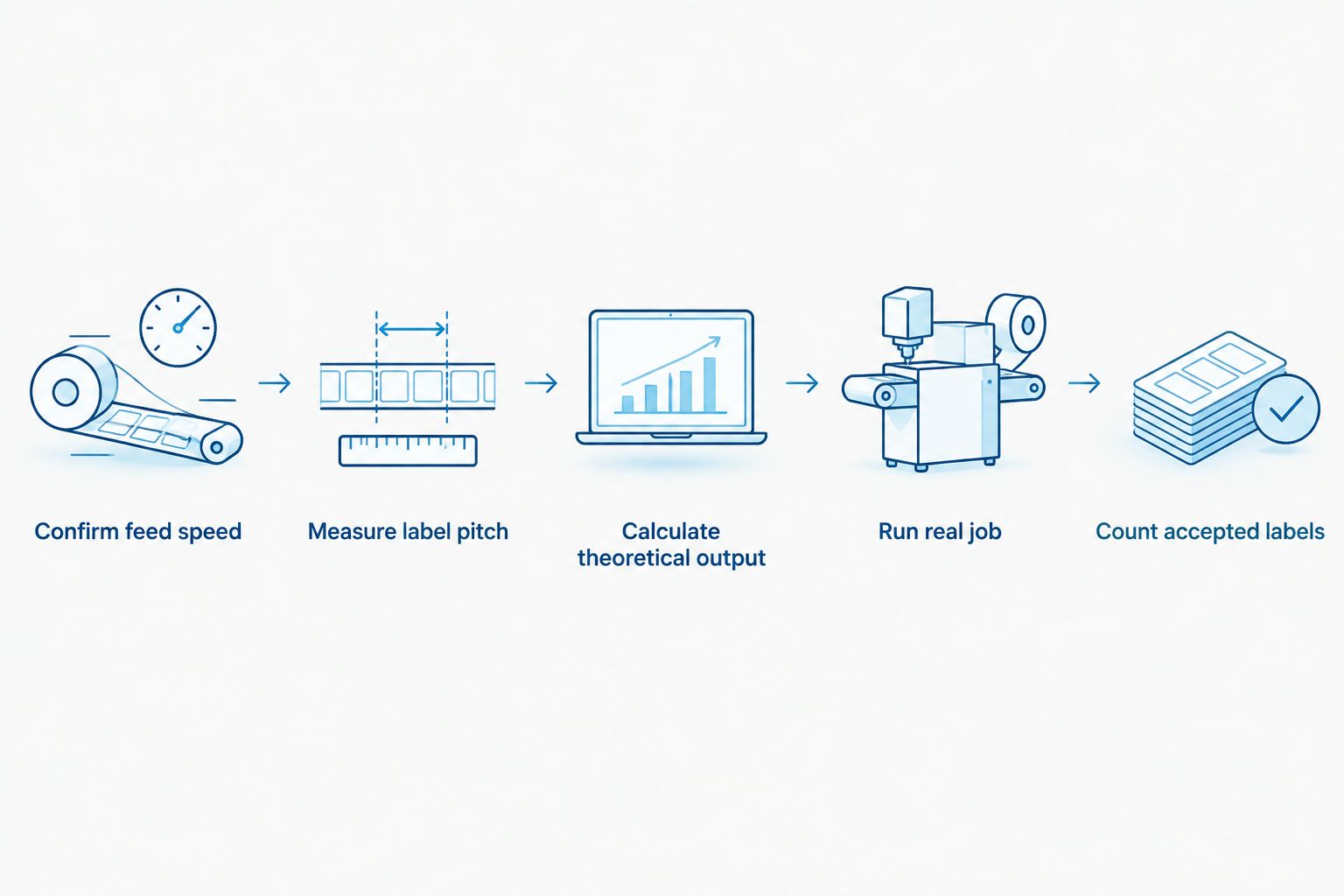
- Confirm feed speed. Read the specification for the exact printer and resolution. Treat an up-to figure as a maximum, not a measured average.
- Measure label pitch. Measure from the start of one label to the start of the next along the feed direction. This captures the label and its gap together.
- Calculate theoretical output. Multiply inches per second by 3,600 seconds per hour, then divide by pitch in inches.
- Run the real job. Print from the production software using the intended material, layout, and data.
- Count accepted labels. Exclude labels that fail your readability, alignment, or data checks. Divide that count by the complete elapsed time in hours.
For the stated 16-inch-per-second printer, the formula becomes 57,600 divided by label pitch in inches. If the pitch exceeds 6 inches because a 6-inch label has a gap, theoretical output falls below 9,600 labels per hour.
Keep the calculation and test result together in your equipment comparison. Record the label pitch beside the rate so another person can reproduce the calculation. Without that dimension, a labels-per-hour figure is incomplete.
Why high speed thermal label printer speed varies
These factors explain the difference between maximum feed speed and usable hourly output. Check them individually rather than treating every delay as a printer-speed problem.
- Label pitch: Longer travel per label produces fewer labels per hour at the same feed speed. Include the gap, not just the printed face.
- Print settings: Speed and darkness settings affect the printed result. Select settings that produce acceptable text and barcodes on your actual material.
- Job delivery: Time spent preparing and sending records belongs in the end-to-end measurement. Repeated individual jobs and a continuous batch are different workloads.
- Media handling: Loading labels, replacing ribbon where required, and correcting feed problems interrupt production. Count those interruptions in sustained-output tests.
- Output handling: Tearing, cutting, peeling, collecting, or applying labels adds work beyond printing. Measure the operation your team actually performs.
- Rejected labels: Misaligned, unreadable, or incorrect labels reduce accepted output. Reprinting them consumes additional production time.
These are workflow variables, not fixed penalties. Do not subtract an arbitrary percentage from the advertised speed. Measure your operation instead.
Direct thermal or thermal transfer: which workflow should you test?
For a 2026 printer evaluation, test the printing method required by the job. Direct thermal stock does not require ribbon. Thermal transfer stock does, so ribbon handling belongs in that workflow's throughput measurement.
The supplied catalog includes 4×6 shipping labels for both methods. Matching dimensions make the formats relevant to the same calculation, but they do not establish equal operating speed or equal suitability for every application.
| Printing method | Best for | Practical advantage | Limitation to include |
|---|---|---|---|
| Direct thermal | Shipping workflows using suitable direct thermal stock | No ribbon to load or replace | Requires direct thermal stock suited to the label's use |
| Thermal transfer | Workflows requiring ribbon-based label printing | Lets you evaluate the selected stock and ribbon combination | Ribbon loading and replacement add handling steps |
Choose the method for the label's requirements before comparing throughput. A faster process is not a substitute for the required printed result. Keep label dimensions and data content consistent when you compare workflows, and document any material or setting changes.
The GoDEX GX4200i listing describes a dual thermal industrial printer. Its maximum feed specification still needs an application test; neither the printing method nor the label dimensions alone prove sustained hourly output.


How should you measure sustained printing speed in 2026?
Start the timer when the operator begins the normal job, not after preparation has finished. Stop when the required accepted labels are ready for the next operation. Keep setup, reloads, pauses, and reprints inside that interval if they occur during ordinary production.
Record the following beside the result:
- Exact printer model and resolution.
- Label dimensions, feed direction, and measured pitch.
- Stock and ribbon combination, where applicable.
- Speed and darkness settings.
- Software, connection, and whether records print individually or in a batch.
- Total printed labels, rejected labels, and elapsed time.
Use a production-representative job rather than repeating an unusually simple test label. If your work contains changing records, include those records. If operators normally collect or apply labels as they print, include that handling in a separate end-to-end result.
The guide to batch printing multiple labels addresses a workflow worth evaluating alongside printer speed. Batch printing deserves a test, not an assumed performance gain.
Does 16 inches per second mean 9,600 labels per hour?
9,600 labels per hour applies only when each label requires 6 inches of travel with no gap and the printer maintains 16 inches per second continuously. Add gaps or interruptions and that rate falls. Keep the conditions attached whenever you quote the figure.
Does 203 DPI tell you how many labels print per hour?
203 DPI describes print resolution, not labels per hour. The GoDEX GX4200i listing pairs 203 DPI with up to 16 inches per second, but that pairing is specific to the supplied model specification. Do not use resolution alone to assign a speed to another printer.
Should you measure printing or label application?
Measure accepted printed labels per hour when evaluating the printer, and correctly applied labels per hour when planning the complete operation. Keep both results if printing and application happen at different stations. The slower required stage limits completed output.
FAQ
How many labels per hour can a high speed thermal printer print?
At 16 inches per second and 6 inches of travel per label, theoretical output is 9,600 labels per hour with no gap. Actual output depends on label pitch, interruptions, and accepted print quality.
How do I calculate high speed thermal label printer speed in labels per hour?
Multiply feed speed in inches per second by 3,600 seconds per hour, then divide by label pitch in inches. Pitch includes the label length in the feed direction and the inter-label gap.
What's the listed maximum speed of the GoDEX GX4200i?
The supplied GoDEX GX4200i listing states up to 16 inches per second at 203 DPI. That specification is a maximum feed rate, not a guaranteed sustained label count.
Do gaps between labels affect hourly output?
Yes, label gaps increase the travel required for each label and reduce theoretical labels per hour. Measure from the start of one label to the start of the next to include the gap.
Is direct thermal printing faster than thermal transfer printing?
Printing method alone does not establish which workflow is faster. Direct thermal eliminates ribbon handling, while thermal transfer requires ribbon; compare actual accepted output on the equipment and stock you intend to use.
Should I run my thermal label printer at its maximum speed?
Use the highest setting that produces acceptable text, alignment, and barcode readability on your actual labels. Rejects and reprints count against usable output, even when feed speed is high.
What should a printer speed test include in 2026?
A 2026 production test should include the actual label design, data source, stock, settings, and normal interruptions. Record accepted labels and complete elapsed time rather than timing media movement alone.
One last thing
A blank gap consumes feed distance even though it produces no printed label. That is why dividing speed by the label face alone overstates output whenever the stock has gaps.
Before comparing McAuley Labels thermal printer options, write down your actual label pitch and required accepted-label rate. Those details turn a maximum-speed specification into a useful buying criterion. Then confirm the choice with the same job your operators will run.