
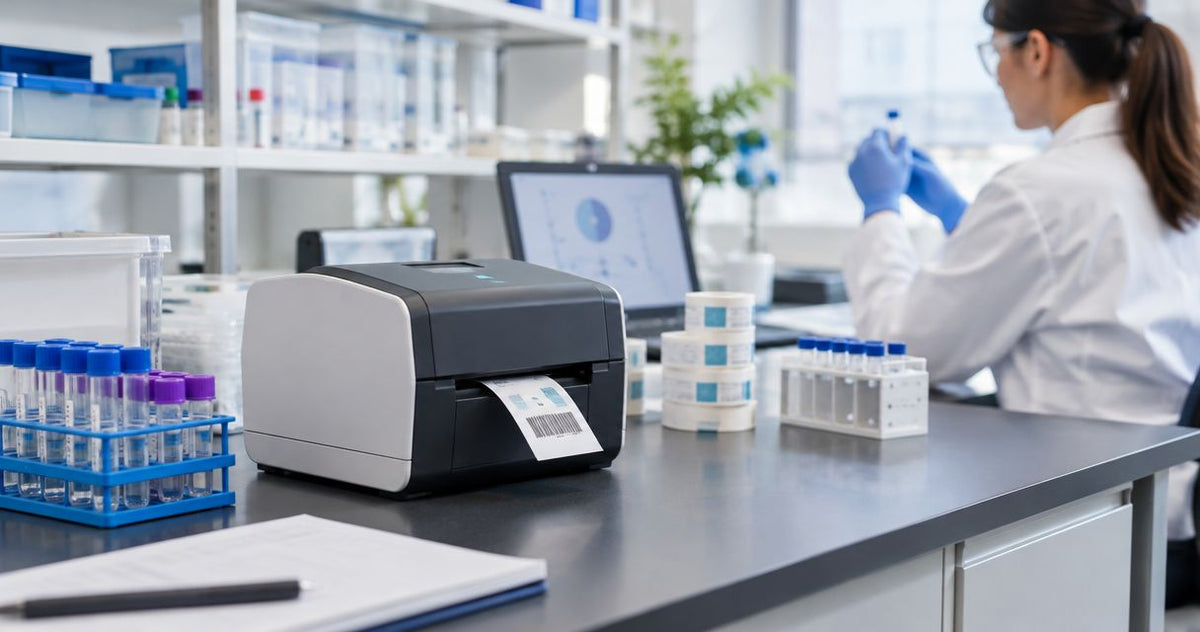
A lab label printer's cost in 2026 includes the printer, compatible labels, any required ribbon, and the work needed to connect printing to your laboratory workflow. The hardware price alone excludes ongoing consumables and setup, so compare current product pricing against a written specification rather than treating a printer-only figure as your complete budget. Budget for a working labeling system, not just a machine.
- Lab label printer cost should cover hardware, label stock, ribbon, and setup—not the printer alone.
- McAuley Labels is best for buyers comparing thermal printers and label stock together.
- Direct thermal printing needs no ribbon; thermal transfer printing requires a compatible ribbon and label combination.
- Compare 203 DPI and 300 DPI using your actual tube label, barcode, and scanner.
Why this matters
A printer that produces a readable bench label is not automatically suitable for a specimen tube that enters refrigerated storage. Your purchasing decision needs to account for the label surface, storage conditions, barcode layout, and printing software. Those requirements determine what belongs in the budget.
For a 2026 purchasing plan, define the workflow before requesting hardware quotes. If specimen identifiers originate in laboratory software, start with the requirements for connecting a lab label printer to your LIMS system. Confirming that connection belongs in the buying process, not after installation.
How much does a lab label printer cost?
The complete cost is the hardware purchase plus setup and ongoing printing expenses. Use the breakdown below to compare quotes with the same scope. Check current printer pricing separately from consumables, accessories, and implementation work.
| Budget component | What to specify | What to confirm in the quote |
|---|---|---|
| Printer hardware | Print method, resolution, label dimensions, connection | Exact model and included equipment |
| Label stock | Tube surface, label size, adhesive, exposure conditions | Material, roll format, and quantity |
| Ribbon | Required for thermal transfer printing | Formulation and fit for the selected printer and stock |
| Software and connection | Label templates, specimen data source, workstation | Included software and any separate implementation work |
| Accessories | Only functions your workflow requires | Whether each accessory is included or separate |
| Maintenance | Cleaning and service requirements | Responsibilities, documentation, and applicable terms |
Separate the purchase decision from the operating budget. A printer is a hardware expense; labels and thermal transfer ribbon are consumables. Setup work also needs its own line so you can distinguish equipment from implementation.
For your 2026 comparison, request the same label specification from every supplier. A quote for basic paper labels is not equivalent to a quote for a material selected for refrigerated tubes or chemical exposure. Compare the intended result, not just the equipment description.
Build the budget around usable labels
Use this accounting structure without inserting an assumed market average:
Total labeling expense = hardware + setup + consumables + maintenance.
For recurring printing, divide the actual consumable expense by the number of usable labels produced. Include wasted labels from calibration, damaged rolls, and rejected prints in your records. Keep hardware and setup separate unless your internal budget deliberately allocates those expenses across production.
This gives you a repeatable comparison. A supplier quote answers the purchasing question; your production records answer the operating-cost question.
Direct thermal: budget for labels without ribbon
Direct thermal printing uses heat-sensitive label stock and does not require a ribbon. That removes ribbon selection and replacement from the workflow. Best for: labeling tasks whose storage and exposure requirements are met by the selected direct thermal stock.
The trade-off is material suitability. Direct thermal imaging is sensitive to heat, and exposure resistance varies with the stock. Do not assume a label qualifies for long-term sample storage simply because it prints clearly when first applied.
Ask for the label manufacturer's application requirements and exposure specifications. Test the printed label on the actual container through the intended storage and handling process. A successful printer demonstration is not a substitute for that material check.
Thermal transfer: budget for labels and ribbon
Thermal transfer printing uses a ribbon to transfer an image onto compatible label stock. Your consumable budget therefore needs both items. Best for: applications requiring a label-and-ribbon combination selected for the intended exposure conditions.
The benefit is the ability to choose compatible materials and ribbons for the job. The limitation is that the combination matters: buying a durable label material does not establish the resistance of the printed image. Ribbon formulation, printer settings, and stock compatibility all need checking.
For a 2026 lab purchase, ask the supplier to identify the complete combination in writing. Include the label material, adhesive, ribbon, and intended application. Do not substitute a ribbon merely because it fits inside the printer.
| Print method | Best for | Functional benefit | Limitation to check |
|---|---|---|---|
| Direct thermal | Applications validated with suitable heat-sensitive stock | No ribbon to load or replace | Heat sensitivity and stock-specific exposure resistance |
| Thermal transfer | Applications validated with a compatible stock-and-ribbon combination | Material and ribbon selection for the intended use | An additional consumable and compatibility requirement |
203 DPI and 300 DPI: compare the actual label
Resolution describes the printer's dot density, not the suitability of the entire labeling system. A 203 DPI printer and a 300 DPI printer need comparison using the same label dimensions, required text, and barcode. The higher dot density provides finer placement of printed details; it does not correct unsuitable adhesive or an incorrect specimen identifier.
The models below provide a concrete hardware comparison from McAuley Labels. Neither model should be selected for laboratory use without checking media handling, software compatibility, and the finished specimen label.
| Printer | Stated specifications | Best for evaluating | Benefit | Limitation |
|---|---|---|---|---|
| GoDEX RT700i+ Thermal Printer | 4-inch, dual thermal, 203 DPI, color display | A workflow whose actual label passes at 203 DPI | Supports comparison of direct thermal and thermal transfer workflows | Resolution alone does not establish small-label readability or laboratory suitability |
| GoDEX ZX430i+ Thermal Printer | 4-inch, dual thermal, 300 DPI, color display, USB/Serial/Ethernet | A workflow requiring evaluation of finer printed detail | Higher dot density and explicitly listed connection options | Connections and resolution do not establish LIMS compatibility or exposure resistance |
203 DPI: verify the minimum required detail
A 203 DPI printer is a candidate when the required text and barcode fit the label and remain readable in the actual workflow. Print the full identifier, not a shortened demonstration. Scan the barcode after applying the label to the tube.
Recommendation: accept 203 DPI only after the finished label passes your requirements. Do not select it solely because the specification looks adequate on paper.
300 DPI: evaluate dense layouts without shrinking blindly
A 300 DPI printer gives you finer dot placement for detailed layouts. That is useful to evaluate when a tube label carries small text or a compact barcode. It does not remove the need for barcode spacing, correct dimensions, or a suitable scanner.
Recommendation: choose 300 DPI when your sample comparison demonstrates a requirement for the finer detail. Keep the test layout consistent so the comparison measures resolution rather than different content.
After defining those requirements, compare the current hardware figures below. Treat these as printer choices to evaluate, not complete laboratory systems.


Why lab label printer cost varies
Lab label printer cost varies with the equipment specification and the scope of the labeling workflow. These factors belong in a quote comparison; none should be left as an assumption.
- Print method: direct thermal needs compatible heat-sensitive labels; thermal transfer also needs ribbon.
- Resolution: compare the actual label at 203 DPI and 300 DPI rather than purchasing dot density without a demonstrated need.
- Label specification: material, adhesive, dimensions, and roll format determine the consumable you need.
- Data connection: identify the workstation, software, and method used to send specimen information to the printer.
- Accessory scope: include handling equipment only when the printing process requires its function.
- Setup and maintenance: separate template creation, testing, cleaning responsibilities, and service arrangements from hardware.
A narrowly scoped quote and a fully specified quote are different purchasing documents. Ask suppliers to identify exclusions so you can compare like-for-like equipment and work.
How do you get a comparable lab printer quote?
Build a short specification that a supplier can act on. For a 2026 purchase, attach the actual label layout and describe what happens to the labeled container after printing. Keep patient or specimen data out of purchasing samples; use clearly identified test data.
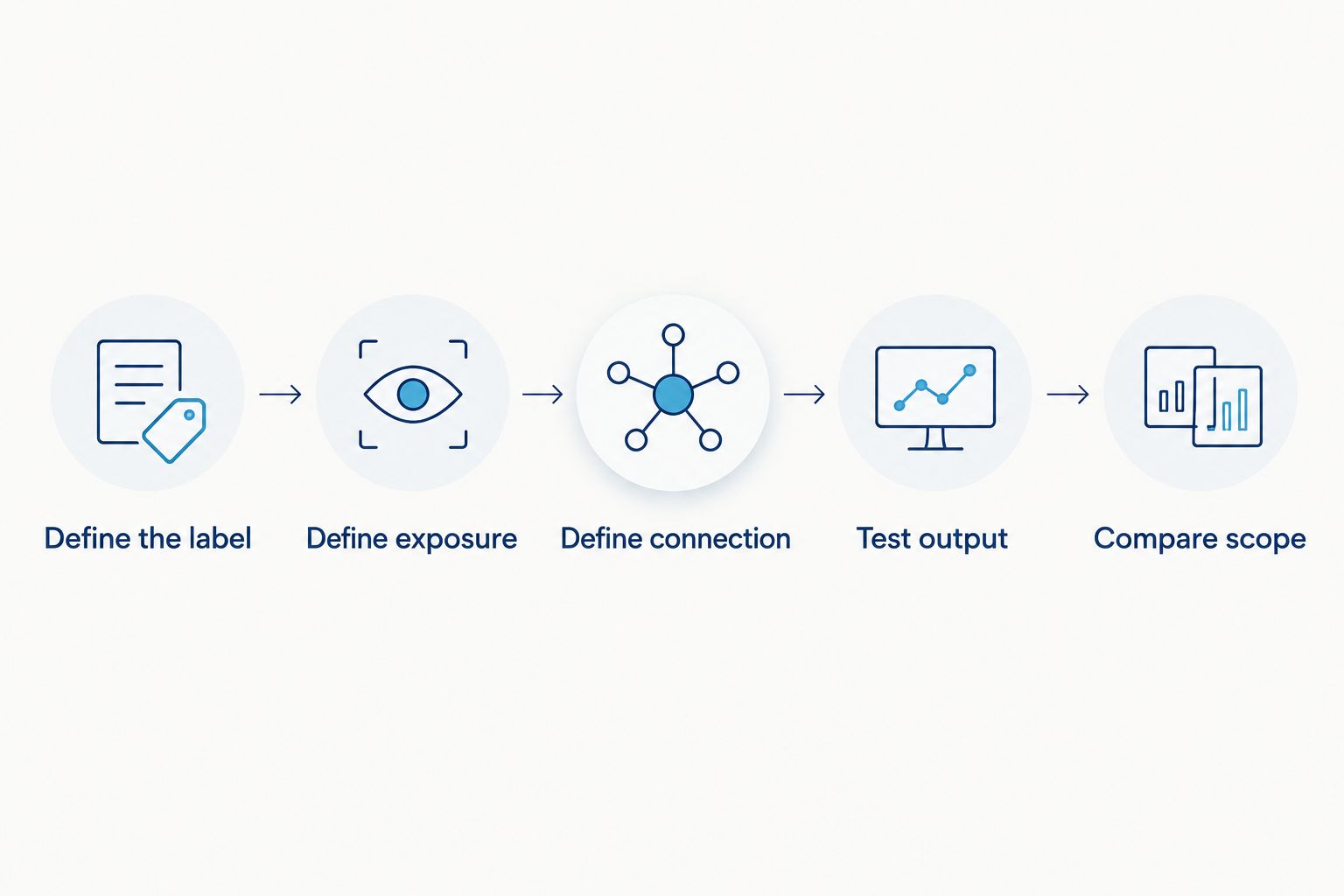
- Define the label. Record the container surface, label dimensions, required text, and barcode format. Identify the most constrained layout rather than sending only an easy example.
- Define exposure. Describe storage and handling conditions, including any refrigeration, freezing, moisture, or cleaning agents involved. Request materials with specifications that match the intended application.
- Define connection. Identify the workstation and the source of label data. Ask how templates and variable fields reach the exact printer model.
- Test output. Print, apply, scan, and inspect the label through the intended process. Record the settings and consumables used for the accepted sample.
- Compare scope. Request itemized hardware, consumables, accessories, and setup. Make acceptance requirements part of the purchasing specification.
McAuley Labels offers thermal printers and label stock, making it relevant when you are comparing both parts of the system. The purchasing limitation remains the same: a catalog listing does not establish that your exact tube, exposure conditions, and software connection have been validated. Require those checks before approving the order.
Is a higher-resolution lab printer worth it?
A 300 DPI printer is worth evaluating when the actual label requires finer printed detail than your 203 DPI sample provides. Compare identical layouts and scan the applied labels with the equipment your staff uses. Select the resolution that meets the requirement, not the highest specification by default.
Does a lab label printer need special labels?
A lab label printer needs labels compatible with its print method and the laboratory application. Tube adhesion, storage conditions, and printed-image resistance are separate requirements. Confirm each rather than treating the word laboratory as a material specification.
Is the printer purchase the biggest budget item?
The printer purchase is only one part of the budget; its share depends on your actual consumable use and implementation scope. Separate hardware from recurring labels, ribbon, maintenance, and setup. Use your own purchasing and production records to determine which expense deserves attention.
FAQ
What's included in lab label printer cost?
Lab label printer cost includes hardware, compatible label stock, any required ribbon, and setup. Compare maintenance and accessories separately, and confirm what the supplier includes.
What's the best way to budget for a lab label printer in 2026?
Budget for the complete labeling workflow in 2026, not just printer hardware. Use an itemized quote tied to your actual tube label, exposure conditions, and data connection.
Is direct thermal better than thermal transfer for lab labels?
Direct thermal is best for applications validated with suitable heat-sensitive stock; thermal transfer is best for applications validated with a compatible stock-and-ribbon combination. Choose by the intended use, not by ribbon consumption alone.
Do I need 300 DPI for test tube labels?
300 DPI is a resolution to evaluate when your test tube label requires finer printed detail. Compare it with a 203 DPI sample using the same layout, tube, and scanner.
Can a 4-inch printer print smaller lab labels?
A 4-inch printer designation does not establish the minimum label size it supports. Confirm the exact model's media specifications and test the required label format before buying.
Will a thermal printer connect to my LIMS?
LIMS compatibility requires confirmation for the exact printer, software, and data-output method. USB or Ethernet connectivity alone does not establish that the laboratory application can produce the required labels.
Does waterproof label stock work for frozen samples?
Waterproof label stock does not establish suitability for frozen samples. Check application and storage specifications for the label, adhesive, and printed image, then validate the complete combination.
What should I ask McAuley Labels before buying a lab label printer?
Ask McAuley Labels to confirm the printer model, compatible media, required ribbon, and connection requirements for your application. Supply the actual label layout and exposure conditions so the comparison addresses your workflow.
One last thing
A label's condition when you apply it is not the final acceptance test. The useful test is whether the identifier remains attached, readable, and scannable after the handling and storage it must endure. Put that acceptance requirement into your 2026 purchasing specification before comparing hardware.
Keep the accepted sample, template, printer settings, and consumable identifiers together. That record gives you a defined setup to reproduce when you reorder stock or replace equipment.