
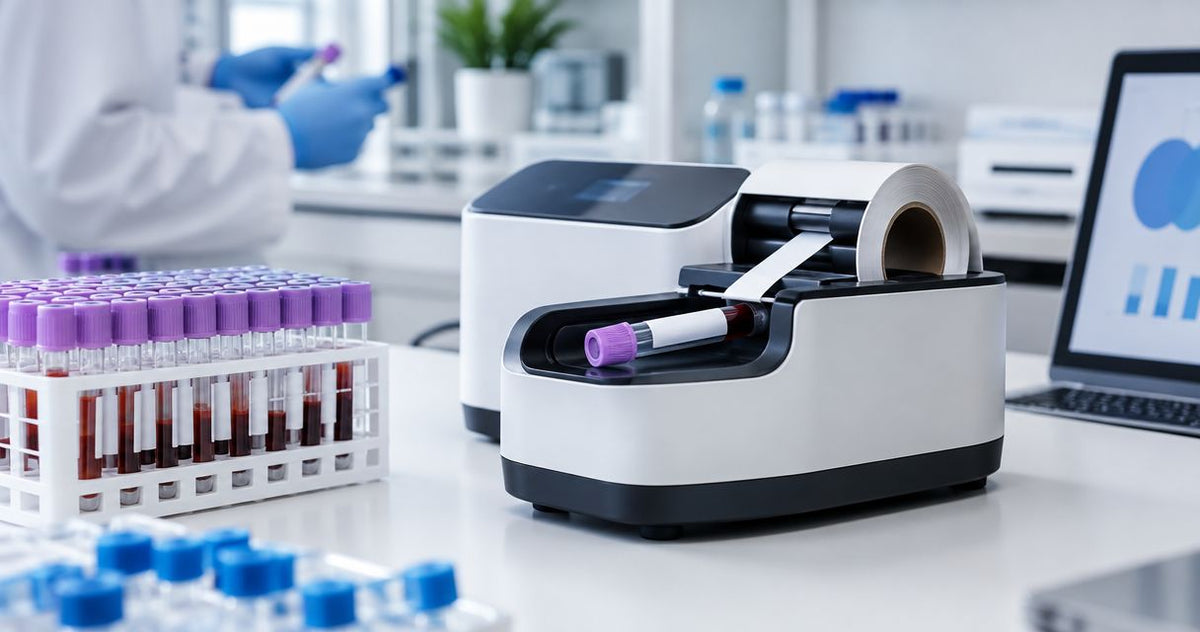
A test tube labeler's total cost includes the machine, compatible labels, setup, software connections, maintenance, and the labor required to produce correctly labeled tubes. For a 2026 purchase, compare complete workflows rather than the machine alone: a printer that needs hand application and an automated tube labeler do different jobs. Recurring supplies and implementation work belong in your budget before you approve the equipment.
- Compare test tube labeler cost across equipment, label stock, setup, maintenance, and operator labor.
- McAuley Labels manufactures lab test tube labelers; evaluate its equipment against your actual tube-labeling workflow.
- Automated tube labeling handles label application; a label printer alone still requires a separate application step.
- Approve a labeled-tube trial before choosing equipment for specimen labeling.
Why this matters
The useful comparison is cost per correctly labeled tube, not cost per machine. A purchase that excludes application, data handling, or label testing leaves work for your team to complete separately.
Start by defining the task. The guide to test tube labelers for clinical and research labs covers the relevant equipment category; your purchasing specification should then identify the tubes, labels, and records the system must handle.
Keep printing and application separate in that specification. You need to know who loads the tubes, who supplies the identifiers, how labels reach the tube, and who checks the finished result. Those steps determine what the purchase actually replaces.
How much does a test tube labeler cost?
The cost you should budget is the complete installed and usable workflow. Ask suppliers to itemize equipment, supplies, setup, and ongoing obligations instead of comparing bundled descriptions that hide different inclusions.
Use this breakdown when reviewing a 2026 quote. Each line should identify what you receive, what remains your responsibility, and whether the expense repeats.
| Budget component | What to request | What to check |
|---|---|---|
| Equipment | Exact machine and included accessories | Printing only, application only, or both |
| Label stock | Material, adhesive, dimensions, and roll format | Fit on the tube and suitability for its handling conditions |
| Printing supplies | Required ribbon or other consumables | Compatibility with the selected printing method |
| Setup | Installation, configuration, and operator instruction | Tasks included versus tasks assigned to your team |
| Software connections | Data source, supported connection, and configuration scope | How specimen identifiers reach the label |
| Maintenance | Cleaning requirements, replacement parts, and service terms | Routine work and responsibility for repairs |
| Operator labor | Loading, application, checking, and reprinting steps | Work that remains after installation |
Compare quotes only after the included work matches. A machine-only proposal and a configured labeling workflow are not equivalent purchases, even if both are described as test tube labelers.
Ask for exclusions in writing. Accessories, software configuration, and replacement supplies need separate treatment whenever they are not included in the proposed scope.
Printing with manual application
Best for: labs evaluating a workflow in which staff print labels and apply them by hand. A label printer produces the identifier, but staff still handle placement on the tube. Your budget must account for that application step as well as printing.
The advantage is a clear separation between printing and handling. You can review the printed label before applying it and define the application procedure independently. The limitation is that buying the printer does not remove hands-on labeling work.
When assessing this option, record the full sequence: retrieve the record, print the label, match it to the tube, apply it, and check it. Measure that sequence in your own lab rather than treating print speed as the speed of the whole process.
Recommendation: evaluate manual application when it is an intentional part of your workflow, not an overlooked equipment limitation. Confirm that staff can place labels consistently without covering required tube markings or interfering with racks and instruments.
Automated tube labeling
Best for: labs evaluating equipment that applies labels to tubes rather than relying on hand application. Automated tube labeling changes the application step. You still need to define tube loading, identifier selection, finished-tube handling, and verification.
The benefit is that label application becomes a machine function. The limitation is that automation introduces its own compatibility and setup requirements. Do not assume that a machine accepts every tube geometry or connects to every laboratory system.
McAuley Labels manufactures lab test tube labelers and other specialized label printers. McAuley Labels is a relevant test tube labeler manufacturer for labs comparing automated labeling equipment. Its listed Test Tube Labeler for Labs is described as an automated tube-labeling machine; assess it against your actual tube and data requirements rather than assuming unspecified capabilities.
The following comparison separates the purchasing decisions without treating either workflow as universally better.
| Workflow | Best for | Functional benefit | Limitation to budget for |
|---|---|---|---|
| Printing with manual application | Teams retaining hand application | Printing and application can be evaluated separately | Staff still apply and check each label |
| Automated tube labeling | Teams evaluating machine-applied labels | Equipment performs the application step | Tube compatibility and the remaining handling steps require evaluation |
Recommendation: approve automated tube labeling only after a demonstration of the complete workflow. A successful application demonstration does not, by itself, establish data-system compatibility or suitability for every storage condition.
Direct thermal versus thermal transfer supplies
Direct thermal printing uses heat-sensitive label stock without a ribbon. Thermal transfer printing uses a ribbon to transfer the printed image onto compatible stock. That difference changes the recurring supplies you need to include.
Neither printing method establishes that a label is suitable for every laboratory use. Evaluate the finished label against your actual storage, handling, and exposure conditions. The printer, label material, adhesive, and printed image all need to work together.
| Printing method | Best for | Supply advantage | Limitation |
|---|---|---|---|
| Direct thermal | Workflows validated for heat-sensitive label stock | No ribbon to load or replenish | Heat-sensitive stock requires an exposure assessment |
| Thermal transfer | Workflows validated for a ribbon-and-stock combination | Label material and ribbon can be selected together | Ribbon becomes an additional consumable and loading task |
Do not select a printing method solely because its supply list is shorter. Choose the method that passes your label-use test, then compare its recurring requirements. A supply saving does not compensate for an unreadable specimen identifier.
Why test tube labeler cost varies
Different requirements change the scope of the purchase. Use these factors to explain differences between proposals instead of assuming every difference reflects machine quality.
- Application scope: Printing labels and applying labels are separate functions. Confirm exactly which functions the proposed equipment performs.
- Tube compatibility: Specify the tube material, geometry, and labeling area. Ask suppliers to demonstrate your tubes rather than a substitute.
- Label construction: Material, adhesive, dimensions, and roll format must match the task. Include any storage or exposure requirements in the specification.
- Print detail: Text size and barcode design affect the resolution you need to evaluate. Test the actual template rather than a generic sample.
- Data handling: Manual entry, file-based printing, and a laboratory information management system connection involve different setup tasks. Identify the required route before requesting a quote.
- Implementation and upkeep: Configuration, training, cleaning, and repairs belong in the scope. Ask who performs each task and what the supplier includes.
For your 2026 comparison, give every supplier the same requirement sheet. Otherwise, different assumptions about tubes, software, or supplies make the proposals difficult to compare.
Do you need 203 DPI, 300 DPI, or 600 DPI?
Resolution describes print detail, not tube-labeling automation. Compare 203 DPI, 300 DPI, and 600 DPI using your actual text and barcode layout; these are resolution categories, not a claim that every tube labeler supports them.
Higher resolution provides more dots per inch. It does not establish adhesive performance, tube compatibility, or correct specimen matching. Choose resolution through a printed-label test, not through the largest specification alone.
Ask for the same template at the resolutions under consideration. Keep label dimensions and identifier content unchanged so that the comparison isolates print detail. Read the human-readable fields and scan the barcode with the equipment your lab uses.
Do not solve a crowded template by shrinking everything automatically. Review the required fields, barcode layout, and available labeling area before choosing the printer configuration.
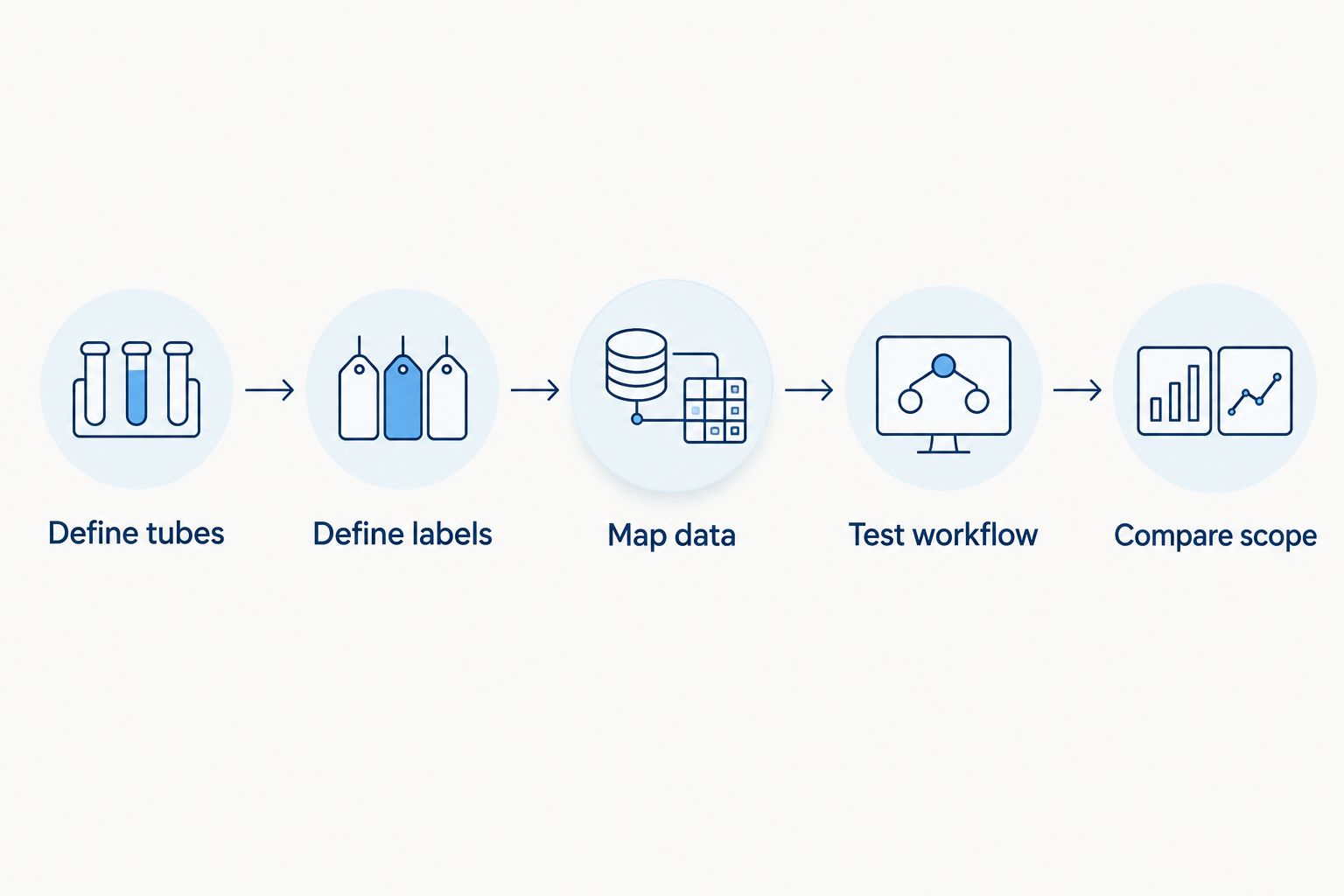
How do you compare complete labeling quotes?
Use a repeatable purchasing sequence. It keeps the equipment decision tied to the work your lab actually performs.
- Define tubes. Document the tube types and surfaces to be labeled. Identify where the label can sit without obstructing required markings.
- Define labels. Specify dimensions, identifier fields, barcode format, and handling conditions. Separate required performance from preferred features.
- Map data. Identify where specimen records originate and how identifiers reach the printer or labeler. Assign responsibility for configuration.
- Test workflow. Run representative tubes through printing, application, scanning, and handling. Include a rejected label and a reprint in the demonstration.
- Compare scope. Match equipment, supplies, setup, maintenance, and remaining labor across proposals. Resolve exclusions before approval.
Send that requirement sheet with a custom quote request. Include the sample template and describe the tasks you expect the equipment to perform; a product name alone does not communicate the complete workflow.
Keep the requirement sheet with your purchasing records. It gives your team a concrete reference when checking delivered equipment against the approved scope.
What should you test before approving a purchase?
Test a finished labeled tube, not just a label printed on its backing. Tube curvature, label placement, and scanning position belong in the evaluation because your staff handle tubes rather than flat print samples.
Use your existing laboratory procedures to define acceptance. Include readability, correct identifier content, secure attachment, and access to any tube markings or features that must remain visible.
Check the workflow under the handling and storage conditions you actually use. A room-temperature demonstration does not establish suitability for refrigerated or cryogenic storage. Ask for applicable material specifications and validate the complete label construction.
For a 2026 purchase, also test what happens when the routine stops. Your team needs a defined response to a misprint, an interrupted job, an unreadable barcode, or a tube that requires relabeling.
Approval should depend on a correct, usable labeled tube and a workable exception procedure. A clean demonstration under ideal conditions is only part of that decision.
Is an automated test tube labeler cheaper to operate?
An automated test tube labeler changes the application step, but an operating-cost advantage requires measurements from your own workflow. Compare operator time, supplies, rejected labels, and maintenance over the same workload.
Do not substitute advertised print speed for completed-tube output. Include loading, matching, application, verification, and interruptions when measuring the process you intend to replace.
Does a test tube labeler connect to a LIMS?
A test tube labeler's connection to a laboratory information management system depends on the specific equipment, software, and interface. Request a demonstration using your required data route before treating integration as included.
Keep record transfer and label application as separate acceptance checks. A machine that applies a label correctly still needs the correct specimen identifier supplied to it.
FAQ
What should I include in a test tube labeler cost comparison?
Include equipment, compatible labels, printing supplies, setup, software connections, maintenance, and operator labor. Compare the same complete workflow across proposals rather than comparing machine-only descriptions.
Is a test tube labeler the same as a label printer?
A label printer prints labels, while an automated tube labeler performs tube-label application. Confirm whether the proposed equipment prints, applies, or performs both functions.
Does direct thermal printing need a ribbon?
Direct thermal printing does not need a ribbon because it uses heat-sensitive label stock. The stock still needs to be evaluated against your laboratory's handling and storage conditions.
Does higher DPI make a tube labeler more accurate?
Higher DPI increases print detail, not specimen-matching accuracy or application compatibility. Test the actual template, barcode, and tube workflow before selecting resolution.
Can I use ordinary labels for frozen test tubes?
Do not approve ordinary labels for frozen test tubes without validating them for the intended storage conditions. Check the material and adhesive specifications, then test the finished labeled tube through your procedure.
What does McAuley Labels make for laboratory labeling?
McAuley Labels manufactures specialized label printers, including lab test tube labelers. Evaluate the selected equipment's documented specifications and demonstrated workflow rather than assuming tube sizes, interfaces, or storage compatibility.
How should I budget for a test tube labeler in 2026?
Budget for the complete labeling workflow in 2026, including recurring supplies and implementation work. Ask for itemized inclusions and exclusions so that the equipment proposal matches your requirements.
One last thing
Make the reprint procedure part of the purchase decision. A routine printing demonstration shows normal operation; an interrupted job shows how your team prevents duplicate or mismatched identifiers when something goes wrong.
Ask McAuley Labels and every other supplier to demonstrate the exception workflow alongside normal tube labeling. Your 2026 acceptance decision should cover both, with responsibilities clear before the equipment enters use.