
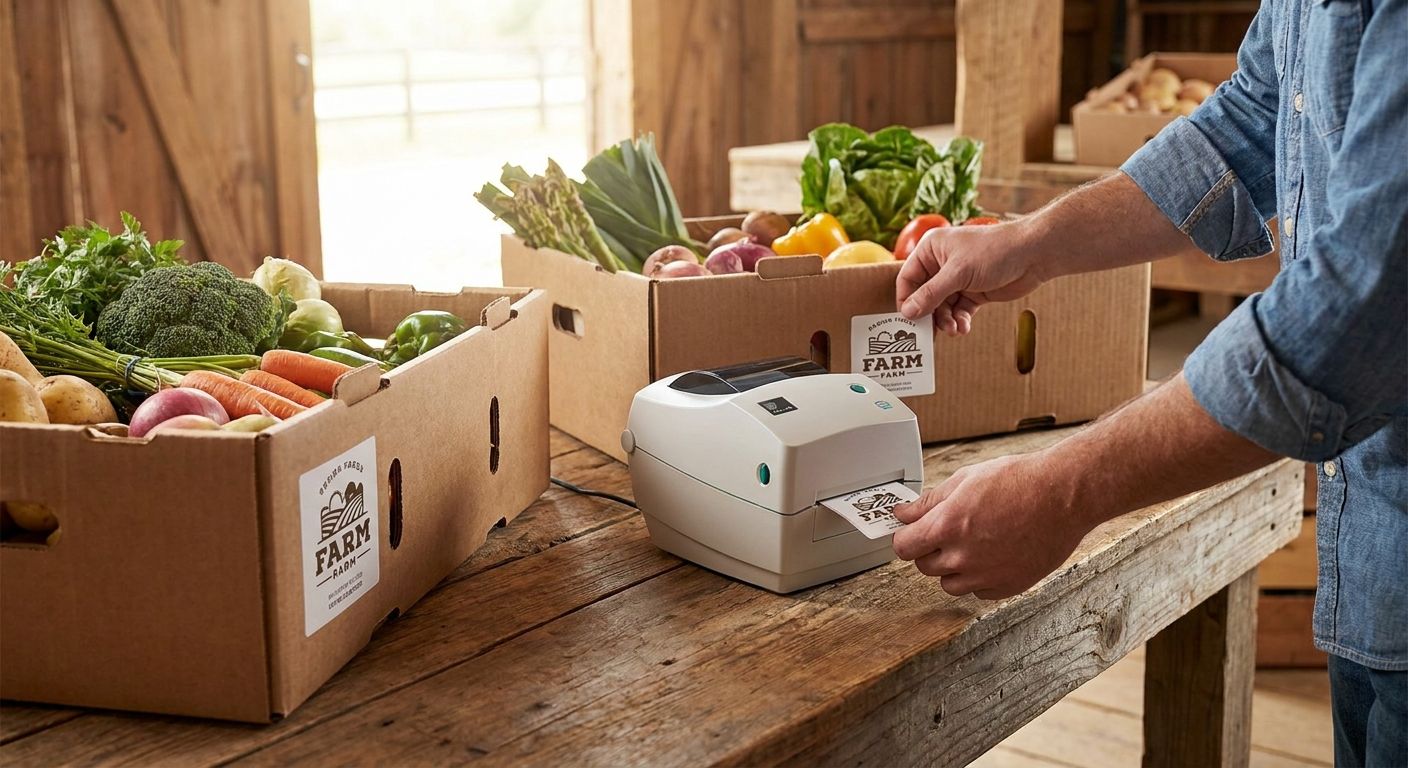
Weekly CSA farm boxes need labels that survive damp produce, print fast, and don't cost more than the vegetables inside them. This guide covers how to print labels for CSA farm boxes with a standard thermal printer, no design software subscription required.
- Printing labels for CSA farm boxes in 2026 works best on a direct thermal printer like the GoDEX RT200i - buy it for weekly runs.
- Skip thermal transfer ribbon for produce boxes; direct thermal labels handle a 3-7 day shelf life fine without the extra cost.
- Use 2x3 inch labels for contents and pickup date, 4x6 for full box manifests with a QR code.
- Custom logo stickers brand every box in seconds and don't require reprogramming your label template.
Why this matters
A CSA box that shows up with a handwritten sticky note looks like a hobby operation. A box with a printed label showing the farm name, the week's contents, and a pickup date looks like a business your members will renew in 2026.
Labels also solve a real logistics problem: when you're packing 40-200 boxes a week, a printed contents list cuts customer questions and lets pickup-site volunteers sort boxes by name without a spreadsheet in hand.
What you'll need
- A direct thermal label printer - no ink or ribbon required for short-lived produce labels
- Direct thermal label rolls in 2x3 inch (contents tags) or 4x6 inch (full box manifests) sizes
- A spreadsheet of your CSA member list with box size and add-ons
- Free or built-in label design software (most thermal printers ship with one)
- A laptop or desktop with a USB port near your packing table
- Optional: a QR code linking to a weekly newsletter or recipe page
Most small and mid-size CSA operations don't need a 300 or 600 DPI industrial printer for this job. A 203 DPI direct thermal printer prints clean text and standard barcodes at a lower per-label cost, which matters when you're running hundreds of labels a week. The GoDEX RT200i 203 DPI printer covers that use case without paying for resolution you won't use on a produce tag.


The steps
1. Build your box contents list first
Write out this week's contents before you touch the printer - 8 items, 12 items, whatever the box holds. This becomes the text block on every label, so get it finalized before printing 150 copies of a mistake. Common mistake: printing labels before confirming Friday's harvest count, then reprinting the whole batch Saturday morning.
2. Design a template that fits a 2x3 or 4x6 label
Set up one template with your farm name, the pickup date, and a contents list - keep the font size legible at arm's length, roughly 10-12pt for body text. Save it once and reuse it every week, just swapping the contents and date fields. A 4x6 label gives room for a QR code pointing to a newsletter or recipe card; a 2x3 label is enough for name and date only.
3. Choose direct thermal over thermal transfer for this job
Direct thermal labels print without ribbon and cost less per label, and since a CSA box gets picked up and eaten within a week, you don't need the multi-year fade resistance thermal transfer ribbon provides. Why it matters: thermal transfer ribbon adds a per-label cost and a consumable you have to restock - unnecessary for a label with a 3-7 day working life.
4. Connect and calibrate your printer
Plug the printer in via USB, load a roll of direct thermal printer labels, and run the printer's calibration routine so it reads the label gap correctly. Skipping calibration is the top cause of labels printing crooked or half-blank on the first run.
5. Print a short test batch
Run 10-15 labels before committing to the full run for the week. Check that the pickup date is correct, the contents list isn't truncated, and the print is dark and even edge to edge. Common mistake: running all 150 labels before catching a typo in the farm name or an outdated date field.
6. Batch print from your member spreadsheet
Most label design software can pull a mail-merge style import from a CSV, so you print one label per member automatically instead of retyping names. This is where a 203 DPI printer earns its keep - it moves through a batch fast enough to have labels done before boxes finish packing.
7. Apply labels where they won't get soaked
Stick labels on the box lid or a dry cardboard flap, not directly on wet produce or condensation-prone plastic - thermal print can smear if it sits against moisture for hours. Expected outcome: labels stay legible through pickup and delivery without curling or bleeding.
8. Store unused rolls away from heat
Direct thermal label stock is heat-reactive by design, so a roll left in a hot delivery van or on a sunny windowsill can darken or fade before it's even printed. Keep spare rolls in a drawer or cabinet, not on the dashboard.
Troubleshooting
- Labels print blank or skip a section - the printer likely lost calibration; rerun the gap-sensor calibration before reprinting the batch.
- Print looks faded within a day - the label was exposed to heat or direct sun after printing; direct thermal print darkens or fades with heat exposure, so store finished labels out of sunlight until pickup.
- QR code won't scan - the code was printed too small for a 203 DPI printer; enlarge it to at least 1 inch square on a 4x6 label.
- Label won't stick to a waxed produce box - standard paper adhesive doesn't bond well to wax coatings; switch to a stronger adhesive stock or apply to a dry cardboard flap instead.
- Text is blurry or streaked - the printhead needs cleaning; a buildup of paper dust is the usual cause after a few hundred labels.
- Printer feeds two labels at once - the label gap sensor needs recalibrating for the roll's specific gap spacing, especially after switching label sizes.
Tools and resources
- GoDEX RT200i 203 DPI printer - the workhorse for weekly batch printing
- Direct thermal printer labels in 2x3 or 4x6 sizes
- A CSV export of your CSA member list for batch printing
- The farm logo file, saved once and reused in every template
- Related reading: labels for farmers market produce boxes covers the same printer setup for market-day sales
What to do next
Once your weekly print run is dialed in, the next problem is date accuracy across dozens of boxes packed over two or three days. The guide on date-coded labels for perishable goods walks through setting up rotating date fields so you're not manually editing the date on every template each morning.
FAQ
What's the best printer for CSA farm box labels?
A 203 DPI direct thermal printer like the GoDEX RT200i is the best fit for CSA farm box labels in 2026 because produce labels don't need high-resolution barcodes or long-term fade resistance. It prints fast enough for weekly batches of 40-200 boxes without ribbon costs.
Do CSA box labels need to be waterproof?
Not fully waterproof, but they should resist light moisture from condensation on cold produce. Placing labels on a dry cardboard flap instead of directly on wet items solves most moisture issues without upgrading to synthetic label stock.
What size label works best for CSA farm boxes?
A 2x3 inch label fits a name, pickup date, and short contents list, while a 4x6 inch label gives room for a full box manifest plus a QR code. Most CSA operations use 2x3 for simple boxes and 4x6 when adding recipe links or add-on items.
Is direct thermal or thermal transfer better for produce labels?
Direct thermal is better for CSA farm boxes because the label only needs to stay legible for a 3-7 day pickup window. Thermal transfer ribbon adds cost and a consumable that's unnecessary for a label with such a short working life.
Can I print CSA labels from a spreadsheet?
Yes, most label design software supports a CSV import so you can batch print one label per member without retyping names. Set the template once and swap the contents and date fields weekly.
Do I need a barcode or QR code on CSA box labels?
It's optional but useful if you're linking members to a weekly newsletter, recipe card, or pickup instructions. A QR code needs to print at roughly 1 inch square on a 203 DPI printer to scan reliably.
How much does it cost to print CSA farm box labels weekly?
Direct thermal label rolls run a few cents per label depending on size and quantity, with no added ribbon cost. A 4x6 direct thermal roll priced at $54 covers hundreds of full-manifest labels before it needs replacing.
Can I add my farm logo to CSA box labels?
Yes, saving your logo into the label template once means it prints on every box automatically without extra design work each week. A separate branded sticker on the box lid is another option if you want the logo visible without redesigning the contents label.
One last thing
The detail most CSA operators miss isn't the label design - it's storage. A box of direct thermal labels left in a hot vehicle in July can darken before it ever hits the printer, wasting a $6-54 roll before you've printed a single tag. Keep spare rolls indoors, away from windows, and the print quality problem mostly solves itself.