
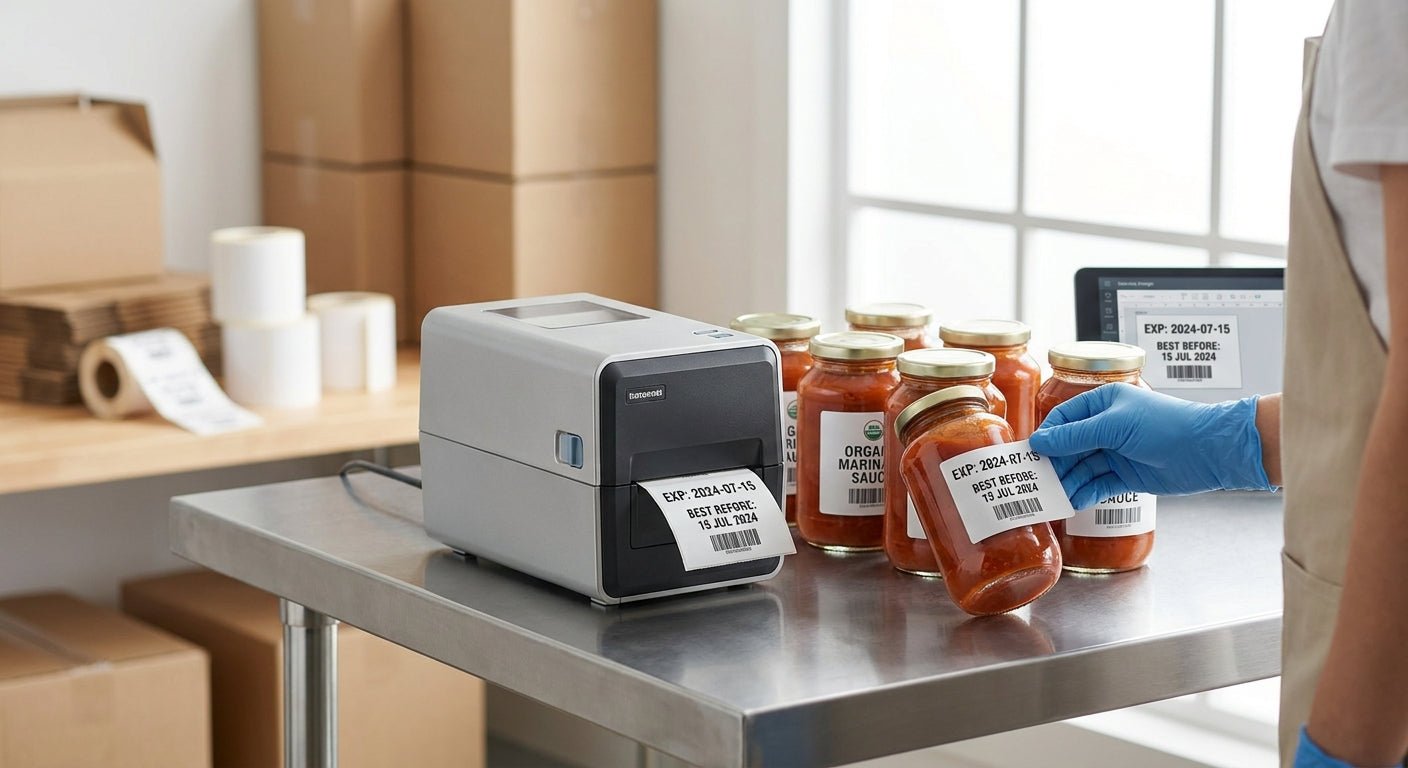
Printing expiry date labels for food products in 2026 comes down to three decisions: print method, label material, and resolution — get any one wrong and you end up with a barcode that won't scan or a use-by date that fades in the cooler before the product sells.
- How to print expiry date labels food starts with a 300 DPI thermal printer — the GoDEX DT230 is a Buy for small-batch runs.
- Semi-gloss white stock cracks in freezers below 0°F; thermal transfer polyester holds up through 2026 and beyond.
- GS1-128 barcodes need 300 DPI minimum — 203 DPI blurs small print runs and kills scan rates.
- Direct thermal labels fade in light within 6-12 months; thermal transfer with resin ribbon lasts years longer.
Why this matters
Most states require a legible pack date or use-by date on perishable food even where federal law doesn't mandate it, and retailers reject product on the shelf the moment a date code smears or a barcode fails to scan. A single bad print run means relabeling by hand or pulling stock — both cost more than the printer did.
The fix isn't complicated. It's matching resolution, adhesive, and print method to how the product is stored and sold, then locking that setup so every batch prints the same way in 2026 and every year after.
What you'll need
- A direct thermal or thermal transfer label printer rated for at least 300 DPI — the GoDEX DT230 direct thermal printer covers most food-label runs at that resolution
- Label stock matched to storage temperature — semi-gloss white for ambient shelf items, freezer-grade adhesive for cold chain
- Ribbon, only if you're running thermal transfer instead of direct thermal
- Label design software (GoLabel or equivalent) to build the date, lot code, and barcode fields
- A barcode format decision made up front: GS1-128, Code 128, or QR
- 15-30 minutes for first-time setup and calibration
Step 1: Match the label material to storage conditions
This decides whether the label survives the product's shelf life or peels off in the cooler. Frozen and refrigerated items need adhesive rated for cold storage — standard adhesive starts losing grip around 0°F and can let go entirely inside a freezer case. Ambient shelf-stable goods can run on standard semi-gloss white stock without issue.
Common mistake: using the same label stock for frozen and ambient product lines because it's cheaper to order one SKU. It works until the freezer batch starts falling off cases within weeks.
Step 2: Choose direct thermal or thermal transfer
Direct thermal needs no ribbon and prints faster, which is why most in-house food labeling runs on it. The tradeoff: direct thermal print fades under sunlight or heat exposure within roughly 6-12 months, which is fine for a product with a 30- or 90-day shelf life but wrong for anything stored longer.
Thermal transfer uses a wax or resin ribbon and holds print quality for years, which matters for frozen inventory or long-shelf-life dry goods that sit in a warehouse before hitting a shelf.
Step 3: Set the resolution to 300 DPI minimum
Small text and dense barcodes blur at 203 DPI once you shrink a label below about 1.5 inches. Expiry date labels usually carry a product name, lot code, pack date, use-by date, and a barcode all in a small footprint — 300 DPI keeps every field readable and every barcode scannable at the register.
Step 4: Build the label template
Lay out five fields in order: product name, lot or batch code, pack date, expiry or use-by date, and the barcode. Keep the barcode a minimum of 1 inch wide at 300 DPI so a standard retail scanner reads it on the first pass instead of the third.
For the deeper mechanics of the date and lot fields specifically, the date-coded label guide for perishable goods covers field placement and format standards in more detail than fits here.
Step 5: Calibrate and run a test batch
Print 10-20 labels before committing to a full production run. Check that the barcode scans cleanly on a handheld scanner and that the date text holds sharp edges — a printhead running too hot smears small fonts even at 300 DPI.
Expected outcome: a clean scan on every test label and text that doesn't feather at the edges under a loupe.
Step 6: Print the batch and store the rolls correctly
Unused label rolls and ribbon should sit away from direct heat and humidity — both degrade adhesive and ribbon wax over time, even before the label ever hits the printer. Match ribbon width to label width exactly; a mismatch causes wrinkling mid-print and wastes an entire roll.
Troubleshooting
- Barcode won't scan at checkout — resolution is likely 203 DPI on a label under 1.5 inches. Move to 300 DPI or larger label footprint.
- Text blurs after a week in the freezer — condensation is hitting standard semi-gloss stock. Switch to freezer-rated adhesive or thermal transfer polyester.
- Ribbon wrinkles mid-print — ribbon width doesn't match label width. Check the spec sheet before loading a new roll.
- Labels peel off in cold storage within days — standard adhesive, not freezer-grade. This is the single most common failure on frozen product lines.
- Print smears at high speed — drop print speed from 8 IPS to 4 IPS for small text fields; speed and small-font clarity trade off directly.
- Date text prints correctly but fades within a month — direct thermal exposed to sunlight or a heat lamp near the display case. Move to thermal transfer for anything displayed under lights.


Tools and resources
- A 300 DPI or 600 DPI thermal printer, direct thermal or thermal transfer depending on shelf life
- GoLabel or similar label design software to build and save the date/lot/barcode template
- A handheld barcode scanner for test-batch verification before full production runs
- Freezer-grade label stock for cold chain, semi-gloss for ambient product
- A ribbon matched exactly to label width for thermal transfer setups
What to do next
Once the printer, stock, and template are locked, the next decision is batch code formatting — how lot numbers tie back to production runs matters more than the date field once you're running multiple SKUs through the same printer. That's a separate setup question worth solving before scaling past a single product line.
FAQ
What's the best printer resolution for expiry date labels on food?
300 DPI is the minimum for scannable barcodes and legible small text on food expiry labels in 2026. 600 DPI is worth it only if the label runs under 1 inch or carries dense barcode data.
Is direct thermal or thermal transfer better for food expiry labels?
Direct thermal works for products with shelf life under 6-12 months since it fades in light over that window. Thermal transfer with resin ribbon holds print quality for years, which suits frozen or long-shelf-life goods.
How much does it cost to print expiry labels in-house?
A direct thermal setup with printer and stock typically runs a few hundred dollars upfront in 2026, with per-label cost dropping the more volume you print. Thermal transfer adds ribbon cost per roll on top of that.
Do frozen food labels need special adhesive?
Yes — standard adhesive starts losing grip around 0°F and can let go entirely in a freezer case. Freezer-rated adhesive stock is built to hold through sustained cold exposure.
What barcode format works best for expiry date labels?
GS1-128 is the standard for retail-scanned food products since it can encode date and lot data alongside the product code. Code 128 or QR work for internal tracking where retail scanning isn't required.
How long do direct thermal expiry labels last before fading?
Direct thermal print starts fading within 6-12 months under sunlight or heat exposure. Labels stored away from light and heat hold longer, but thermal transfer is the safer call for anything with extended shelf life.
Can I print expiry labels on a home or desktop label printer?
A desktop thermal printer at 300 DPI handles small-batch food expiry labels fine for a single product line. Higher-volume runs across multiple SKUs need a printer rated for continuous daily printing to avoid printhead wear.
Does the FDA require expiry dates on all food packaging?
Federal law mandates date marking only for a small set of products like infant formula, but most states require use-by or sell-by dates on perishable food. Retailers also reject unlabeled or illegible product regardless of federal requirements.
One last thing
The printhead resolution decision matters more than most people expect going into 2026: a barcode that scans fine on a bright warehouse scanner can still fail at a dim register checkout if it was printed at 203 DPI instead of 300. Test the label under the same lighting conditions where it'll actually get scanned, not just under a desk lamp during setup.