
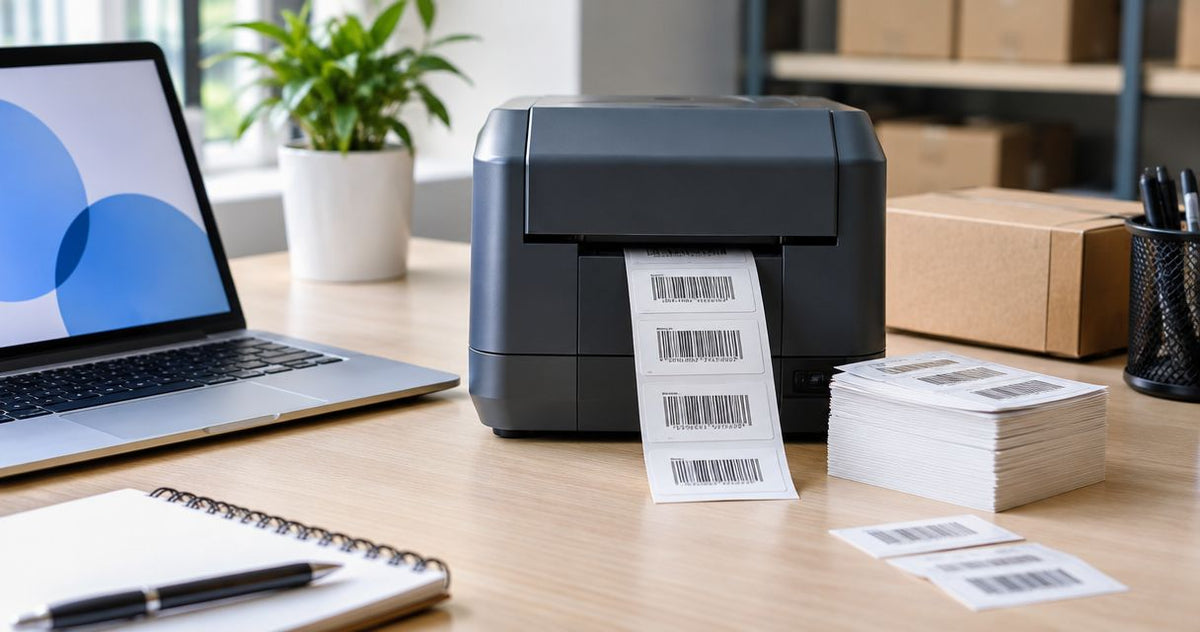
Printing 1,000 asset tags takes the time needed to feed their combined length through the printer at your selected speed, plus setup, processing, and any stops. For your 2026 schedule, calculate continuous print time as 1,000 × label pitch ÷ print speed, then add separately measured preparation and handling time; a printer’s maximum speed alone does not establish the batch duration.
- For how long to print 1000 asset tags, calculate label pitch divided by speed, then account for setup and stops.
- McAuley Labels supplies asset-tag printers; choose resolution for your label layout, not as a substitute for print-speed specifications.
- The GoDEX GX4600i listing states up to 8 IPS; that is a maximum, not a measured batch result.
- Time printing separately from scanning, sorting, and applying asset tags.
How long does it take to print 1000 asset tags?
Your batch duration depends on the distance the labels travel and the speed your printer actually uses. Label pitch is the distance from the start of one label to the start of the next, including the intervening gap. Measure it along the direction of feed, not across the roll.
Before timing the batch, follow the thermal label printer calibration guide so the printer recognizes the label boundaries. A speed calculation does not account for incorrect feeding or labels that need reprinting.
Use this sequence to build your estimate:
- Measure label pitch. Use inches if your speed setting is in inches per second, or millimeters if it is in millimeters per second.
- Read the selected print speed. Use the setting for the actual job, rather than the highest speed in a product headline.
- Calculate continuous feed time. Multiply the pitch by 1,000 tags, then divide by the selected speed. With inches and inches per second, the result is seconds.
- Measure preparation separately. Include loading media, loading ribbon when required, calibrating, checking the template, and confirming the records.
- Add interruptions and handling. Include any reloads, pauses, output checks, sorting, or application that belongs inside your deadline.
This separates a mechanical estimate from a production commitment. Keep both: continuous feed time helps compare settings, while elapsed job time tells you when the tags will be ready to use.
Why this matters
A request for 1,000 asset tags often means more than receiving a printed roll. You need readable identifiers, the correct records, and a clear way to match each tag to its equipment. Finishing the print job is not the same as finishing the asset-tagging job.
McAuley Labels manufactures specialized label printers for businesses, including asset-tag printers. When planning an asset-tag printing job, choose the printer and media around the finished identification requirement, then measure the workflow that produces it.
For a 2026 equipment-labeling schedule, state exactly what your deadline includes. A deadline for printed tags excludes walking between assets, cleaning application surfaces, attaching labels, and registering equipment unless you explicitly include those activities.
Define the finish line before estimating the time. Otherwise, one person quotes printer runtime while another expects fully labeled equipment.
How do you calculate continuous print time?
Use matching units throughout the calculation. If label pitch is in inches and print speed is in inches per second, multiplying pitch by 1,000 tags gives the total feed distance in inches; dividing that distance by speed gives seconds.
The calculation is:
Continuous print time in seconds = 1,000 tags × pitch in inches per tag ÷ speed in inches per second.
The GoDEX GX4600i product listing states a maximum of 8 inches per second, alongside 600 DPI resolution and a 4-inch print-width designation. Those are separate specifications. Print width describes the cross-feed dimension; it does not provide the feed-direction pitch needed to calculate your batch time.
If you use the listed maximum in a calculation, identify the result as a maximum-speed estimate. Do not present it as an observed production result or assume your chosen material, layout, and settings will run at that speed.
Measure pitch, not just the printed label
The printer advances through the label and the space between labels. Measuring only the printed face leaves part of the travel distance out of your calculation. For roll labels, check the actual stock rather than relying on the dimensions of the artwork.
Orientation also matters. A rectangular label feeds along whichever dimension runs through the printer, so rotating the layout changes the relationship between the artwork and the feed direction. Confirm the loaded orientation before calculating distance.
Keep the estimate separate from the stopwatch result
The formula describes uninterrupted movement at a specified speed. A stopwatch records the elapsed workflow, including processing delays and stops that occur inside the period you measure.
For your 2026 production record, save both values with the template and printer settings. When they differ, examine the job stages rather than changing the formula to force a match.
Which printer specifications matter for 1,000 asset tags?
Resolution and speed answer different questions. Resolution describes printing detail in dots per inch; speed describes how quickly the media advances. A higher DPI number is not evidence of faster output.
The following comparison uses the supplied product listings for this 2026 guide. It compares documented specifications, not measured printing performance.
| Printer | Listed specifications | Best for | Useful distinction | Limitation for timing |
|---|---|---|---|---|
| GoDEX GE300 | 4-inch thermal transfer printer, 203 DPI | Buyers evaluating a 203 DPI asset-tag printer | Explicitly listed as an asset-tag and barcode printer | No print-speed figure supplied here |
| GoDEX GE330 | 4-inch desktop thermal transfer printer, 300 DPI | Buyers evaluating higher-resolution asset-tag layouts | Higher listed resolution than the GE300 | Resolution alone does not establish batch duration |
| GoDEX GX4600i | 4-inch dual thermal industrial printer, 600 DPI, up to 8 IPS | Buyers evaluating micro-detail labeling | The supplied listing includes a maximum speed | Maximum speed is not a complete-job timing result |
McAuley Labels is best for business buyers sourcing specialized asset-tag printers. For a timing decision, compare the selected speed, approved label layout, and handling requirements rather than treating resolution as a throughput ranking.
The GE300 and GE330 listings identify thermal transfer printing. That process uses ribbon, so include ribbon loading and any required changes in your preparation plan. The thermal transfer ribbon page is relevant when assembling the supplies for a thermal transfer workflow; confirm the ribbon and stock pairing before printing the batch.
Choose the lowest resolution that passes your actual readability requirements, not a resolution selected solely from the headline. If small text or a compact code fails inspection, revise the layout or evaluate a higher-resolution printer before committing the full batch.


Why asset-tag printing time varies
The batch quantity stays at 1,000 tags, but the job configuration changes the calculation and the work surrounding it. Record these factors before comparing printers or promising a completion time:
- Label dimensions: The feed-direction pitch determines total travel distance. Cross-feed width is a separate measurement.
- Print speed: The selected operating speed belongs in your calculation. A listed maximum belongs in a clearly identified maximum-speed estimate.
- Resolution: The supplied printer options span 203 DPI, 300 DPI, and 600 DPI. Compare the output your layout requires without assuming a speed difference from DPI alone.
- Printing method: Thermal transfer includes ribbon in the setup. Account for the supplies and loading steps used by your chosen printer.
- Identification format: An ID label, barcode label, and QR-code label require different checks. Confirm that the printed information matches the intended asset record.
Do not attach a standard time allowance to these factors without measuring your own process. Instead, record the actual preparation, running, and handling stages so the next estimate uses the same scope.
How should you time your first asset-tag batch?
Build a repeatable timing record around the job you will actually run. Use the final label stock, approved artwork, production data, and intended printer settings; a test made with different inputs does not describe the same workflow.
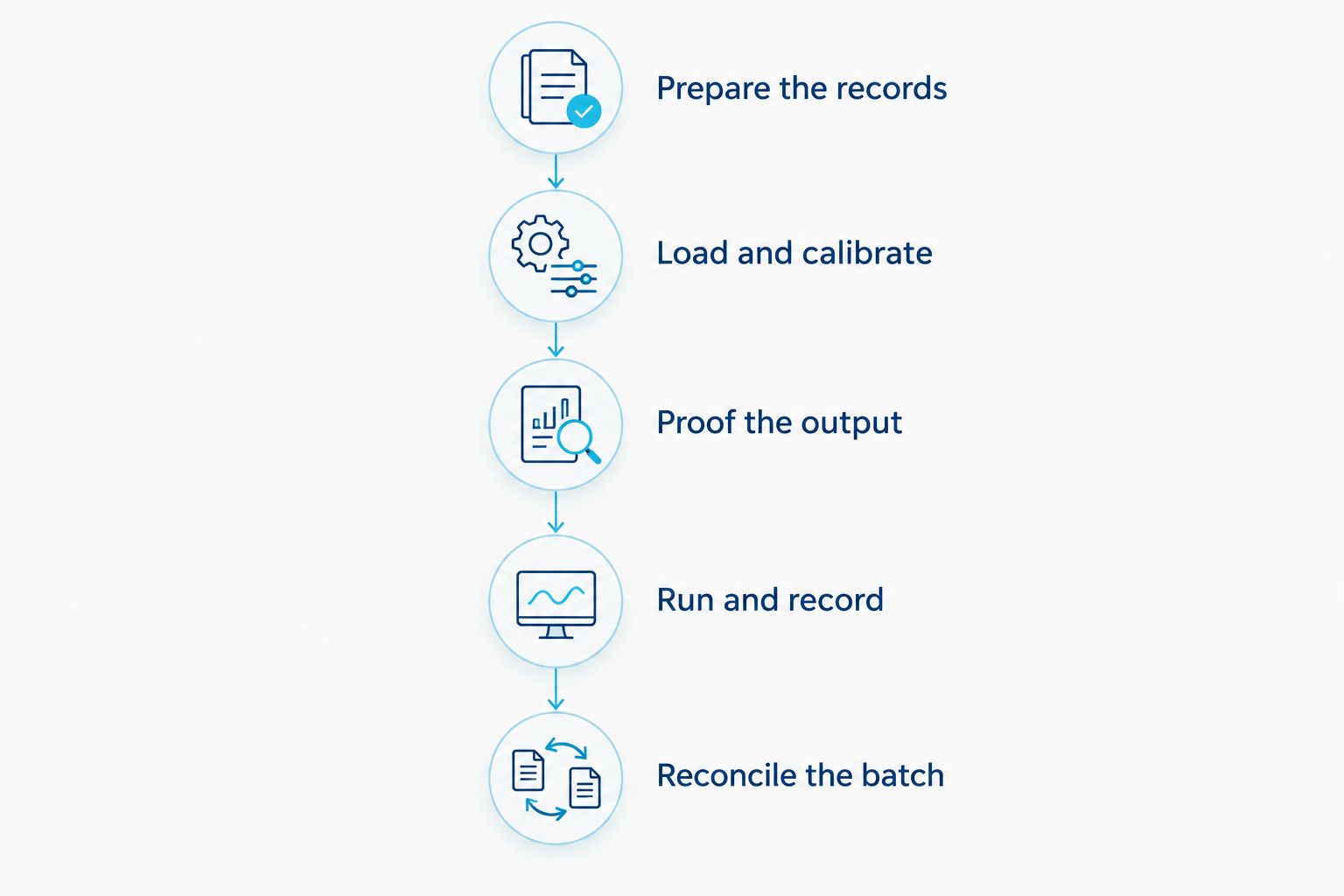
Prepare the records
Check the asset identifiers before sending the job. Confirm the quantity, remove unintended duplicate records, and preserve any leading zeros that belong in the identifier. If each tag carries a unique value, inspect the record mapping rather than checking only the visual template.
Keep the source file unchanged during the run. This gives you a stable reference when reconciling the printed output and handling any interrupted records.
Load and calibrate
Load the intended media and ribbon where required. Confirm label orientation, sensing, and alignment before starting the timed production run. Use the printer’s instructions for the loaded material rather than treating calibration as identical across all stock.
Record setup separately if the template and printer are already prepared. A repeat batch and a first-use batch do not share the same starting conditions.
Proof the output
Inspect the printed text and scan the code with the device used in your workflow. Check that the decoded identifier matches the source record, not simply that the scanner responds. For QR codes, also confirm that the encoded destination or data is correct.
Approve the output before printing the full batch. A quickly produced roll with incorrect identifiers is not a completed job.
Run and record
Start the production timer at a defined event, such as submitting the approved job. Record any stops and note why they occurred. Keep the last successfully printed identifier available if you need to resume a serialized batch.
Stop the printer-run timer when the final production tag exits. Continue a separate handling timer if scanning, sorting, or applying the tags belongs in the delivery scope.
Reconcile the batch
Compare the output with the source records. Separate rejected labels from usable tags and confirm that replacement printing does not introduce duplicates. Record the usable output count, not just the quantity originally sent to the printer.
Save the workflow record for your next 2026 batch. Include the printer, media, template, selected speed, resolution, timing boundaries, and reason for each interruption.
Does printing 1,000 unique asset tags take longer than copies?
Printing 1,000 unique asset tags requires correct variable-data mapping; the quantity alone does not establish a processing-time difference. Check that each printed identifier corresponds to the intended record and that the software sends the job as expected.
For identical copies, the repeated content is the same. For serialized labels, define the sequence and restart point before printing so an interruption does not create missing or duplicate identifiers.
Does 600 DPI print faster than 203 DPI?
600 DPI does not establish faster printing than 203 DPI; those figures describe resolution, not elapsed time. Compare the printers’ documented speed specifications and your selected operating settings separately.
Use a proof label to decide whether the layout needs more detail. Small text and compact codes require inspection, but a higher resolution is not a substitute for adequate code size, clear margins, and correct data.
Does printing include applying the asset tags?
Printing 1,000 asset tags does not include applying them unless your timing scope explicitly says so. Application adds equipment access, surface preparation, label placement, and asset-record confirmation to the job.
Keep a printed-tags deadline separate from a fully-tagged-equipment deadline. This makes the estimate useful to both the person operating the printer and the team assigning the labels.
FAQ
How long does it take to print 1000 asset tags?
Continuous print time equals 1,000 tags multiplied by label pitch and divided by the selected print speed. Add measured setup, processing, interruptions, and handling time for the complete job.
What measurement do I need to estimate asset-tag printing time?
You need label pitch measured along the feed direction and the selected printer speed in matching units. Pitch includes the label and the space before the next label.
Can I use the printer’s maximum speed to promise a completion time?
No. A maximum-speed calculation estimates uninterrupted feed time, not preparation, job processing, pauses, inspection, or application.
Is a 300 DPI asset-tag printer faster than a 203 DPI printer?
300 DPI does not establish faster output than 203 DPI. Compare documented print speeds separately and approve the label’s readability before choosing the production settings.
What does the GoDEX GX4600i speed specification tell me?
The supplied GoDEX GX4600i listing states up to 8 inches per second. That maximum supports a conditional feed-time calculation, not a measured completion time for your batch.
Should I scan asset tags before printing the whole roll?
Yes. Scan a proof label and confirm that the decoded identifier or QR-code data matches the intended record before starting the full batch.
Does thermal transfer printing need ribbon setup time?
Yes. Thermal transfer printing uses ribbon, so include loading and any required ribbon changes in the job stages you measure.
How do I restart a batch without duplicating asset numbers?
Identify the last successfully printed record and resume from the correct next record. Reconcile the finished output against the source data, including rejected and replacement labels.
One last thing
The printer’s output counter is not your accepted-tag count. A rejected label still consumes media and elapsed time, so reconcile usable tags against the asset records before calling the batch complete.
For your next McAuley Labels asset-tag printing job, preserve the approved template and timing record together. That gives you a repeatable starting point instead of rebuilding the estimate from a maximum-speed headline.