
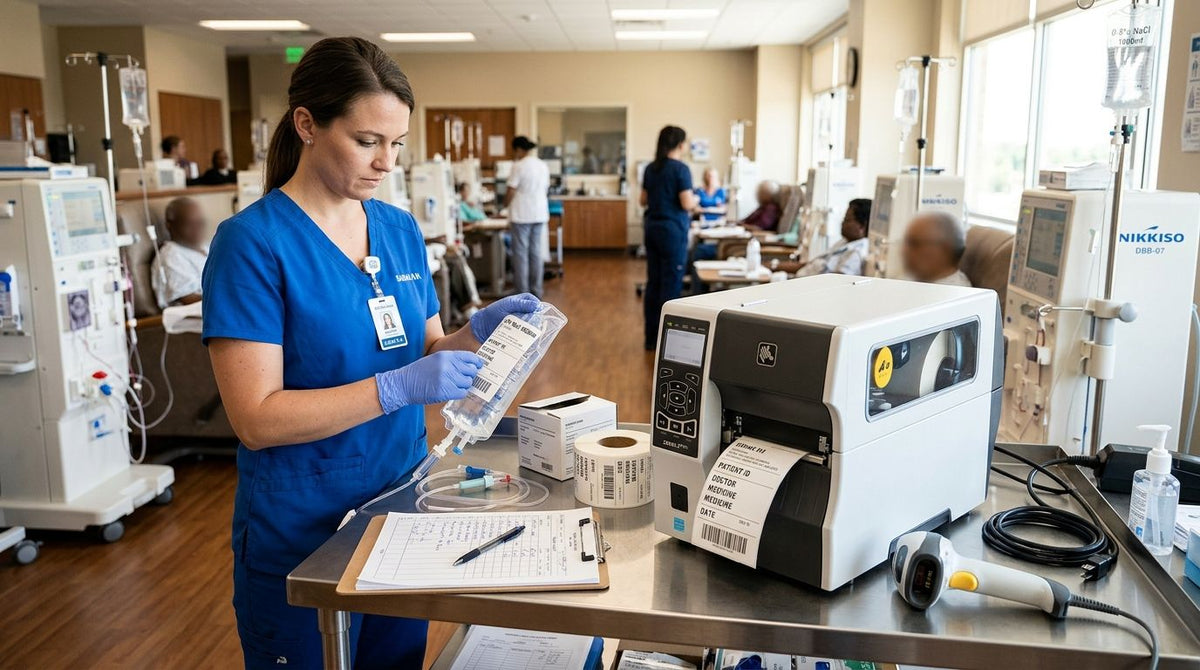
Dialysis and infusion centers need a label printer built for patient wristbands, specimen tubes, and IV bag labeling that survive glove friction, alcohol wipes, and refrigeration — not a general office inkjet pressed into clinical service in 2026. Outpatient renal and infusion clinics run higher label volume per patient chair than most healthcare settings, and a printer chosen for a front desk rarely holds up to that pace.
- GoDEX ZX430i+ prints at 300 DPI, the sharpest medical label printer for dialysis and infusion centers handling small specimen barcodes.
- GoDEX RT700i+ runs 203 DPI for patient wristbands and general clinic labeling at a lower per-label cost.
- Direct thermal labels skip ribbon costs but fade faster under the repeated alcohol wipe-downs common in infusion bays.
- Standardize barcode symbology across every nursing station before scaling past one printer per unit.
Why this matters for dialysis and infusion centers
A missed scan on a patient wristband or a smudged specimen barcode isn't a shipping delay — it's a chart error. Dialysis and infusion centers print labels tied directly to medication administration, lab draws, and patient identification, so print clarity and durability carry more weight than they do in a retail stockroom.
Most clinics that outgrow a basic office printer hit the same wall: labels jam under glove-handling volume, ribbons run out mid-shift, or barcodes print too coarse to scan cleanly on narrow tube labels. A medical label printer for dialysis and infusion centers has to solve all three at once, and the fix starts with matching resolution and print method to the label content before anything else.
Match printer resolution to your label content
Audit what actually goes on your labels — small barcodes and lot numbers need more resolution than a patient name and date.
- Measure the smallest text or barcode element currently printed and check it against 203 DPI and 300 DPI output side by side
- Route specimen tube and small-vial labels to a 300 DPI printer like the GoDEX ZX430i+
- Route wristbands and general chart labels to 203 DPI, which prints faster at lower cost per label
- Confirm barcode symbology (Code 128, GS1, or 2D) reads correctly at your chosen resolution before rolling out clinic-wide
Choose direct thermal or thermal transfer for your workflow
Direct thermal needs no ribbon and costs less per label, but the print darkens with heat exposure and fades under repeated alcohol wipes — a real problem in infusion bays where hand sanitizer contact is constant.
- Use direct thermal for same-day labels that leave the building quickly, like visit summaries
- Use thermal transfer for anything that needs to survive weeks in a chart binder or a refrigerated bin
- Stock a wax/resin ribbon rated for smear resistance if labels get handled across multiple shifts
- Test both methods against your actual glove and sanitizer routine, not a clean-desk demo
Standardize patient ID and specimen labeling
Inconsistent barcode formats across stations are the single biggest cause of scan failures in multi-chair infusion units. Nail this down before you add printers, not after.
- Pick one barcode symbology and one label size for all patient wristbands clinic-wide
- Lock specimen tube label templates so techs can't resize fonts on the fly
- Match label stock — paper or polyester — to whether tubes go into a freezer or a centrifuge
- Review specimen labeling for a clinical lab if your center runs its own draws
- Print a test batch and scan every label with the same handheld scanner used at the bedside
Print medication and IV bag labels with expiration tracking
Compounded and reconstituted medications carry use-by windows that have to be visible at a glance, not buried in a chart note. The same clinical discipline that governs refrigerated storage expiration windows should drive how your IV bag labels are formatted — date, time, and initials, printed large enough to read from across the room.
- Build a label template with expiration date and time as the largest text element
- Print medication labels immediately before administration, not in a pre-printed batch
- Color-code label borders by drug class if your pharmacy already uses a color system
- Reprint immediately on any smudge — never tape over a partially legible expiration date
Set up wristband printing for patient identification
Wristband stock is thinner and more prone to misfeed than standard label rolls, so calibration matters more here than anywhere else in the clinic.
- Calibrate gap sensors specifically for wristband stock, separate from your specimen label settings
- Print a test wristband each morning before patient check-in starts
- Keep a spare roll of wristband stock at each check-in station, not just the central printer
- Confirm the wristband barcode matches the format your scanner expects at the infusion chair
Build in print speed and redundancy for peak clinic hours
A single printer serving six or eight infusion chairs becomes a bottleneck the moment two patients check in back to back. Print speed and backup capacity matter more than any single feature.
- Size print speed to your busiest hour — a printer rated up to 16 IPS clears backlog faster than one built for occasional runs
- Keep one printer in reserve, pre-loaded with the same label stock, for immediate swap-in
- Route wristband and specimen printing to separate printers if volume allows, so one queue doesn't block the other
- Schedule ribbon and label stock checks at shift change, not when a printer runs dry mid-patient
Train staff on calibration and stock changeovers
Most "printer is broken" calls in a clinic are a calibration issue, not a hardware failure. A five-minute training session prevents most of them.
- Walk new staff through label gap calibration during onboarding, not on their first busy shift
- Post a one-page ribbon-loading guide at each printer station
- Track which staff members can clear a jam without calling IT
- Rotate label stock so older rolls print first — 2026 supply shouldn't sit unused behind newer stock
Comparing medical label printers for dialysis and infusion centers
| Option | Best for | Key limitation |
|---|---|---|
| GoDEX ZX430i+ 300 DPI | Specimen tubes and small barcodes needing sharp detail | Slower throughput than 203 DPI models on large batch runs |
| GoDEX RT700i+ 203 DPI | Patient wristbands and general clinic labeling | Coarser barcode resolution on very small label formats |
| GoDEX GX4200i (203 DPI, up to 16 IPS) | High-volume clinics running multiple infusion chairs at once | Larger footprint than a compact desktop station needs |
| GoDEX DT200iL (203 DPI, linerless) | Low-volume specimen or medication labels without ribbon changeovers | Linerless format limits label size and layout flexibility |
Verdict: the GoDEX ZX430i+ is the right call for any dialysis or infusion center printing small specimen barcodes in 2026 — 300 DPI is the difference between a scanner that reads on the first pass and one that needs a second try.
Common mistakes dialysis and infusion centers make
- Using a generic office printer for wristbands and specimen labels — it jams under glove-handling volume within weeks
- Mixing barcode symbologies across nursing stations, so scanners misread labels printed at a different chair
- Skipping ribbon rated for alcohol exposure, so labels smear within hours near hand sanitizer stations
- Running one printer for the whole unit with no backup, turning a jam into a full check-in delay
- Never recalibrating after switching label stock sizes, which prints misaligned wristbands nobody catches until scan time


FAQ
What is the best medical label printer for dialysis and infusion centers in 2026?
The GoDEX ZX430i+ is the strongest fit for centers printing specimen and medication labels because its 300 DPI resolution keeps small barcodes scannable. Clinics printing mostly wristbands can run a 203 DPI printer like the GoDEX RT700i+ at lower cost per label.
Is 300 DPI or 203 DPI better for patient wristbands?
203 DPI is usually enough for wristbands since the text and barcode are larger than specimen tube labels. Reserve 300 DPI for small specimen and medication labels where barcode density is tighter.
Do infusion clinics need direct thermal or thermal transfer labels?
Thermal transfer holds up better against alcohol wipes and long chart storage, which matters for medication and specimen labels. Direct thermal works for same-day labels like visit summaries that do not need long-term durability.
How often should a clinic label printer be recalibrated?
Recalibrate any time you switch label stock size or type, and check alignment at the start of each shift during peak hours. Skipping this is the most common cause of misprinted wristbands in busy infusion units.
Can one printer handle both specimen labels and patient wristbands?
It can, but high-volume clinics get better throughput by splitting the two across separate printers. Wristband stock and specimen label stock calibrate differently, so switching constantly slows staff down.
What barcode format works best for clinical labeling?
Code 128 and GS1 formats are common in healthcare labeling because most handheld scanners read them reliably. The format matters less than consistency: every station in the clinic needs to use the same one.
How do infusion centers keep medication labels legible after refrigeration?
Thermal transfer ribbon resists moisture and cold exposure better than direct thermal print, which can fade in a refrigerator over time. Polyester label stock also outlasts paper stock in cold, humid storage.
What causes label printers to jam in a busy clinic?
Most jams trace back to mismatched gap sensor calibration after a label stock change, not a hardware defect. A quick recalibration after every stock swap prevents the majority of jam calls.
One last thing
The detail clinics overlook most in 2026: wristband stock and specimen label stock rarely calibrate the same way on the same printer, even when both are 4-inch rolls. Write down the gap sensor settings for each stock type at every station — a two-minute fix that prevents most of the misprint calls arriving during peak infusion hours.