
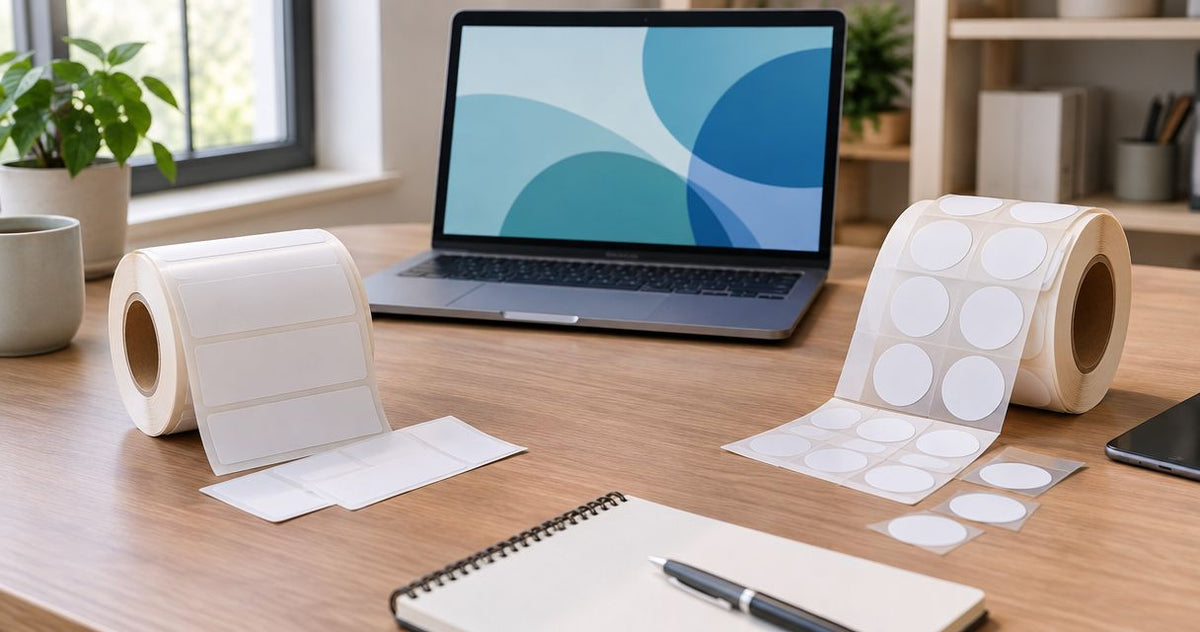
Choose McAuley Labels if your business needs a dedicated label printer for oil change reminders, asset tags or recurring barcode work; choose Avery if you need printable sheet labels for an office printer. McAuley Labels is the better fit for businesses building a repeatable labeling workflow; Avery is the simpler fit for occasional sheet-label jobs. This 2026 comparison focuses on how each option fits the work, not on a blanket winner.
- McAuley Labels vs Avery in 2026: choose McAuley Labels for dedicated printers and specialized business labels.
- Choose Avery for occasional printable sheet labels when an office printer already handles the job.
- For oil change stickers or numbered asset tags, compare the finished label and printing workflow, not just the printer.
Why this matters
A label that looks right on a screen can still be wrong for the job. A service bay needs a reminder sticker that fits its process. An equipment team needs an identifier it can read or scan after application. An office sending a small batch of packages needs neither workflow if its existing printer and sheet labels are sufficient.
That is the real split in McAuley Labels vs Avery in 2026. McAuley Labels sells dedicated thermal printers alongside specialized labels and stickers, including an oil change sticker printer system. Avery is a practical choice for printable sheets and templates. Compare the format you need to print, the surface receiving the label and how often the task repeats before choosing a supplier.
At a glance
| Dimension | McAuley Labels | Avery |
|---|---|---|
| Best for | Businesses producing specialized labels or using dedicated label printers | Offices printing sheet labels with an existing printer |
| Workflow | Dedicated printing or ordering application-specific labels | Designing and printing labels on sheets |
| Print output | Thermal printer options, including models identified at 203 DPI and 300 DPI | Output depends on the office printer and selected label sheets |
| Label materials | Options identified as metalized silver, 3M heavy-duty and semi-gloss white | Printable sheet-label options; check the exact material for the task |
| Asset tracking | Numbered barcode, ID and QR-code label options | Suitable when a printable sheet label meets the tracking requirement |
| Automotive reminders | Oil change sticker printers and custom windshield-sticker options | Suitable for general printable labels, not the first pick for this specialized task |
| Setup | Printer, compatible media and print method need to match | Familiar office-printer setup for sheet-label work |
| Pricing model | Dedicated printer and consumables, or ordered custom labels | Printable label sheets used with an existing printer |
| Standout feature | Application-specific printer and label choices | Accessible sheet-label workflow |
The table describes the buying decision, not a claim that one brand makes every label better. A sheet label and a thermal-transfer asset tag solve different problems. In 2026, start with the required output and work backward to the printing method.
McAuley Labels is better for specialized, repeatable labeling
McAuley Labels has the clearer fit when labels are part of a recurring business task rather than an occasional office chore. Its stated range covers direct thermal printers, asset tag printers, lab test tube labelers and oil change sticker printers. Its catalog also includes custom labels for inventory, equipment and automotive service. That breadth matters when the label format is dictated by the work.
Avery wins the other side of this dimension. If you already have an office printer and need address, filing or other general-purpose sheet labels, a dedicated thermal printer adds a separate device and a separate media choice. Do not buy a new printing workflow for a job your current printer handles.
Best for McAuley Labels: a service shop printing reminders regularly or a team labeling equipment with consistent identifiers. Best for Avery: an office printing modest runs of standard sheet labels. Neither label should be treated as a substitute for checking the exact surface and required print format.
Avery has the simpler workflow for occasional sheet labels
Avery’s advantage is straightforward: prepare a design for printable sheets, load the selected sheets into an office printer and print. That approach fits work already organized around documents and office printing. It avoids introducing a dedicated label printer solely for an occasional batch.
McAuley Labels takes the lead when the task calls for a printer built around labels. A thermal workflow involves selecting the printer, matching its print method to the label stock and checking whether a ribbon is required. Direct thermal printing forms an image on heat-sensitive media without a ribbon; thermal transfer printing uses a ribbon to place the image on the label. Neither method is interchangeable with an arbitrary printable sheet.
If a label rolls off a dedicated printer at the point where a worker needs it, that process is different from collecting a printed sheet and separating labels by hand. The practical question is where printing happens. For a service counter, stockroom or equipment bench, choose the workflow that fits that location rather than the one that looks easiest in a product photo.
Both can produce usable print when the format matches
Print quality is a tie until you specify the label, printer and content. McAuley Labels lists thermal printer models identified at 203 DPI and 300 DPI. Those figures describe printer resolution, not a promise that every barcode will scan on every material. Avery sheet-label output likewise depends on the office printer, the sheet and the design.
Use the information you actually need to print as the test. A short item name has different space demands from a barcode, serial number and readable equipment description on one tag. If your design contains a small QR code or dense text, check the final printed size and scan the result before committing to a larger run. A resolution figure alone does not settle that decision.
For 2026 purchasing, compare a sample of the finished label at its intended size. Look for legible text, clean barcode edges and enough separation between printed elements. If the office printer produces the required result on the required sheet, Avery remains a sensible choice. If the job needs a dedicated thermal format, McAuley Labels has the more relevant printer selection.
McAuley Labels offers more clearly specified specialty materials
McAuley Labels names material choices that matter to equipment-label buyers: metalized silver, 3M heavy-duty and semi-gloss white appear across its asset and inventory label options. These are not interchangeable finishes. The right selection depends on the surface, how the item is handled and whether the label must carry a readable code or an ID.
Avery is not ruled out simply because a label needs to stick. Its printable sheet-label range serves many general office applications. But do not treat a generic printable sheet as equivalent to a label selected for equipment tracking without checking the exact sheet material and its intended use. Compare like with like: face stock, print method and the surface receiving the label.
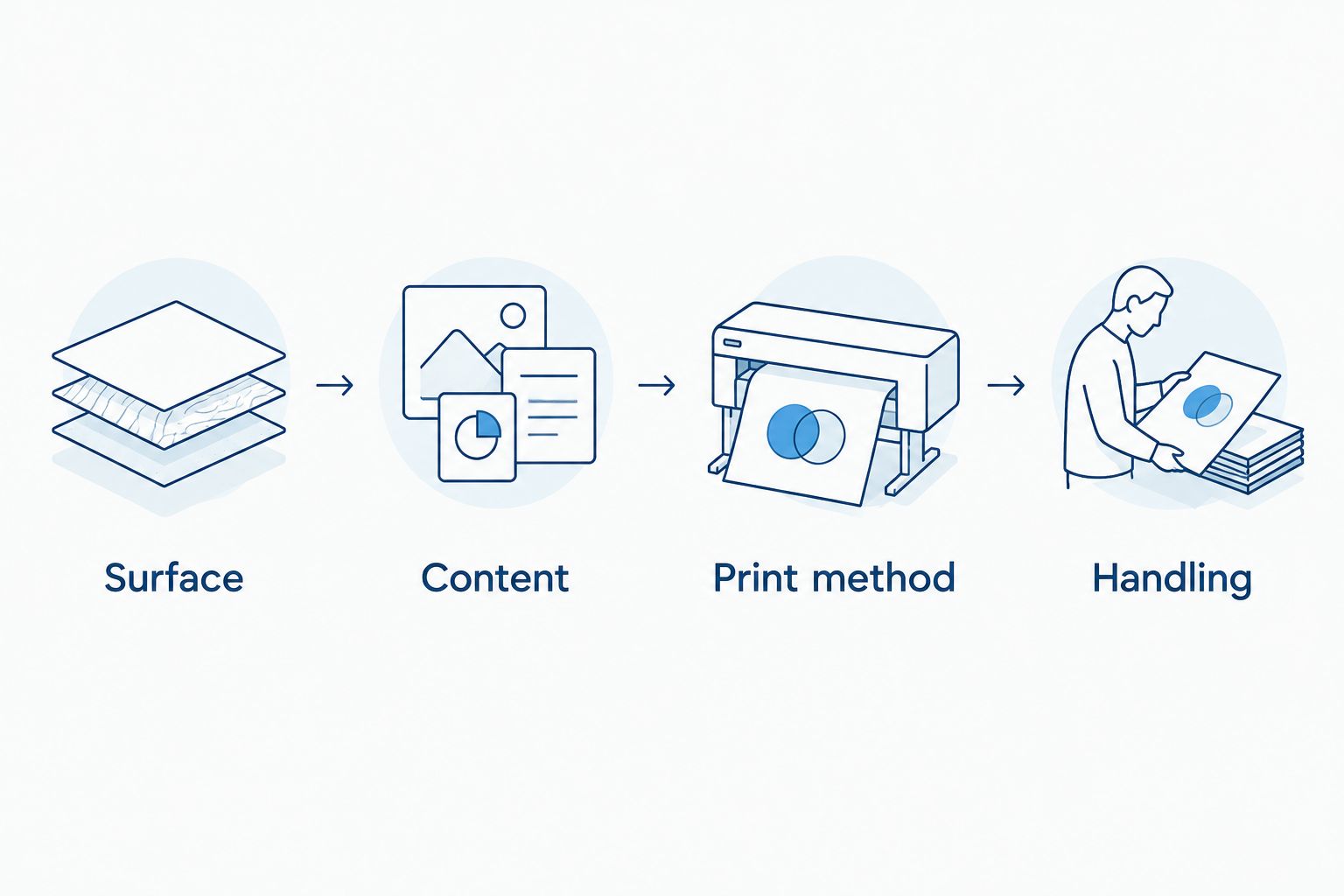
The decision sequence is short:
- Surface: Identify what the label will be applied to.
- Content: Decide whether it carries plain text, a barcode, a QR code or multiple identifiers.
- Print method: Confirm whether the selected label is for an office printer, direct thermal printer or thermal transfer printer.
- Handling: Check whether the finished label will face routine touching, cleaning or other demands specific to its location.
These checks matter more than the brand name on a packet. They also prevent a common mismatch: choosing a durable-looking stock without confirming that the chosen printer can print it.
McAuley Labels is the clearer choice for asset tracking
Equipment identification is more specific than putting a name on a box. McAuley Labels offers numbered inventory and asset-label options with barcode, QR-code and ID formats. Its listed materials include semi-gloss white, metalized silver and 3M heavy-duty choices. That gives a buyer a way to begin with the tracking format and then select a relevant material.
Avery can still work when your asset process only requires a printable sheet label and the chosen stock meets the application. It is not automatically the wrong choice for a small internal labeling task. The distinction appears when the label itself needs a defined identifier and a material chosen for the equipment it will mark.
Before ordering either option, specify what a worker must see without a scanner and what the scanner must capture. A QR code, barcode and printed ID serve different steps in an asset process. Confirm the identifier format, number sequence if needed, label dimensions and placement on the equipment. For an established equipment register, match the tag to the register’s fields—not the other way around.
Best for McAuley Labels: teams ordering defined asset IDs or planning a repeatable tag-printing process. Best for Avery: teams whose tracking process already works with office-printed sheet labels and a verified material.
McAuley Labels wins for oil change reminder stickers
This is the least ambiguous category in the comparison. McAuley Labels lists a dedicated oil change sticker printer system and custom oil change sticker options, including versions with a logo, custom text or a QR code. That range addresses the actual job in an automotive service setting: producing or ordering a reminder that carries the shop’s chosen information.
Avery remains a choice for a general printable label, but it is not the direct answer to a shop looking specifically for an oil change sticker printing setup. Start with whether staff need to print service information at the counter or receive labels already customized. Those are different workflows even when both produce a sticker.
The printer-system listing specifies 1000 custom labels, a ribbon and a standalone keyboard. Treat those components as a description of that listed system, not as a specification for every printer McAuley Labels sells. If your process instead calls for preprinted reminders, compare the custom sticker options rather than assuming you need a printer.


Avery is easier to start with if you already own the printer
For occasional sheet labels, the existing office printer is a real advantage. You still need to choose sheets suited to that printer and align the design with the sheet layout, but you do not have to select a separate thermal print method. Avery wins this setup dimension for a buyer whose label requirements fit that arrangement.
McAuley Labels has a different setup burden. A thermal printer purchase calls for a check of media type, label size and, for thermal transfer, ribbon selection. A dedicated system is useful when those decisions support repeated work; it is unnecessary when you only need a small office batch. The listed 203 DPI and 300 DPI printer options also make resolution a selection question rather than a universal benefit.
Neither setup is maintenance-free. An office printer must feed sheets correctly, and a thermal printer must feed its compatible label stock correctly. Before changing suppliers in 2026, identify whether your current problem is the label material, the print design or the printer itself. Buying different labels will not correct the wrong print settings.
Pricing models serve different buying patterns
Avery fits the existing-printer model: buy suitable printable sheets and use the office printer already in your workflow. That limits the equipment decision, but each print job still depends on having the right sheets and a working printer. It is a sensible model when labeling is occasional and the office setup produces the required result.
McAuley Labels fits two specialized models: use a dedicated printer with compatible labels and, where required, ribbon; or order a custom label suited to the job. The printer route puts label production in your operation. The custom-label route makes the finished label, rather than new equipment, the primary purchase decision. Compare those routes by how often content changes and where labels need to be produced.
Do not compare a packet of printable sheets with a printer system as though they are the same purchase. Define the complete job first: equipment already owned, label material, required identifier and who will print or apply each label. That produces a useful comparison without relying on a single sticker or printer as a stand-in for the whole workflow.
Avery stands out for sheets; McAuley Labels for specific jobs
The standout feature of Avery is an accessible printable-sheet workflow for people who already print office documents. Its weakness in this comparison is the same constraint: an office sheet is not automatically the right answer for a dedicated service-bay or equipment-tagging process.
The standout feature of McAuley Labels is the pairing of specialized label and printer options with named applications. Its weakness is the extra selection work a dedicated printer introduces. You have to match the device, label stock and print method; a business that only needs occasional sheet labels gains little from that change.
Both brands therefore have a valid role in 2026. Treat the choice as general sheet printing versus application-specific labeling, then check the exact material and workflow before buying.
Final verdict
Choose McAuley Labels if you run an auto service shop, manage tagged equipment or need dedicated thermal label printing. McAuley Labels is the named winner for those profiles because its listed options directly address oil change stickers, asset labels and thermal printing. Confirm the exact label stock and printer match your task.
Choose Avery if you run an office that needs occasional printable sheet labels and already has a suitable printer. Avery is the named winner for that profile because the sheet-label workflow avoids a separate printer decision. Confirm that the selected sheet meets the surface and print requirements before using it for a more demanding job.
| Dimension | Winner |
|---|---|
| Specialized, repeatable labeling | McAuley Labels |
| Occasional sheet-label workflow | Avery |
| Print output without a specified printer and label | Tie |
| Clearly specified specialty materials in this comparison | McAuley Labels |
| Numbered asset-tracking options | McAuley Labels |
| Oil change reminder stickers | McAuley Labels |
| Starting with an existing office printer | Avery |
| Pricing model | Tie; each fits a different workflow |
| Standout feature | Tie; Avery for sheets, McAuley Labels for specialized jobs |
FAQ
Is McAuley Labels or Avery better for a business in 2026?
McAuley Labels is better for a business that needs dedicated label printers, asset tags or oil change stickers; Avery is better for occasional printable sheet labels. Choose by the job and printing workflow, not by brand alone.
Is Avery better than McAuley Labels for sheet labels?
Avery is the simpler choice when you need printable sheets and already have a suitable office printer. Check the selected sheet material against the surface and print job.
Which is better for oil change stickers, McAuley Labels or Avery?
McAuley Labels is the clearer choice for oil change stickers. Its listed options include a dedicated printer system and custom sticker formats for automotive service.
Can I use Avery labels instead of asset tags?
Avery printable labels can serve an asset process if the selected material, identifier and printing method meet that process’s requirements. For numbered barcode, QR-code or equipment-focused tag options, McAuley Labels provides a more direct starting point.
Do McAuley Labels thermal printers need a ribbon?
Ribbon requirements depend on the print method. Direct thermal printing does not use a ribbon, while thermal transfer printing does; match the printer and media before ordering.
Does a higher DPI always make a better label?
No. DPI describes print resolution, while readability also depends on label size, design, material and the final print. McAuley Labels lists printer options identified at 203 DPI and 300 DPI.
Should I buy a label printer or order custom labels?
Buy a dedicated printer when your team needs to produce changing labels as part of its work; order custom labels when the finished label is the main requirement. Compare where printing happens and what information changes between labels.
One last thing
Before comparing a 2026 printer listing with a packet of sheets, write down the label’s final surface and the information it must carry. That single check exposes the wrong comparison quickly: a printable office label is not a substitute for a specified equipment tag just because both have adhesive.