
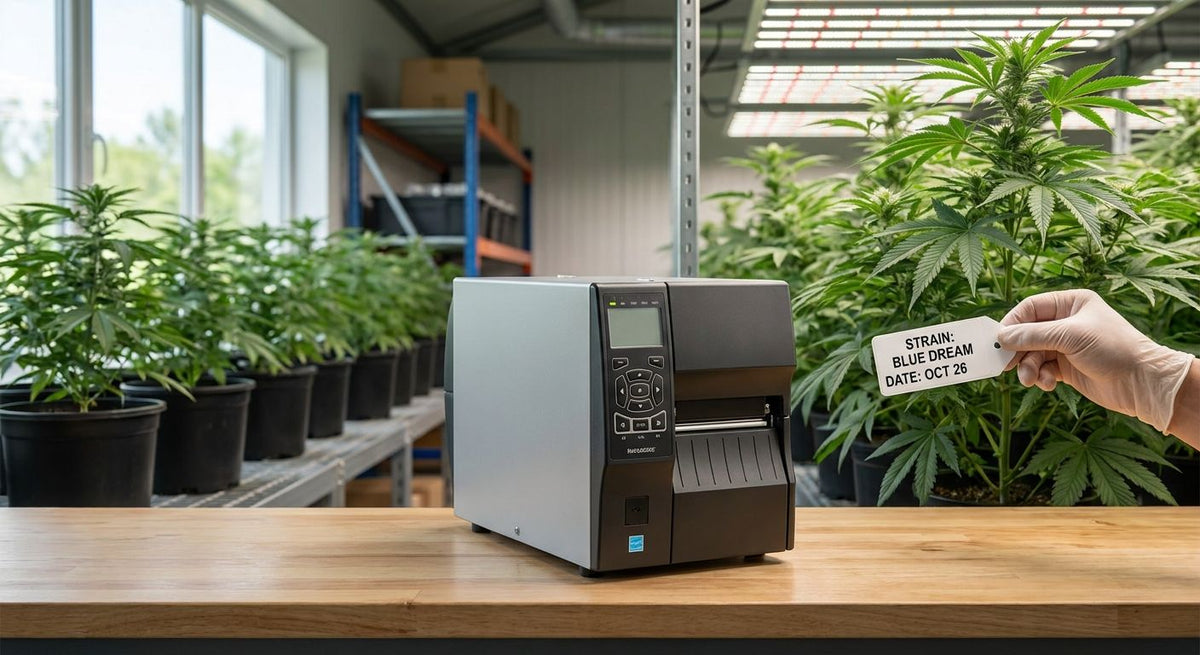
Plant tag printer for cannabis cultivation is a thermal label setup that prints strain names, batch numbers, planting dates and compliance barcodes directly onto tags built to survive a grow room, not a garden center shelf. Cultivators need something more durable than laser-printed cardstock stakes: tags get splashed during watering, brushed against trellis netting, and handled at every stage from clone to harvest, so the print has to stay scannable the whole cycle.
- GoDEX ZX430i+ ($945) prints 300 DPI barcodes clear enough to survive a full flowering cycle - best for multi-room grows.
- GoDEX G500 ($464) covers single-room operations that only need 203 DPI batch numbers and strain IDs.
- Direct thermal tags fade faster in humid grow rooms; thermal transfer on polyester stock holds up through a full cycle.
- A plant tag printer for cannabis cultivation earns its cost the first time a compliance audit needs a scannable barcode, not a smudged marker tag.
Why plant tag printer for cannabis cultivation matters for grow operations
State track-and-trace programs require every plant to carry a scannable tag from clone to sale, and a barcode that a marker or an inkjet label can't reliably reproduce fails an audit fast. Grow teams also cycle through strains constantly — a single canopy turn can mean dozens of new batch numbers, mother plant IDs and room assignments that have to print correctly the first time.
Handwritten tags and generic office label printers weren't built for that volume or that environment. A plant tag printer for cannabis cultivation solves both problems: it batch-prints hundreds of tags in one run and holds up to the moisture and handling a grow room throws at it.
Define your tag content before you buy a printer
Most cultivators skip this step and end up reprinting an entire batch because a field was missing. Lock down exactly what belongs on the tag first.
- Strain name and cultivar code
- Batch or lot number tied to your track-and-trace system
- Planting or clone date
- Room and zone ID (veg 2, flower 4, etc.)
- Mother plant ID for clone lineage
- Scannable barcode or QR code for compliance
Choose the print resolution your tags actually need
Resolution decides whether a barcode scans clean or gets rejected during an audit. A 203 DPI printer handles text-only tags — strain names, dates, room numbers — without trouble. A 300 DPI printer is the safer call once you're printing small QR or barcode compliance codes under an inch square, since finer resolution keeps the bars from blurring together at that size.
- 203 DPI: batch numbers, strain names, room labels
- 300 DPI: compliance barcodes, QR codes under 1 inch
- 600 DPI: micro-text on clone tags with limited surface area
- Color-display models cut setup errors when multiple staff run the printer
McAuley Labels sells a 203 DPI plant label printer built compact enough for a grow room bench, which covers the text-and-batch-number use case without paying for resolution you won't use.
Pick a tag material that survives the grow room
This is where most cultivators lose print quality mid-cycle. Direct thermal tags print without a ribbon, which is cheaper and faster, but the image fades under prolonged heat and humidity exposure — fine for a 30-day veg run, risky for a 60-70 day flower cycle. Thermal transfer printing, which fuses a ribbon image onto the label, holds up far longer under the same conditions.
- Direct thermal: lowest cost, shortest lifespan in humid rooms
- Thermal transfer with polyester stock: resists moisture and abrasion for a full cycle
- Laminated or coated tags: added protection for clone domes near misters
- Match the tag to the longest cycle it needs to survive, not the shortest
The waterproof plant label printer buying guide breaks down which stock holds up in wet environments if your grow runs high-moisture propagation.
Set up batch numbering and templates once
Building a template once and reusing it across every strain cuts printing errors more than any hardware upgrade. Most GoDEX printers run on GoLabel software, which lets you save a template and just swap the variable fields (strain, date, batch) for each print run.
- Save one template per tag type — clone, veg, flower, mother stock
- Use sequential batch numbering tied to your compliance system
- Set barcode symbology to match what your track-and-trace scanner reads
- Lock font size on shared fields so tags stay consistent across staff
Print tags in batches before each grow cycle
Print the full run for a canopy turn in one sitting instead of printing tags one at a time as plants move rooms. Batch printing catches template errors before 200 tags go out with the wrong date, not after.
- Print by room or zone, not by individual plant
- Stage printed tags by cycle stage to avoid mixing veg and flower batches
- Count printed tags against expected plant count before applying
- Keep a spare ribbon and label roll on hand during a full run
Build compliance checks into the printing workflow
A tag that looks fine on the bench can still fail a scanner at audit time if the barcode print quality drops. Cannabis compliance labeling has its own set of requirements worth reviewing separately — the cannabis dispensary compliance labels guide covers what auditors actually check on a scanned label.
- Test-scan a sample tag from every printed batch before applying it
- Keep printhead cleaning on a schedule — a dirty printhead is the top cause of unreadable barcodes
- Store spare ribbon and labels away from grow room humidity
- Reprint, don't relabel, when a plant moves from veg batch numbering to flower batch numbering
Plant tag printer options compared
| Option | Best for | Starting price | Key limitation |
|---|---|---|---|
| Handwritten tags | Single-room hobby grows | No printer cost | Illegible after watering, no barcode |
| GoDEX G500 (203 DPI) | Single-room compliance tagging | $464 | No color display, text-only barcodes get tight below 1 inch |
| GoDEX ZX430i+ (300 DPI) | Multi-room grows with compliance QR codes | $945 | Higher upfront cost than a basic desktop unit |
| 203 DPI compact plant label printer | Grow rooms with limited bench space | Check current pricing on the site | Built for text and batch numbers, not micro-detail barcodes |


Verdict: the GoDEX ZX430i+ is the plant tag printer for cannabis cultivation operations running more than one room, since 300 DPI keeps compliance barcodes scannable through a full flowering cycle. Single-room grows that only need text tags can run the GoDEX G500 at less than half the cost.
Common mistakes cannabis cultivators make with plant tags
- Printing tags months ahead of the grow cycle. Batch numbers and room assignments change; a pre-printed stack of tags becomes a stack of relabeling work.
- Using direct thermal stock for a full flowering cycle. It's cheaper per tag but fades before harvest, which is exactly when an auditor wants to scan it.
- Skipping a test scan on printed batches. A barcode that looks fine to the eye can still fail a scanner if the printhead is dirty or the ribbon is low.
- Relabeling instead of reprinting when a plant changes stage. Sticking a new label over an old batch number confuses track-and-trace records instead of fixing them.
- Buying resolution you don't need. A 600 DPI printer is overkill for a room that only tags strain names and dates at 203 DPI.
FAQ
What's the best plant tag printer for cannabis cultivation in 2026?
The GoDEX ZX430i+ at $945 is the best fit for multi-room grows because its 300 DPI resolution keeps compliance barcodes scannable through a full flowering cycle. Single-room operations that only need text tags can run the $464 GoDEX G500 instead.
Is direct thermal or thermal transfer better for cannabis grow tags?
Thermal transfer on polyester stock holds up better through a full flowering cycle because it resists moisture and abrasion longer than direct thermal. Direct thermal is cheaper per tag but fades faster in humid grow rooms.
How much does a plant tag printer for cannabis cultivation cost?
Entry-level 203 DPI desktop printers start around $464, and 300 DPI color-display models run about $945 as of 2026. Cost scales with resolution and whether you need a color display for multi-user setups.
Do cannabis grow tags need a barcode or QR code?
Yes, most state track-and-trace programs require a scannable code on every plant tag, not just a handwritten batch number. A printer running at least 300 DPI keeps small barcodes legible enough to scan reliably.
Can I use a regular label printer for cannabis plant tags?
A general-purpose office label printer can print the text, but most aren't built for the ribbon-based thermal transfer printing that survives grow room humidity. A dedicated plant tag printer for cannabis cultivation handles both the print quality and the durability requirement.
How often should I reprint plant tags during a grow cycle?
Reprint tags whenever a plant moves to a new batch number or growth stage, such as veg to flower, rather than relabeling over the old tag. This keeps track-and-trace records tied to a single accurate barcode per stage.
What resolution do I need for cannabis compliance barcodes?
300 DPI is the safer minimum once barcodes or QR codes drop under 1 inch square, since finer resolution keeps the bars from blurring together. 203 DPI works fine for text-only fields like strain name and batch number.
One last thing
The printer isn't where most grow operations lose tag legibility — the ribbon and label storage is. Ribbon and label stock left in a humid grow room degrades before it ever loads into the printer, so keep spare rolls in the dry storage area, not on a shelf above the canopy.