
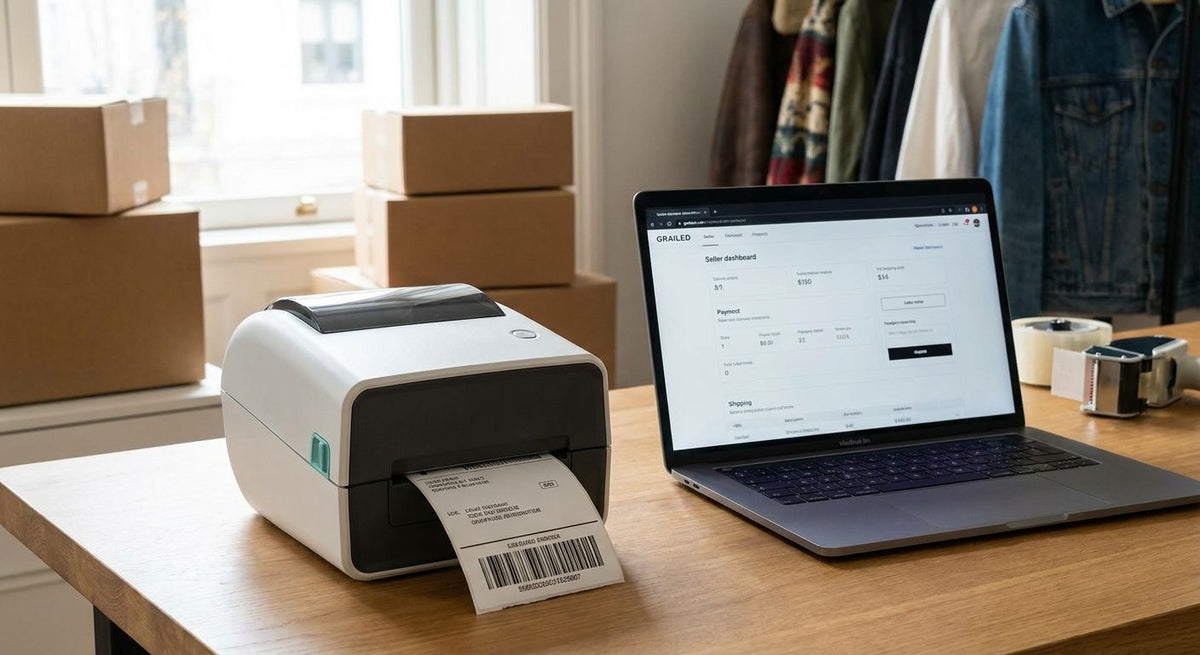
A thermal label printer for Grailed sellers is a direct-thermal 4x6 printer that turns a sold listing into a shipped package without ink, ribbon, or a trip to a print shop. Grailed sellers work on a tight clock — buyers expect tracking within a day or two — so the printer's job is speed and reliability, not archival durability.
- GoDEX RT700i+ at $581 is the pick for Grailed sellers shipping more than a handful of items a week in 2026.
- Direct thermal 4x6 labels at $54 a pack skip ribbon entirely — one less consumable to run out mid-sale.
- Home inkjet plus adhesive sheets works fine under 5 sales a week but smudges in humidity or rain.
- 203 DPI is enough resolution for shipping barcodes; 300 or 600 DPI buys nothing extra for this job.
Why label printing matters for Grailed sellers
Grailed is a resale market for streetwear and designer menswear, and every sale ships as a single item under a buyer-facing deadline. Miss the window and the sale risks cancellation, so the gap between "payment received" and "label printed" has to be short and repeatable.
Margins per item on resale are thinner than on new retail, which means consumable cost matters more than it does for a big-box shipper. A ribbon you don't need is money you didn't have to spend, and a printer sized for a warehouse is overkill for someone shipping ten sneakers a week.
Direct thermal shipping labels solve both problems at once: no ribbon to buy, align, or run out of mid-batch, and print speed that keeps up with a Sunday afternoon of packing. The direct thermal 4x6 shipping labels McAuley Labels sells are built for exactly this — one roll, no ribbon, no second consumable to track.
Choose direct thermal over thermal transfer
Thermal transfer needs a ribbon to burn the image onto the label; direct thermal uses heat-sensitive label stock and skips the ribbon entirely. For shipping labels that only need to survive a few days in transit, direct thermal wins on cost and simplicity.
- No ribbon to buy, align, or replace mid-print run
- Lower per-label cost once ribbon is out of the equation
- Faster printing since there's no ribbon feed step to manage
- Labels start fading if left in direct heat for months — fine for shipping, wrong for asset tags
- Fewer moving parts means fewer jams during a busy shipping day
Match your label size to carrier requirements
USPS, UPS, FedEx, and DHL all accept the standard 4x6 shipping label format, and matching that size avoids rejected labels at drop-off.
- Confirm your label roll's core diameter fits your printer's spindle
- Calibrate the printer's gap sensor to the label's actual gap spacing
- Order rolls sized to your real shipping volume, not a guess
- Test one label before printing a full batch for a busy sale
- Keep a spare roll on hand so a Sunday sale doesn't stall out
Start manual if you ship under 5 packages a week
If Grailed selling is a side hustle and you're moving a handful of items a week, a dedicated thermal printer isn't the first purchase to make.
- Print the carrier's PDF label straight from a browser on a home inkjet or laser printer
- Use adhesive shipping label sheets sized for your printer
- Tape a plain paper label to the package if you're out of adhesive stock
- Keep spare ink or toner on hand — it runs out at the worst time
- Expect some smudging on rainy drop-off days; it's the tradeoff for low upfront cost
Move to a dedicated printer once volume climbs
Once you're printing labels several times a week, the manual route starts costing more in time than a printer costs in dollars. The GoDEX RT700i+ is a 4-inch direct thermal printer at 203 DPI with a color display, priced at $581, and it doesn't need a ribbon for shipping-grade labels.
- Connect over USB and set it up once — it stays connected
- Load a GoDEX RT700i+ thermal printer with a direct thermal 4x6 roll and skip ribbon purchases entirely
- Calibrate the label gap sensor on first setup so labels don't drift
- Install the printer driver in your shipping software before your next sale
- Batch print several labels at once during a busy listing day
“The GoDEX RT700i+ prints at 203 DPI without a ribbon — that's one less consumable to reorder every month.”
Batch print before your shipping window closes
Grailed buyers watch tracking closely, so printing labels in a batch right after payment clears keeps you ahead of the deadline instead of scrambling at the post office counter.
- Queue label printing immediately after payment notifications land
- Print in the gaps between listing new inventory, not after a rush of sales stacks up
- Keep poly mailers and boxes pre-staged so labeling and packing happen back to back
- Match each label to its parcel before setting it aside — mismatches cost buyer trust
- Use the printer's buffer to hold several jobs if you're printing before heading out
Protect labels from handling damage
A direct thermal label is heat-sensitive by design, which means heat exposure before shipping is the enemy, not just weather in transit.
- Use shipping-rated direct thermal stock, not asset-tag grade material
- Don't stack finished packages in direct sun before drop-off
- Keep label rolls away from car dashboards, windowsills, or radiators
- Store unused rolls in a cool, dry spot to prevent premature fading
- For international shipments through wet climates, keep the printed label under a clear shipping pouch
Track your per-label cost as volume grows
At low volume, the cost difference between inkjet paper and direct thermal labels barely registers. At higher volume it adds up fast, especially on resale margins.
- Compare a $54 pack of direct thermal 4x6 labels against ongoing ink or toner spend
- Factor in the amortized cost of the printer itself over a year of selling
- Watch for wasted labels from miscalibration — that's pure cost with nothing shipped
- Reorder labels before you're down to your last roll, not after
Comparison: printing options for Grailed sellers
| Option | Best for | Starting price | Key limitation |
|---|---|---|---|
| Home inkjet/laser + adhesive sheets | Occasional sellers, under 5 items/week | No added printer cost | Ink smudges in humidity, one-at-a-time printing |
| Direct thermal 4x6 labels (no ribbon) | Sellers who already own a compatible printer | $54 per pack | Labels fade with prolonged heat exposure |
| GoDEX RT700i+ | Sellers shipping several times a week | $581 | Single-purpose device — not built for industrial runs |
| GoDEX GX4200i | High-volume resale operations beyond Grailed alone | $2,246 | Priced above what most solo sellers need |
Verdict: for a Grailed seller shipping more than a few items a week in 2026, the GoDEX RT700i+ paired with direct thermal 4x6 labels is the setup that pays for itself in saved time and consumable cost.


Common mistakes Grailed sellers make
- Buying a thermal transfer printer for shipping labels. Ribbon adds cost for durability shipping labels don't need — direct thermal handles the job without it.
- Skipping calibration on a new printer. Uncalibrated gap sensors print labels half off the roll, wasting stock that comes out of thin resale margins.
- Sizing labels wrong for the carrier. A label that doesn't match the 4x6 standard can get rejected at drop-off, costing a trip back home.
- Overbuying an industrial printer. The GoDEX GX4200i at $2,246 is built for high-volume operations, not a solo seller shipping a dozen items a week.
- Storing labels near heat sources. A roll left on a car dashboard or windowsill can fade before it ever hits the printhead.
Related reading: sellers on other resale platforms run into the same setup questions — see how it plays out for StockX and sneaker resellers.
FAQ
What's the best thermal label printer for Grailed sellers in 2026?
The GoDEX RT700i+ at $581 is the best fit for Grailed sellers shipping several items a week in 2026. It's a 203 DPI direct thermal printer with a color display and doesn't need a ribbon for shipping labels.
Do I need a ribbon for Grailed shipping labels?
No. Direct thermal printing skips ribbon entirely for shipping-grade labels, which is why direct thermal 4x6 labels cost less to run than thermal transfer setups.
Is 203 DPI enough resolution for shipping barcodes?
Yes. Shipping barcodes and tracking numbers scan reliably at 203 DPI, so paying for 300 or 600 DPI adds nothing for this specific job.
How much do direct thermal 4x6 labels cost?
A pack of direct thermal 4x6 labels runs $54, and it comes with no ribbon requirement since the printing process is heat-based, not ink-based.
Can I use a regular inkjet printer for Grailed shipping labels?
Yes, for low volume. Under 5 sales a week, a home inkjet or laser printer with adhesive label sheets works fine, though labels can smudge in humid or rainy conditions.
What's the difference between direct thermal and thermal transfer for shipping labels?
Direct thermal uses heat-sensitive label stock with no ribbon, while thermal transfer burns an image onto the label using a ribbon. Shipping labels only need to survive a few days, so direct thermal is the simpler and cheaper choice.
How do I stop shipping labels from smudging?
Keep labels away from heat and moisture before they're applied, and use shipping-rated direct thermal stock instead of general-purpose label paper. Smudging on direct thermal labels usually comes from heat exposure before printing, not the printing itself.
Is the GoDEX GX4200i better than the RT700i+ for a Grailed seller?
No, not for typical Grailed volume. The GX4200i at $2,246 is built for high-speed industrial labeling, while the RT700i+ at $581 covers the shipping volume most individual resale sellers handle.
One last thing
The most common cause of a blank or half-faded direct thermal shipping label has nothing to do with the printer — it's a roll of labels that sat in a hot car or on a sunny windowsill before it ever loaded. Store unused rolls in a drawer, not near a window, and the printer will look a lot more reliable in 2026 than it actually needs to be.