
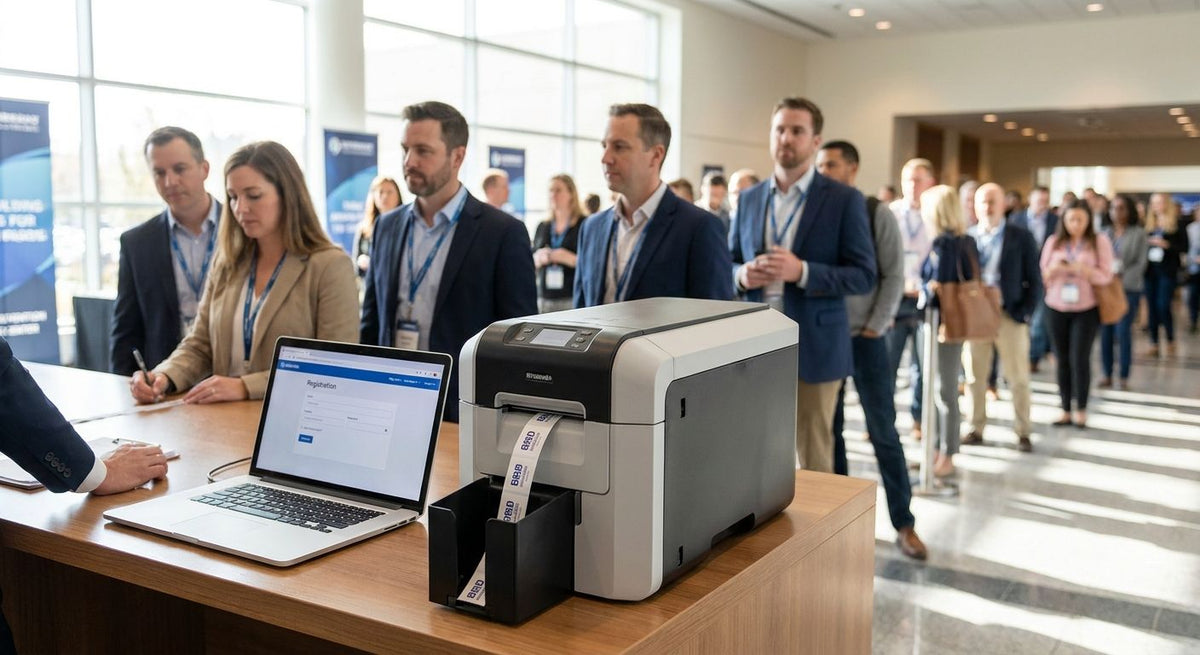
Corporate event teams use a wristband printer for corporate events to issue durable, scannable guest credentials on site in 2026—without outsourcing badges or waiting on a print shop.
- A wristband printer for corporate events prints on-site credentials in seconds for access control.
- Direct thermal stock wins for multi-day conferences—no ribbon, lower cost per band.
- McAuley Labels GoDEX desktop units fit registration desks; best for event ops teams.
- 203 DPI is enough for barcodes and names; reserve 300 DPI for logos and fine type.
- Skip pre-printed bulk bands when guest lists change within 24 hours of doors.
Why this matters
Conference registration fails when credentials lag behind the guest list. Pre-ordered wristbands lock you into fixed counts, fixed colors, and fixed copy. Last-minute speaker additions, VIP upgrades, and no-shows all break that plan.
A dedicated wristband printer for corporate events puts control at the registration desk. You print name, barcode, zone code, and expiry when the guest arrives. Lines move. Access rules stay current. You stop over-ordering stock that ends up in a dumpster after day two.
What a wristband printer for corporate events is
Corporate event wristband printing is on-demand thermal output of guest credentials with the aim of faster check-in and tighter access control. Event planners and AV ops teams need short run times, readable barcodes under ballroom lighting, and media that survives handshakes, drink stations, and multi-day wear. That differs from retail shipping labels or warehouse asset tags: volume spikes in two-hour windows, operators rotate, and the band must stay legible after eight hours on a wrist.
McAuley Labels supplies thermal printers and label media built for this kind of desk-side work. The same hardware that runs inventory labels handles wristband and credential stock when you load the right width and choose direct thermal or thermal transfer for the job length.
Why wristband printing matters for corporate events
Corporate conferences run on timed sessions, sponsor zones, and badge hierarchies. A paper name tag falls off. A generic Tyvek band without data cannot open a breakout door or prove meal entitlement. Printed wristbands carry the data the scanner needs.
Event constraints in 2026 are practical, not theoretical:
- Guest lists finalize late—often the night before.
- Multiple registration lanes need identical output quality.
- Bands must scan after sweat, sanitizer, and hotel HVAC.
- Ops staff are temps; setup has to be simple.
Pre-print shops cannot absorb those changes. An on-site wristband printer for corporate events can.
How to set up wristband printing for a conference
Define credential fields before you buy media
Lock the data model first. Every band should carry only what security and catering will scan.
- Full name (or first name + last initial for privacy)
- Unique barcode or QR tied to the registration system
- Access zone (General, VIP, Exhibitor, Staff)
- Event date or multi-day validity code
- Optional meal or session entitlement flag
If a field will not be scanned, drop it. Dense type shrinks barcode quiet zones and slows check-in.
Choose direct thermal for multi-day conference bands
For most corporate events lasting one to three days, direct thermal is the default. Heat forms the image in the stock. No ribbon. Fewer failure points at a busy desk. Load direct thermal printer labels in the width your wristband stock requires and run a 20-band test before doors open.
- Direct thermal: best for short-life credentials, lower cost per print
- Thermal transfer: best when bands must last weeks or face heavy abrasion
- Match black mark or gap sensor settings to the wristband liner
- Store media flat, away from sunlight and heat carts
- Keep a spare roll at each registration lane
Pick resolution for names and barcodes, not marketing art
203 DPI handles names, 1D barcodes, and simple zone codes at registration speed. 300 DPI helps when you print a small logo or dense QR beside fine type. Most corporate check-in flows do not need 600 DPI.
- 203 DPI: high-speed guest lanes, barcode-first layouts
- 300 DPI: branded VIP bands with logo + name
- Test scan rate on the same scanners door staff will use
- Avoid full-bleed color expectations—thermal is monochrome image on coated stock
- Print a ladder barcode orientation if wrist curve distorts picket-fence codes
Stage a desktop thermal printer at each registration lane
Put the printer where the badge stock lives—not in a back office. USB or Ethernet to the registration laptop is enough for most single-desk setups. A unit like the GoDEX G500 thermal printer is a practical 203 DPI desktop choice for event ops that need dual-mode thermal without industrial footprint.
- One printer per active lane reduces queue contention
- Label the power brick and cable so teardown is clean
- Calibrate gap/black-mark sensing after every media change
- Keep a cleaning wipe kit for the printhead between shifts
- Assign one person as media lead for the whole venue
Build the template once, then merge from the registration list
Design the wristband layout in your label software before the event week. Fix margins for the curved wear surface. Import the guest CSV the morning of. Print on arrival or batch VIP bands the night before.
- Fixed zone color or prefix text for visual triage
- Variable name + barcode from the registration export
- 0.125 in quiet zone around barcodes minimum
- Human-readable ID under the code for failed scans
- Version the template file (e.g., Conf2026-v3) so lanes match
Run a full dry-run 24 hours before doors
Print 50 sample bands. Have door staff scan them with live hardware. Wear a band through a coffee run and a laptop bag strap test.
- Confirm scan distance and angle at the actual door threshold
- Check adhesion and clasp comfort for eight-hour wear
- Time prints per guest at peak simulated load
- Verify reprint workflow for lost-band replacements
- Document printer settings on a one-page run sheet taped to each unit
Plan consumables and spare hardware for peak hour
Corporate keynotes create 15-minute surges. Stock for 120% of expected headcount. Hold spare media and one backup printer cold.
- Count bands by zone, not just total headcount
- Stage VIP media separately to avoid mix-ups
- Budget reprint waste at 3–5% for typos and clasp failures
- Never open all spare rolls—heat and dust age thermal stock
- After the event, seal partial rolls for the next show in 2026
Tear down with a media and settings checklist
Capture what worked. Export the final template and sensor settings. Note which lane had the fewest reprints.
- Photograph successful band layout on a worn sample
- Log DPI, speed, and darkness settings that scanned clean
- Return unused sealed media to climate-controlled storage
- Clean printheads before cases close
- File the run sheet for the next conference on the 2026 calendar


Options compared for corporate event teams
| Option | Best for | Starting price | Key limitation |
|---|---|---|---|
| GoDEX G500 (203 DPI) | High-speed general admission lanes | $464 | Not ideal for tiny logos next to dense QR |
| GoDEX RT700i+ (203 DPI, color display) | Multi-operator desks that need clear status screens | $581 | Desktop footprint still needs dedicated power |
| GoDEX G530 (300 DPI) | VIP and sponsor bands with logo detail | $554 | Slightly slower than pure 203 DPI sprint jobs |
| Pre-printed bulk wristbands | Fixed headcount, fixed design, no data changes | Varies by vendor | Cannot absorb late list changes or zone upgrades |
| Outsourced rush badge house | One-time galas with no on-site IT | Quote-based | Lead time and per-change fees kill agility |
McAuley Labels GoDEX desktop printers are best for corporate event operations teams that need on-site wristband and credential printing with simple media changes and US-supplier support. Pre-print wins only when the guest list is frozen weeks out and no barcodes are required.
Honest tradeoffs: thermal wristband stock is monochrome. If you need full-color photography on the band, you are in a different production path. Direct thermal can fade under prolonged heat and UV—fine for a three-day summit, weak for a 30-day festival circuit (see related venue guides for longer wear cases).
Common mistakes corporate event teams make
Ordering fixed-count pre-prints after the speaker list is still open. You will either run short on VIP or trash hundreds of general bands. Print on demand instead.
Cramming a full agenda onto a 1-inch printable area. Scanners fail; staff start handwriting. Keep name, code, zone. Put the agenda on the app.
Skipping a live scan test with door hardware. Laptop cameras lie. The handheld at Door B is the only truth.
Running one printer for four lanes. Peak keynote arrival will queue guests behind a single spool. Parallelize hardware.
Using shipping-label darkness settings on wristband stock. Over-dark prints bleed; under-dark prints fail at the turnstile. Calibrate on the actual media the week of the show in 2026.
FAQ
What is the best wristband printer for corporate events in 2026?
A 203 DPI dual-thermal desktop unit such as the GoDEX G500 is the best default for corporate registration lanes. It prints barcodes and names fast; step up to 300 DPI only when logos must stay sharp on VIP bands.
Do I need thermal transfer for conference wristbands?
No for most one- to three-day corporate events. Direct thermal is enough for short-life credentials and removes ribbon handling at the desk. Use thermal transfer when bands must survive weeks of abrasion or outdoor UV.
How much does a wristband printer for corporate events cost?
McAuley Labels GoDEX desktop options used for this work start at $464 for the G500 and $554–$581 for G530 and RT700i+ models. Media is sold separately by size.
Is 203 DPI enough for event barcode wristbands?
Yes. 203 DPI reliably prints 1D barcodes and guest names for door scanners. Choose 300 DPI when you add small logos or dense QR codes beside fine type.
Can one printer handle a 1,000-person conference?
One printer can handle 1,000 bands if arrivals are staggered. For simultaneous multi-lane check-in, stage one printer per lane so a single jam does not stop the room.
What media should I load for corporate event wristbands?
Load direct thermal wristband or credential stock matched to your printer width and sensor type. Keep sealed spare rolls per zone and test adhesion on skin-safe clasp styles before show day.
Should corporate events print wristbands on site or pre-order them?
Print on site when the guest list, zones, or speakers can change inside a week. Pre-order only when headcount and design are frozen and no variable barcode data is required.
Is McAuley Labels good for event credential printing?
McAuley Labels is built for business thermal printing—desktop GoDEX units, direct thermal media, and straightforward specs. It fits event ops teams that want durable output without lifestyle marketing fluff.
One last thing
The bands that fail at 4 p.m. are almost never the ones you tested at 9 a.m. on a cold printhead. Run your final 20-band sample after the printer has been on for 30 minutes, at the darkness you will use live. That single habit saves more door arguments than any template redesign in 2026.