
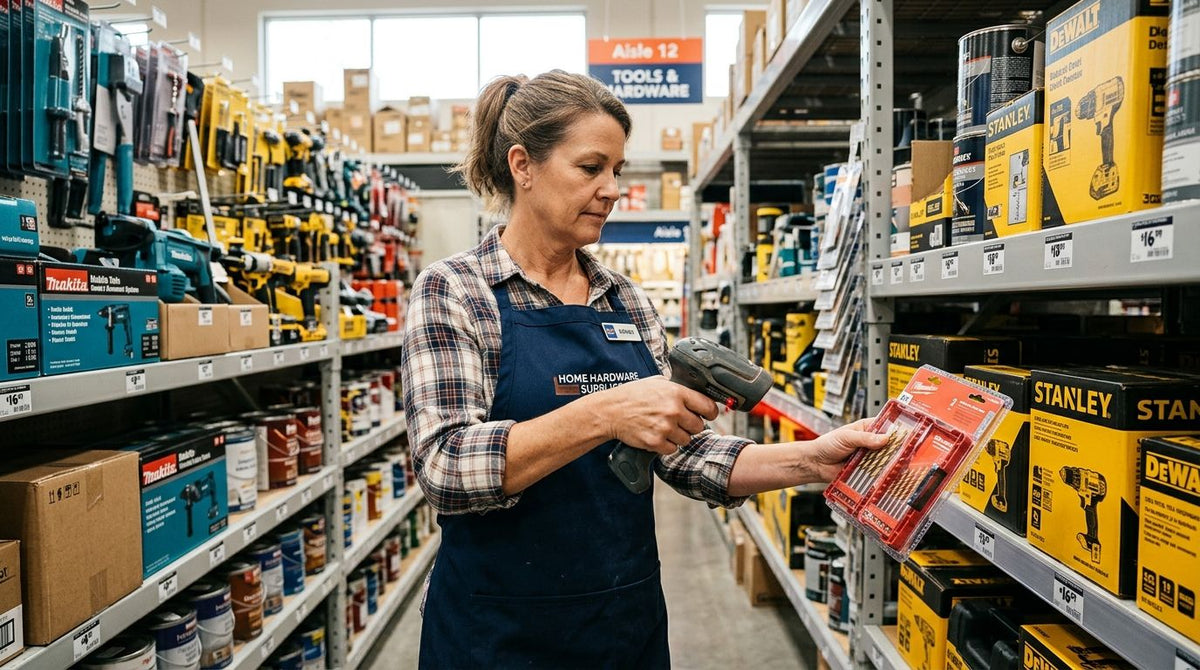
The best barcode scanner for hardware store checkout in 2026 depends on what you're scanning, not just what's on sale. Best overall: GoDEX GS220 USB Barcode Scanner for single-register stores running standard UPC retail packaging. Best for QR-coded tickets and vendor labels: a 2D wireless imager. Best for lumber yards and outdoor stock: a Bluetooth cordless handheld. Best for high-volume front counters: a presentation hands-free scanner.
- GoDEX GS220 USB Barcode Scanner wins for single-register hardware stores needing a plug-and-play 1D scanner in 2026.
- 2D wireless imagers read QR-coded paint tickets and damaged barcodes a basic barcode scanner for hardware store checkout can't.
- Bluetooth cordless handhelds solve the range problem for lumber yards and outdoor garden centers.
- Presentation scanners free up cashier hands during high-volume checkout at multi-lane home improvement counters.
Why this matters
Hardware and home improvement inventory is messier than a grocery aisle. Paint mixing tickets carry QR codes, manufacturer packaging mixes 1D and 2D symbols, and thermal shelf labels fade under fluorescent light or yard dust. A scanner mismatched to that mix causes double-entry at the register and bad counts in the stockroom.
Most stores don't need to replace every scanner in the building — they need to match the right scan technology to the worst-case label on the shelf. That's the same logic covered in the barcode scanner for small business inventory breakdown, and it holds just as true for a two-register hardware store as a big-box home improvement chain in 2026.
What makes the best barcode scanner for a hardware store
- Symbology support — 1D-only scanners miss QR codes on paint tickets and 2D vendor labels
- Connection type — corded USB suits a fixed register; Bluetooth suits a roaming yard or aisle
- Read tolerance — dusty, scratched, or faded thermal labels need wide-angle, high-contrast optics
- Housing durability — drop and dust resistance matters for loading docks and outdoor stock
- POS/software compatibility — plug-and-play keyboard emulation beats a scanner that needs custom integration
- Warranty and support — a scanner run daily at checkout needs coverage that matches that use
At a glance
| Scanner | Best for | Standout feature | Key limitation |
|---|---|---|---|
| GoDEX GS220 USB Barcode Scanner | Single-register checkout and receiving | Plug-and-play USB, 3-year warranty | 1D only, corded |
| 2D wireless imager | QR-coded tickets and phone-screen scans | Reads 1D and 2D, tolerant of damaged codes | Costs more than a basic 1D model |
| Bluetooth cordless handheld | Lumber yards, pipe racks, top shelves | Untethered range across the floor | Needs a charging routine |
| Presentation hands-free scanner | High-volume front counter checkout | Auto-triggers, both hands free | Fixed mount, not for stockroom use |
1. GoDEX GS220 USB Barcode Scanner: best barcode scanner for hardware store single-register checkout
The GoDEX GS220 is a USB 1D scanner built to plug into a register or PC and start scanning without a driver install — it reads as a standard keyboard input, so it works with almost any POS. It carries a 3-year warranty, which matters for a device that's going to get picked up and set down hundreds of times a shift.
GoDEX GS220 pros:
- Plug-and-play USB, no software setup required
- 3-year warranty on a daily-use device
- Built for retail and warehouse checkout specifically
GoDEX GS220 cons:
- 1D only — can't read QR codes on paint tickets or 2D vendor labels
- Corded, so it stays tethered to the register
- Not built for outdoor or high-dust environments
Best for: single-register hardware stores scanning mostly UPC-barcoded retail packaging. Verdict: Buy — it's the default pick for a straightforward checkout counter in 2026.
2. 2D wireless imager: best for QR-coded tickets and vendor 2D labels
A 2D imager captures a full image of the barcode area instead of sweeping a laser line across it, which is why it reads QR codes, Data Matrix codes, and barcodes displayed on a phone screen. That matters the moment a paint department starts printing QR-coded tint tickets or a vendor ships product with 2D compliance labels.
2D imager pros:
- Reads both 1D and 2D symbols, including phone-screen barcodes
- Higher first-scan accuracy on scratched, angled, or dusty labels
- Pairs well with handheld computers for aisle-side lookups
2D imager cons:
- Adds cost over a basic 1D scanner
- Wireless models need battery and charging management
- Overkill for a store that only handles standard UPC packaging
Best for: stores running QR-coded asset tags, vendor 2D labels, or staff checking stock from a phone. Verdict: Buy if your shelves already carry 2D codes; Skip if every SKU is a plain UPC.
3. Bluetooth cordless handheld: best for lumber yards and outdoor stock
A Bluetooth scanner runs the same imaging engine as a corded unit but drops the cord, which is the difference between scanning a stack of lumber where it sits and carrying boards to a fixed register. Most models dock on a charging cradle at the counter and support a batch-scan mode for stocktaking when there's no live connection.
Label placement still matters more than the scanner here — a barcode printed too small or too faint won't scan reliably even with the best optics in the yard. That's covered directly in printing barcode labels for warehouse shelves, which walks through label sizing for exactly this kind of environment.
Bluetooth handheld pros:
- Full mobility across a sales floor, yard, or loading dock
- Batch-scan mode works without a live connection
- Usually docks on a base that also charges a backup unit
Bluetooth handheld cons:
- Needs a charging routine to avoid a dead battery mid-shift
- Costs more than a corded equivalent
- Range drops near metal racking and outdoor obstructions
Best for: hardware stores and home improvement centers with an outdoor yard or high-shelf storage. Verdict: Buy for any location with stock that doesn't fit on a counter.
4. Presentation hands-free scanner: best for high-volume front counter checkout
A presentation scanner sits on a stand and triggers automatically when a barcode passes in front of it, so a cashier never has to pick it up. That matters at a busy home improvement counter where the customer's hands are already full of hardware, paint cans, or lumber offcuts.
Presentation scanner pros:
- Keeps both hands free for bagging bulky purchases
- Consistent scan angle reduces missed reads at a busy line
- Most models lift off the stand to work as a handheld too
Presentation scanner cons:
- Fixed mount limits it to the checkout counter
- Not suited for stockroom or yard scanning
- Adds a second device if the store also needs mobile scanning
Best for: multi-lane home improvement stores with high checkout volume. Verdict: Buy alongside a GS220 or 2D imager for multi-register stores; Skip if you're running a single counter already covered.


How we ranked
Each pick was weighed against the criteria above: symbology support, connection type, read tolerance, housing durability, software compatibility, and warranty. The GoDEX GS220 leads because it covers the most common hardware store scenario — one register, standard UPCs — with the least setup friction. The other three picks fill gaps the GS220 doesn't cover: QR codes, roaming range, and hands-free checkout volume.
“A scanner upgrade won't fix misreads caused by a label printed too small for its barcode density — match the label resolution to the code before blaming the scanner.”
Which barcode scanner should you choose?
If you run one register and scan mostly retail UPCs, the GoDEX GS220 USB Barcode Scanner is the buy for 2026 — plug it in and it works. If paint tickets, vendor labels, or phone-screen barcodes show up on your shelves, move to a 2D wireless imager. Lumber yards and outdoor stock need Bluetooth range more than anything else on this list. Multi-lane stores get more throughput pairing a presentation scanner with whichever base scanner already covers the register.
FAQ
What's the best barcode scanner for a hardware store in 2026?
The GoDEX GS220 USB Barcode Scanner is the best default pick for a single-register hardware store in 2026 because it's plug-and-play and carries a 3-year warranty. Stores with QR-coded tickets or outdoor stock need a 2D imager or Bluetooth handheld instead.
Is a 2D barcode scanner better than a 1D scanner for retail?
A 2D scanner is better whenever the store handles QR codes, phone-screen barcodes, or damaged labels, since it reads a full image instead of a single laser line. A 1D scanner is enough if every SKU carries a standard UPC barcode.
Does a USB barcode scanner need special software to work with a POS?
No — a USB scanner like the GoDEX GS220 acts as a keyboard input, so it works with almost any point-of-sale system without a driver install. It types the scanned code directly into whatever field is active on screen.
Can a barcode scanner read QR codes on paint mixing tickets?
Only a 2D imager can read QR codes reliably; a 1D-only scanner like a basic laser gun can't decode them at all. If your paint department prints QR-coded tint tickets, a 2D wireless imager is the correct pick.
What's the difference between a corded and Bluetooth barcode scanner?
A corded scanner stays tethered to the register and needs no charging, while a Bluetooth scanner roams the floor or yard but needs a charging routine. Corded units suit a fixed checkout; Bluetooth suits lumber yards and high-shelf storage.
Do hardware stores need a presentation scanner at checkout?
A presentation scanner helps most at high-volume, multi-lane counters where cashiers need both hands free for bagging bulky items. A single-register store usually doesn't need one and can rely on a handheld like the GS220 instead.
How rugged does a barcode scanner need to be for a lumber yard?
A lumber yard scanner should handle dust, occasional drops, and outdoor light better than a standard indoor unit. A Bluetooth cordless handheld built for warehouse use covers this better than a basic corded register scanner.
One last thing
The scanner rarely fails first — the label does. Barcode density has to match printer resolution: a code sized for a 203 DPI printer looks blurred and unreadable when squeezed onto a smaller label without bumping resolution. Before swapping scanners in 2026, check whether the misreads trace back to label print quality instead, especially on any custom inventory barcode labels running through a high-volume stockroom.