
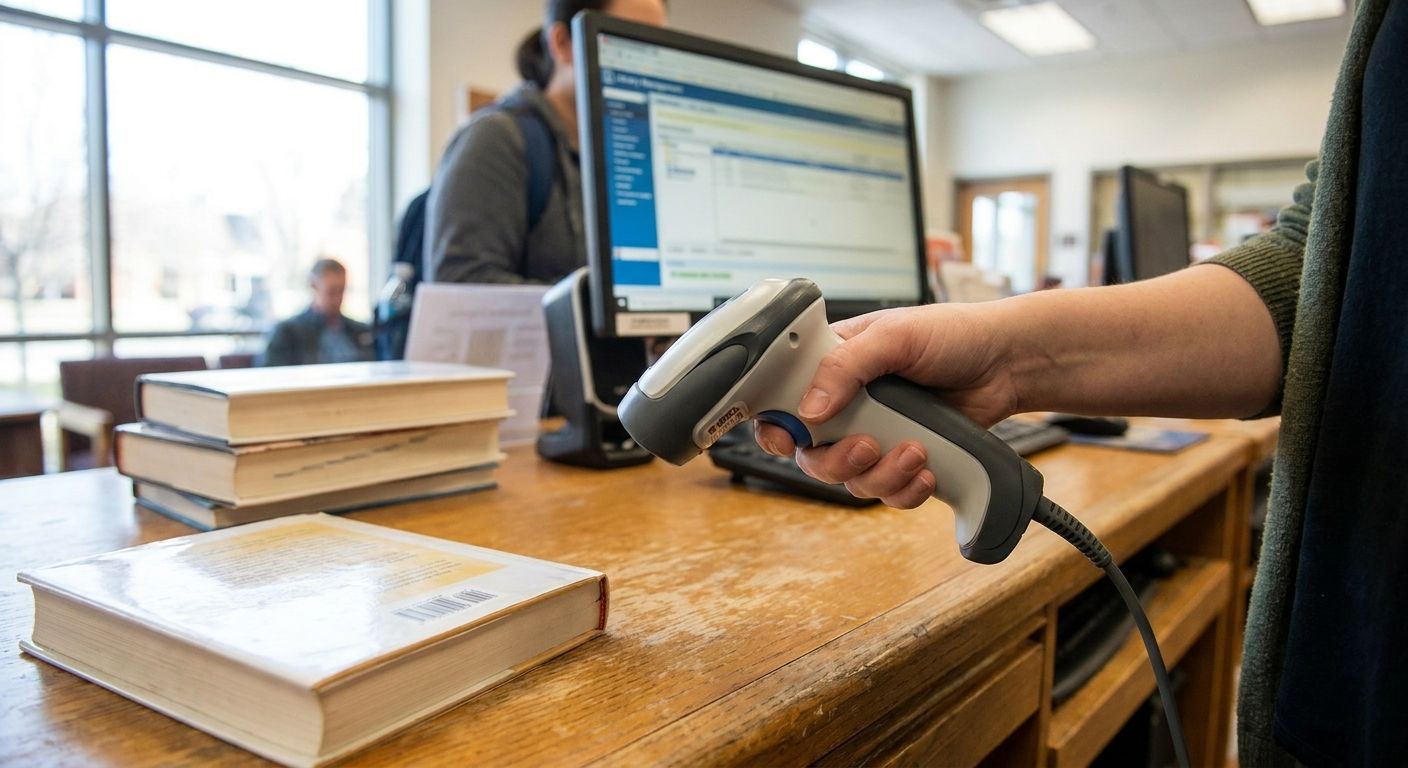
Circulation desks scan hundreds of checkouts a shift, and the wrong scanner turns a ten-second transaction into a three-attempt fumble. This guide ranks the scanner types worth buying for a circulation desk in 2026, plus the plug-and-play pick that skips driver headaches entirely.
- The GoDEX GS220 is the best barcode scanner for library circulation desks on a corded budget — $86, 3-year warranty, Buy.
- Skip laser scanners built for retail checkout speed; library barcodes need reliable reads on worn labels, not fast SKU lookups.
- 2D imagers cost more but read the QR codes now printed on digital library cards and mobile holds.
- Wireless handheld scanners belong in the stacks for weeding and inventory, not permanently on the circulation counter.
Why this matters
Circulation desks run on speed and repetition. A scanner that misreads even one barcode in twenty forces staff to retype call numbers by hand, and that adds up fast across a shift with 300-plus checkouts. Most library barcodes are still linear codes — Code 39 or Codabar, depending on the integrated library system in use — formats set decades ago and unlikely to change before 2027. Get the right approach to choosing a 1D barcode scanner wrong at purchase and the desk ends up stuck with a unit that can't reliably read half the collection.
Scanners built for cash-register speed at big-box retail aren't the same as scanners tuned for a library circulation desk. Retail units optimize for fresh, high-contrast SKU labels. Circulation desks need consistent reads on labels of every age, from a scuffed 2004 paperback sticker to a laminate applied last week.
How we ranked
Rankings here weigh four factors any circulation desk cares about: read reliability on worn linear barcodes, plug-and-play setup time, cord versus wireless practicality for a fixed desk, and total cost including warranty coverage. Category behavior reflects widely documented performance of CCD, laser, and 2D imager scan engines rather than a controlled lab test — a library buying in 2026 should still confirm symbology support with its ILS vendor before ordering in bulk.
The ranked picks
1. Corded USB 1D scanner — the plug-and-play buy
The GoDEX GS220 USB barcode scanner is a corded 1D unit built to work the moment it's plugged in — no driver install, no license key, no IT ticket. It reads standard linear barcodes including Code 39 and Codabar, the two symbologies most integrated library systems still rely on in 2026. At $86 with a 3-year warranty, it costs less than a single hour of staff time spent manually keying mis-scanned barcodes over a year.
McAuley Labels sells this scanner as a standalone unit, not bundled with software licensing, which keeps the buying decision simple for a single-desk branch or a backup unit at a busy main library. Verdict: Buy.
2. 2D imager — the QR code and mobile-hold pick
Some library systems now print QR codes on digital library cards, curbside pickup holds, and mobile checkout confirmations alongside the traditional linear spine barcode. A 2D imager reads both formats and doesn't care whether the code is upside down or displayed on a patron's phone screen. Guidance on choosing a 2D scanner for QR codes on inventory applies directly here — the same omnidirectional reading that helps a warehouse floor also helps a circulation desk juggling phone-based holds.
Cost runs higher than a basic 1D unit, and most branches only need one per desk rather than one per staff member. Verdict: Consider if the ILS or patron app already issues QR-based cards; otherwise it's more scanner than a spine-label workflow needs.
3. Wireless handheld scanner — the stacks pick, not the desk pick
A cordless scanner earns its keep during a shelf-reading project or an annual inventory sweep through the stacks, where staff walk row by row scanning spine labels. It has no business anchored to a circulation desk, where a dropped Bluetooth connection mid-checkout stalls the line behind an impatient patron.
Battery life and pairing reliability vary enough between units that a wireless scanner should stay a secondary tool, charged in the workroom rather than mounted at the primary checkout station. Verdict: Consider for stacks and inventory work; Skip as the main circulation scanner.
4. Hands-free presentation scanner — the high-traffic desk pick
Branches checking out more than a few hundred items a day benefit from a stand-mounted presentation scanner that reads a barcode the instant an item passes in front of it, freeing staff hands for stamping due-date slips or handling the next patron. This format earns its cost at desks running steady after-school and evening lines in 2026.
The tradeoff is desk footprint and a higher unit price than a simple handheld. Verdict: Consider for high-volume main branches; Skip for a small or single-staff desk where a handheld does the job at lower cost.
5. Generic unbranded USB laser scanner — the false economy
Unbranded scanners sold purely on low price often use older laser engines tuned for fresh, high-contrast retail barcodes rather than the faded, re-taped labels common on library media from the 1990s and 2000s. Read failure climbs noticeably on scuffed or laminated-over spine labels, and a scanner that needs two or three attempts per item slows every transaction at the desk.
Warranty terms on these units are often short or unclear, a sharp contrast to the 3-year coverage that ships standard on a purpose-built unit. Verdict: Skip.
6. Legacy PS/2 wedge scanner — the compatibility trap
A handful of older circulation workstations still run PS/2 ports rather than USB, usually tied to an integrated library system that hasn't been upgraded in years. A PS/2 wedge scanner solves that one compatibility problem and nothing else — it offers no advantage over a USB unit on modern hardware.
Replacing the workstation eventually removes the need for this format entirely, so treat it as a stopgap. Verdict: Skip unless the current desk hardware has no USB port available.
“If the scanner needs a driver install at the circulation desk, it's the wrong scanner for a library.”
Scanning is only half the job
Circulation desks don't just scan barcodes — they also relabel damaged spine stickers and tag new media before it hits the shelf. Barcode labeling practices for library books and AV equipment cover the adhesive and durability side of the same workflow, worth a read before the next bulk cataloging order.
Comparison table
| Scanner type | Connection | Reads | Setup | Best for | Verdict |
|---|---|---|---|---|---|
| GoDEX GS220 (1D corded) | USB | Linear barcodes | Plug-and-play | Any circulation desk | Buy |
| 2D imager | USB or wireless | Linear + QR/2D | Plug-and-play | QR library cards, mobile holds | Consider |
| Wireless handheld | Bluetooth | Linear (varies) | Pairing required | Stacks, inventory | Consider, not desk |
| Presentation scanner | USB, stand-mounted | Linear, hands-free | Plug-and-play | High-volume desks | Consider |
| Generic laser scanner | USB | Linear, weak on worn labels | Plug-and-play | Nowhere at a library desk | Skip |
| PS/2 wedge scanner | PS/2 | Linear | Plug-and-play | Legacy hardware only | Skip |
Where to buy
- Confirm the scanner supports Code 39 and Codabar out of the box — some 2D imagers need a one-time configuration scan sheet before they'll read older library symbologies.
- Buy from a seller that states warranty length up front; the GoDEX GS220 ships with 3 years of coverage, and that number should sit on the product page, not buried in a manual.
- Order one spare unit per branch if the desk runs more than 200 checkouts a day — a dead scanner during a Monday afternoon rush stalls the whole line.
FAQ
What is the best barcode scanner for library circulation desks in 2026?
A corded 1D USB scanner like the GoDEX GS220 is the best barcode scanner for library circulation desks in 2026 for most branches — it costs $86, needs no driver install, and reads the Code 39 and Codabar symbologies most ILS platforms still use. Add a 2D imager only if patron cards or holds use QR codes.
Is a 2D barcode scanner better than a 1D scanner for a library?
A 2D imager reads more formats, including QR codes and damaged linear barcodes, than a basic 1D scanner, but it costs more and most library media still uses plain 1D barcodes. Choose 2D only if the library issues QR-based digital cards or mobile holds.
How much does a barcode scanner for library circulation cost?
Corded USB 1D scanners for library circulation run roughly $80 to $150 in 2026, with 2D imagers and presentation-style units priced higher. The GoDEX GS220 lists at $86 with a 3-year warranty.
Do library barcode scanners need special software?
Most USB scanners, including the GoDEX GS220, work as plug-and-play keyboard-emulation devices and need no dedicated software — the scanned barcode types directly into whatever field is active in the circulation software.
Can a wireless scanner work at a circulation desk?
A wireless or Bluetooth scanner can work at a desk, but a dropped connection mid-checkout slows transactions, so most branches reserve wireless units for shelf-reading and inventory work in the stacks instead.
What barcode symbology do libraries use?
Most integrated library systems still use Code 39 or Codabar for spine labels, both linear 1D formats, though some newer systems add QR-code support for digital cards and mobile holds.
How long should a library circulation scanner last?
A scanner running heavy daily use at a busy circulation desk should carry a multi-year warranty — the GoDEX GS220 ships with 3 years of coverage, a reasonable minimum for equipment scanning hundreds of items a day.
One last thing
The detail that trips up most library IT purchases: a scanner rated for retail checkout speed isn't rated for library barcode age. Retail barcodes get replaced with every new product cycle; library spine labels can be 20 years old, laminated over twice, and still need a clean first-pass read in 2026. Buy for the label the desk actually has, not the label a retail spec sheet assumes.