
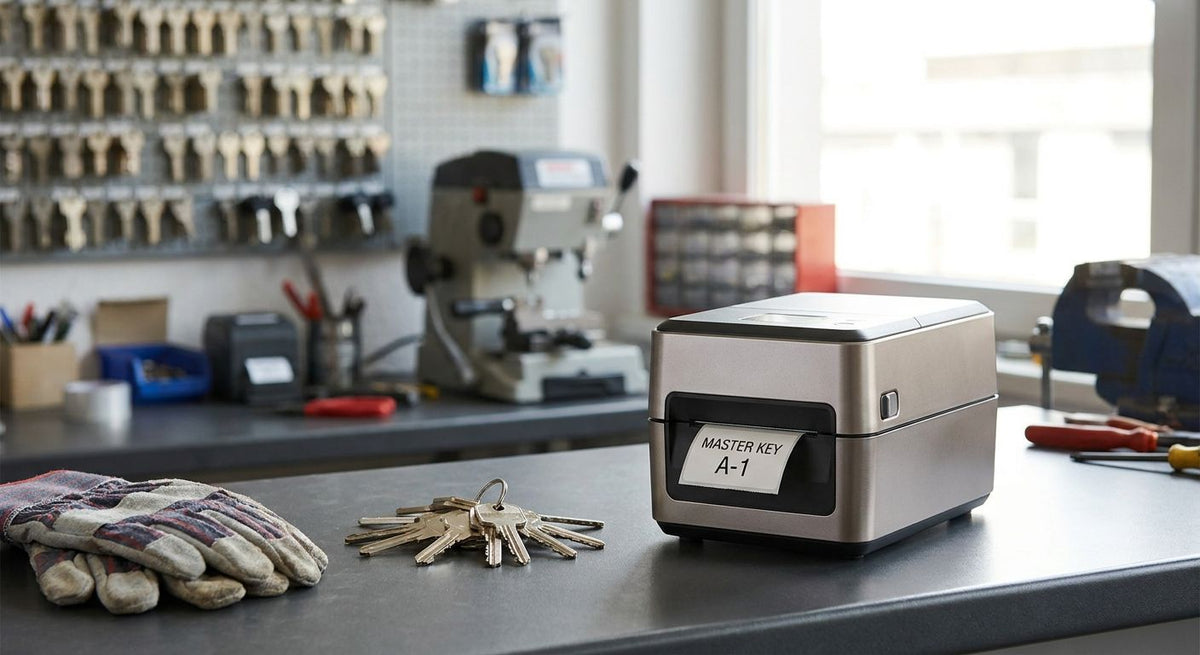
Locksmiths and key cutting shops need a label printer that survives grease, key oil, and constant counter traffic while printing barcodes small enough for key blank bins and asset tags tough enough for van-mounted tool kits.
- GoDEX RT730i is the best overall label printer for locksmith business use in 2026 — 300 DPI dual thermal in a compact desktop unit.
- GoDEX RT200i is the best budget pick for a single-counter shop just starting barcode inventory in 2026.
- GoDEX G530 wins for high-volume key blank and hardware SKU batches.
- GoDEX ZX430i handles QR-coded key fob and service tags at 300 DPI.
- GoDEX GE330 is the pick for heavy-duty asset tags on vans and tool crib equipment.
Why this matters
A locksmith shop runs two label jobs that have nothing in common: tiny barcodes on key blank drawers and rugged asset tags on service vans, lock picks, and rekeying kits. A GoDEX RT730i thermal printer covers both without swapping hardware, which is why it tops this list for 2026.
Most shops skip this decision until a barcode scanner throws an error mid-rush or a van tool tag peels off after one summer in direct sun. Buying the wrong DPI or the wrong thermal type costs more in reprints than the printer itself.
What makes the best label printer for a locksmith business
- Print resolution matched to barcode density — 203 DPI is fine for large key tags, 300 DPI is needed for small QR codes on fobs and service records
- Thermal transfer over direct thermal for anything touching oil or friction — direct thermal print fades faster under heat and handling
- Small desktop footprint — most locksmith counters don't have room for an industrial floor unit
- USB, serial, or Ethernet connectivity — needed to tie the printer into POS or inventory software
- Batch throughput — key blank restocks and hardware SKUs get printed in runs, not one at a time
- Durable asset tag compatibility — vans, lock cylinders test kits, and rekeying cases need tags that survive years outdoors
Label printers for locksmiths at a glance
| Printer | Best for | Standout feature | Key limitation |
|---|---|---|---|
| GoDEX RT730i | Overall locksmith shop use | Dual thermal transfer/direct at 300 DPI in a desktop chassis | Costs more than an entry 203 DPI unit |
| GoDEX RT200i (203 DPI) | Budget entry point | Compact footprint, straightforward setup | 203 DPI ceiling limits fine QR detail |
| GoDEX G530 | High-volume key blank inventory | Fast batch throughput for repeat SKU runs | No touchscreen, config via GoLabel software |
| GoDEX ZX430i (300 DPI) | QR-coded key fob and service tags | 300 DPI with color status display | Larger footprint than the RT-series |
| GoDEX GE330 (203 DPI) | Heavy-duty van and tool asset tags | Built for continuous shop-floor duty cycles | 203 DPI, not suited to dense micro-barcodes |
1. GoDEX RT730i: best label printer for locksmith business overall
The GoDEX RT730i prints at 300 DPI in either direct thermal or thermal transfer mode from the same desktop unit, which matters when one shop needs sharp barcodes on key blank drawers and durable resin-ribbon tags on van tool kits. It connects over USB, serial, or Ethernet, so it drops into an existing POS or inventory setup without extra hardware.
GoDEX RT730i pros:
- 300 DPI resolution handles small barcodes and QR codes without blur
- Switches between direct thermal and thermal transfer without a different printer
- Desktop size fits a locksmith counter, not a warehouse floor
GoDEX RT730i cons:
- Costs more than the 203 DPI RT200i for shops that only print large tags
- Thermal transfer mode needs ribbon stock on hand, an added consumable to manage
Best for: locksmith shops that print both fine barcodes and durable asset tags from one machine. Verdict: Buy.
2. GoDEX RT200i: best budget label printer for a single-counter shop
The GoDEX RT200i (203 DPI) is the stripped-down version of the RT-series — same desktop footprint, lower resolution, lower cost of entry. It's built for a shop that's just starting to barcode key blank bins and doesn't yet need QR-level detail.
GoDEX RT200i pros:
- Lower cost of entry than 300 DPI models in the lineup
- Simple setup for a first-time barcode adopter
- Same compact desktop chassis as the rest of the RT-series
GoDEX RT200i cons:
- 203 DPI struggles with dense QR codes on small fobs
- Not the right pick once a shop scales into asset tag tracking
Best for: a single-location shop printing basic barcode labels on a budget. Verdict: Buy for basic barcoding; upgrade once QR codes enter the mix.
3. GoDEX G530: best for high-volume key blank inventory
The GoDEX G530 thermal printer is built around batch runs — restocking a wall of key blanks or reprinting hardware SKU labels after a supplier reset. It's configured through GoLabel software rather than an onboard touchscreen, which keeps the unit simpler but means setup happens at a computer, not the printer itself.
GoDEX G530 pros:
- Handles repeat batch printing without slowing down
- Straightforward integration with GoLabel for label templates
- Solid fit for shops managing hundreds of key blank SKUs
GoDEX G530 cons:
- No touchscreen — every label template change routes through software
- Overkill for a shop that only prints a handful of labels a week
Best for: locksmith shops or hardware counters restocking key blanks in volume. Verdict: Buy for high-SKU inventory; skip for low-volume counters.
4. GoDEX ZX430i: best for QR-coded key fob and service tags
The GoDEX ZX430i thermal printer runs at 300 DPI with a color display, built for shops tagging key fobs, transponder keys, or service history records with QR codes customers scan for rekey history. The extra resolution over a 203 DPI unit is the difference between a scannable code and a blurred one on a fob-sized label.
GoDEX ZX430i pros:
- 300 DPI resolution keeps small QR codes scannable
- Color display simplifies status checks at the counter
- Handles both barcode and QR workloads on the same unit
GoDEX ZX430i cons:
- Larger footprint than the RT-series desktop units
- More printer than a shop only labeling large asset tags needs
Best for: locksmiths adding QR-coded service history or fob tracking. Verdict: Buy for QR-heavy workflows.
5. GoDEX GE330: best for heavy-duty van and tool asset tags
The GoDEX GE330 thermal transfer printer is built for continuous duty cycles rather than counter-top convenience — the right call for a shop tagging service vans, rekeying kits, and tool crib inventory that live outdoors or in a truck bed for years. It runs 203 DPI, which is plenty for large asset tags but not for fine QR detail.
GoDEX GE330 pros:
- Built for sustained daily printing, not occasional runs
- Pairs well with heavy-duty silver asset tag stock for outdoor durability
- 4-inch print width covers standard asset tag sizes
GoDEX GE330 cons:
- 203 DPI isn't sharp enough for micro-barcodes on small fobs
- Larger, heavier unit than a desktop-only locksmith counter needs
Best for: tagging vans, tool kits, and rekeying equipment for asset tracking. Verdict: Buy for fleet and tool asset tags; pair with a 300 DPI unit for fine barcode work.


How this ranking was built
Each pick was scored against the criteria above: resolution match to the barcode job, thermal type durability, footprint, connectivity, batch speed, and asset tag compatibility. Shops choosing between a GoDEX and a Zebra unit for the first time should read the GoDEX vs Zebra comparison before committing to a platform — the ribbon, software, and label stock ecosystem differs enough to matter over a few years of ownership.
Which label printer should a locksmith shop choose?
For most locksmith and key cutting shops running in 2026, the GoDEX RT730i is the default buy — it covers barcode inventory and durable asset tags from one desktop unit without forcing a choice between resolution and ruggedness. A single-counter shop just starting out can drop to the GoDEX RT200i and upgrade later. A shop already deep into QR-coded service records should go straight to the GoDEX ZX430i, and any shop with a van fleet or tool crib should pair whatever counter printer it picks with GoDEX GE330-printed asset tags for the equipment that lives outside.
FAQ
What's the best label printer for a locksmith business in 2026?
The GoDEX RT730i is the best overall pick in 2026 — it prints at 300 DPI in both direct thermal and thermal transfer modes from one desktop unit, covering barcode inventory and durable asset tags without switching hardware.
Is 203 DPI or 300 DPI better for locksmith barcode labels?
203 DPI works fine for large asset tags and standard barcodes; 300 DPI is needed for small QR codes on key fobs and service tags where fine detail has to stay scannable.
Should locksmith shops use direct thermal or thermal transfer labels?
Thermal transfer with resin ribbon holds up better on tags exposed to oil, grease, and handling, which is common on tool crib and van asset tags. Direct thermal is fine for barcode labels that stay indoors and get replaced regularly.
Can one printer handle both key blank inventory and van asset tags?
Yes — a dual-mode unit like the GoDEX RT730i switches between direct thermal for everyday barcodes and thermal transfer for durable asset tags, which covers both jobs without buying two printers.
What label stock should locksmiths use for tool and van asset tags?
3M heavy-duty silver barcode stock is built for outdoor and tool-crib durability, standing up to weather and handling better than standard paper labels.
How many locksmith shops need a 300 DPI printer versus 203 DPI?
Any shop printing QR codes on key fobs or service tags needs 300 DPI; shops sticking to large barcode labels on bins and drawers can run 203 DPI without losing scan accuracy.
Is the GoDEX G530 good for a small locksmith shop?
The GoDEX G530 is built for batch printing across large SKU counts, which suits a shop restocking key blanks in volume more than a low-volume single counter.
One last thing
Direct thermal labels fade faster under heat and friction than most locksmiths expect — a key blank bin label sitting under a shop light for months looks worse than a thermal-transfer tag on a van bumper that's been through a Texas summer. If a label touches oil, grease, or direct sun for more than a season, run it through thermal transfer with resin ribbon instead of direct thermal, even if it means keeping one extra consumable on the shelf.