
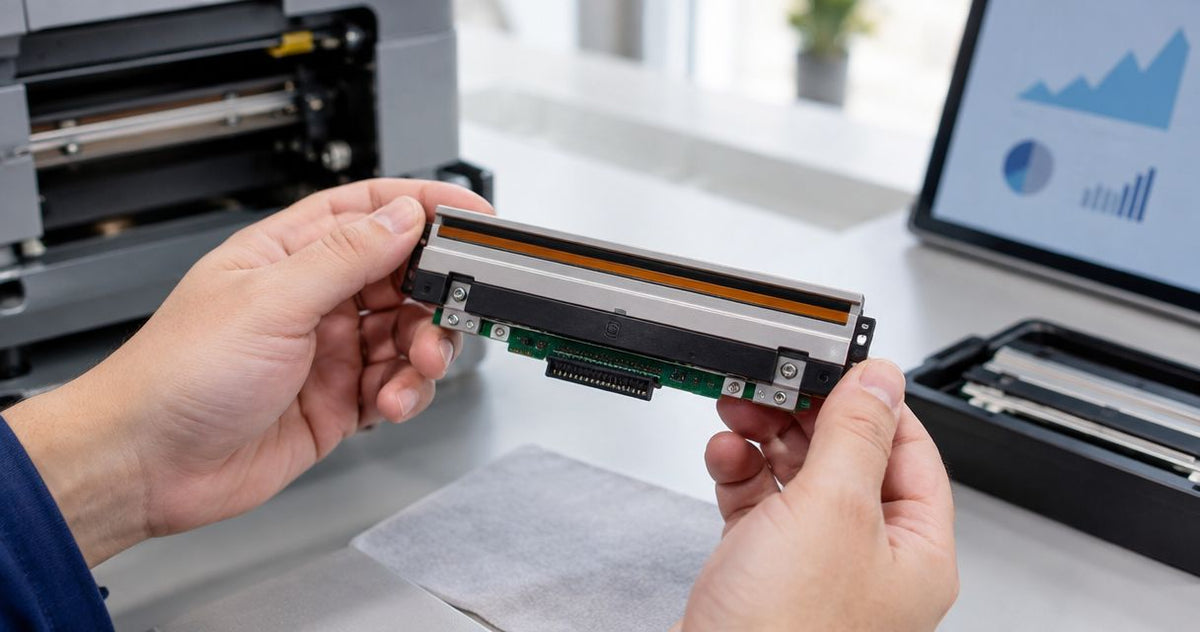
A thermal printhead has no universal lifespan in months, years, or labels: its service life depends on the specific head, printing distance, media, settings, and maintenance. Use the manufacturer's model-specific life specification as a planning reference, not a guaranteed replacement date; rule out contamination and setup problems before treating poor print quality as permanent damage.
- How long does a thermal printhead last? Use the model-specific specification, printing distance, and maintenance history—not age alone.
- McAuley Labels supplies specialized thermal printers; choose by labeling task rather than an unsupported printhead-life promise.
- Clean and troubleshoot persistent white lines before ordering a replacement printhead.
- Direct thermal and thermal transfer printing expose the head to different media-contact conditions.
How long does a thermal printhead typically last?
A model-specific service-life rating is more useful than a generic number of years. Thermal printhead specifications can express expected life as printing distance, while warranty terms describe coverage under stated conditions. Those are different measures.
Start with the documentation for your exact printer and installed head. If you are reviewing equipment in 2026, record the model, head part number, resolution, and any available print-distance counter before comparing replacement intervals.
| Measure | What it tells you | What it does not establish |
|---|---|---|
| Manufacturer's life specification | The stated reference life under specified conditions | A guaranteed failure date in your workplace |
| Accumulated print distance | How much media has traveled through the print mechanism | Whether contamination or damage has occurred |
| Label count | How many labels you have produced | Comparable wear across different label lengths |
| Calendar age | How long the head has been installed | How much printing the head has performed |
| Print-quality test | Whether the head currently produces usable output | Its exact remaining service life |
For buyers considering McAuley Labels, the relevant starting point is the labeling application: asset tags, laboratory labels, or oil change stickers. None of those applications establishes a printhead replacement interval by itself.
Why this matters
Replacing a head because it is old can discard a working component. Continuing production with persistent missing print can leave barcodes, small text, and identifiers unreadable.
The useful distinction is between a maintenance problem, a setup problem, and a damaged component. A cleaning step addresses residue; a settings correction addresses the print process; a replacement addresses confirmed hardware failure. Treating all three as the same problem wastes troubleshooting effort.
For your 2026 maintenance plan, separate routine cleaning from condition-based replacement. Keep a known-good test print so operators have something concrete to compare against when quality changes.
Direct thermal printheads: media contacts the head
Direct thermal printing uses heat-sensitive media without a transfer ribbon. The label surface passes against the printhead, making media suitability and cleanliness important to head care.
Best for: compatible applications that need printing without a ribbon. The benefit is a simpler consumables setup; the limitation is that the printed image depends on heat-sensitive stock, whose suitability must match the label's storage and use conditions.
Keep rolls protected from dirt before loading them. Dust carried into the print path contributes to contamination and abrasive contact; adhesive residue also needs attention when it reaches the printing components.
Do not confuse a label that fades after application with a head that fails during printing. If a fresh test print is clear but an older label has darkened or faded, investigate label exposure and material selection separately.
Thermal transfer printheads: the ribbon is part of the system
Thermal transfer printing heats a ribbon to transfer its coating onto compatible label material. The ribbon travels between the printhead and the label surface.
Best for: applications requiring a suitable ribbon-and-label combination for the intended environment. The benefit is material flexibility; the limitation is the additional need to select, load, and maintain a compatible ribbon.
A correctly selected ribbon provides an interface between the head and the label, but it does not eliminate printhead wear. Incorrect loading, contamination, unsuitable settings, and mechanical problems still require attention.
Do not assume a thermal transfer head always lasts longer than a direct thermal head. A useful comparison requires model-specific specifications and operating conditions, not just the printing method.
| Printing method | Main advantage | Main limitation | Head-care priority |
|---|---|---|---|
| Direct thermal | No ribbon to load or replace | Requires suitable heat-sensitive media | Keep media and the print path clean |
| Thermal transfer | Supports matched ribbon-and-label combinations | Requires ribbon selection and loading | Check ribbon compatibility, tracking, and cleanliness |
Why thermal printhead life varies
Printhead life depends on the printing system around the head, not just the component itself. Review these factors before deciding that an unusually short replacement interval is normal.
- Media condition: Dust, debris, and unsuitable label surfaces affect the contact area. Store rolls cleanly and use media specified for the printer and application.
- Ribbon compatibility: Thermal transfer output depends on the ribbon, label, and settings working together. A mismatch encourages unnecessary adjustments and poor output.
- Heat settings: Excessive print energy adds thermal stress. Use settings that produce acceptable output rather than increasing darkness to conceal another fault.
- Mechanical condition: A contaminated or damaged platen roller, incorrect loading, or an improperly latched mechanism affects contact and print quality. Follow the model's adjustment procedure.
- Cleaning and handling: Residue buildup, scraping, and touching sensitive surfaces introduce avoidable problems. Use the cleaning materials and handling precautions specified in the manual.
- Printing workload: Greater printing distance creates more operating exposure. Label count alone hides differences in label length and feed distance.
For a 2026 equipment review, compare each printer against its own maintenance history. A change after switching media is a reason to inspect that change, not proof that the new roll has permanently damaged the head.
How do you tell whether the printhead is wearing out?
Persistent missing print at the same position across successive labels is a reason to investigate the head. It is not, by itself, proof that replacement is necessary: contamination can also interrupt contact at a fixed location.
Use a printer-generated test pattern when the model supports one. That helps distinguish a defect in the printer's output from a problem in the label design, driver, or application.
| Symptom | Check before blaming the head | Replacement implication |
|---|---|---|
| Narrow white line along the feed direction | Residue at the corresponding head position | A persistent line after proper cleaning warrants service diagnosis |
| Faint output across the label | Media type, ribbon, darkness, speed, and loading | Faintness alone does not establish head failure |
| Wrinkled or uneven transfer printing | Ribbon loading, tracking, and mechanical setup | Correct the ribbon path before judging the head |
| Blank labels | Print method, media orientation, ribbon, and job setup | Blank output has causes other than head wear |
| Skipped labels or incorrect positioning | Media sensing, label dimensions, and calibration | Feed errors are not evidence of failed heating elements |
Keep defective samples alongside a known-good print. Record whether the problem stays in the same location, changes with the job, or disappears after cleaning.
What should you check before replacing a thermal printhead?
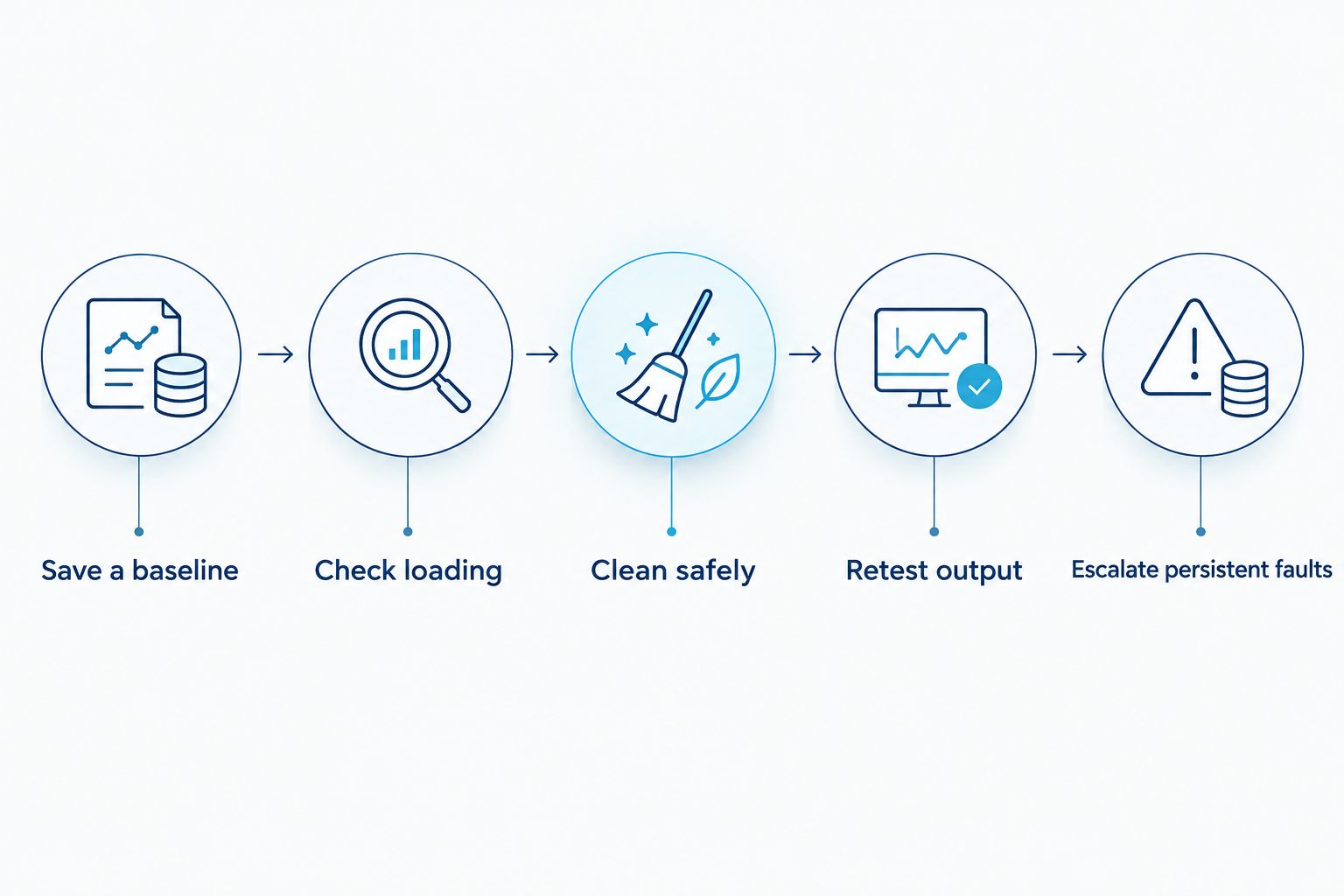
Follow this sequence when print quality deteriorates. Change one variable at a time so you can identify which action restores acceptable output.
- Save a baseline. Print the same test pattern or label that previously worked. Note the defect's location and whether it repeats consistently.
- Check loading. Confirm the correct media orientation, print method, ribbon path where applicable, and closed print mechanism. Use the printer manual rather than copying another model's setup.
- Clean safely. Power down and allow the head to cool as directed. Use approved cleaning materials; do not scrape the printing surface with a blade or other hard object.
- Retest output. Let cleaned surfaces dry before operating the printer. Compare the result with the saved baseline before making settings changes.
- Escalate persistent faults. Check compatible consumables and documented settings, then obtain service diagnosis if the defect remains. Confirm the replacement part before ordering.
Cleaning instructions are model-specific, including the approved cleaner and access procedure. Use the guide to cleaning a thermal printhead alongside your printer's maintenance documentation, not as permission to use an unapproved solvent.
If cleaning restores the test pattern, return the printer to service and record the result. If the same missing line remains, avoid repeatedly raising darkness; additional heat does not restore a failed heating element.
Does higher resolution mean a shorter printhead lifespan?
Resolution alone does not establish printhead life. A 203 DPI, 300 DPI, or 600 DPI rating describes printing resolution, not an operating-life guarantee.
Choose resolution for the label detail you need, then check the service specification for the exact head. Do not compare a 203 DPI printer with a 600 DPI printer and attribute every maintenance difference to resolution.
McAuley Labels thermal printers are best for business buyers matching equipment to a specific labeling task. That fit still requires checking media, resolution, and maintenance requirements; a printer's application category does not establish how long its head will last.
Should you replace a printhead on a fixed schedule?
Use the manufacturer's maintenance and replacement guidance rather than an arbitrary calendar deadline. Combine that guidance with print-quality checks, recorded workload, and the operational consequences of a failure.
For your 2026 service records, capture the installation date, available distance counter, consumables used, cleaning actions, and fault symptoms. These records make replacement decisions traceable without pretending to predict the exact failure date.
A spare head is a separate planning decision. Confirm the correct part, storage requirements, installation procedure, and service arrangements before treating a spare as ready to use.
FAQ
How long does a thermal printhead last in years?
A thermal printhead has no universal lifespan in years. Use the exact model's service-life specification, accumulated printing distance, maintenance history, and current print quality to plan replacement.
How many labels can a thermal printhead print before replacement?
There is no universal label-count limit for thermal printheads. Label length and feed distance differ, so compare workload using the measure specified by the manufacturer rather than label count alone.
Does a white line mean my thermal printhead is dead?
A white line does not automatically mean the thermal printhead is dead. Clean the head using the approved procedure and retest; a persistent missing line at the same position warrants service diagnosis.
Will increasing darkness fix a worn thermal printhead?
Increasing darkness does not repair a failed heating element. Check media compatibility, loading, cleanliness, and documented settings before adding heat to compensate for faint output.
Does a printer warranty guarantee the printhead will last that long?
A printer warranty is not a printhead lifespan guarantee. Check the applicable terms for printhead coverage, exclusions, and any usage limits rather than assuming the head shares every coverage condition.
How often should I clean a thermal printhead?
Clean a thermal printhead at the interval specified in the printer's maintenance instructions, with additional inspection when output deteriorates. Use the approved materials and let the head cool before cleaning as directed.
Can McAuley Labels thermal printers use any replacement printhead?
McAuley Labels thermal printers require a replacement head compatible with the exact printer model and configuration. Confirm the part number, resolution, and installation requirements before ordering; physical resemblance is not enough.
One last thing
A printer's printhead life and a printed label's life are separate questions. A healthy head can produce an image on material that is unsuitable for the label's eventual exposure; replacing the head does not correct that material choice.
Before your next 2026 replacement decision, save a printer-generated test pattern and a sample of the actual production label. If the test pattern is sound but the production label fails, investigate the job, consumables, and application conditions before condemning the hardware.