
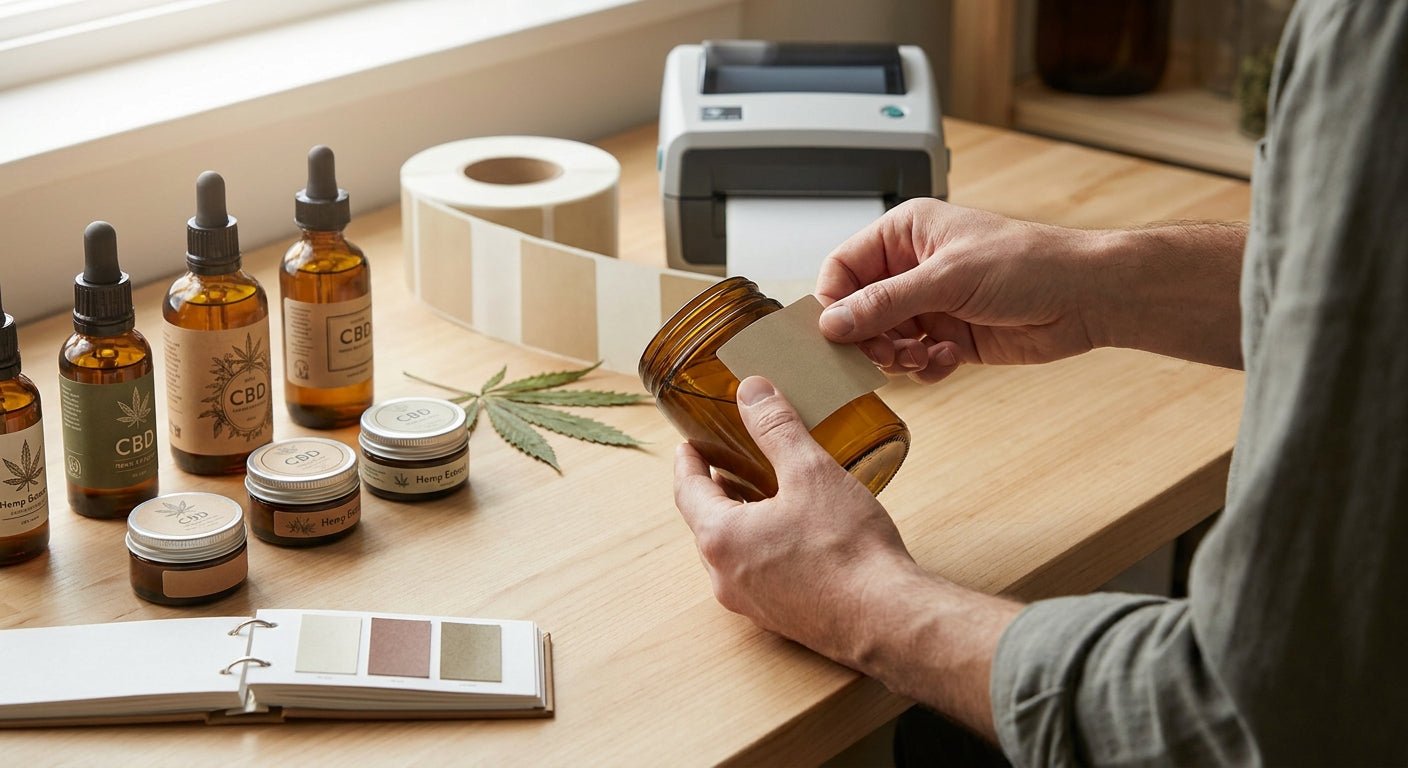
Printing labels for CBD and hemp products in 2026 means matching label material to oil and alcohol exposure, printing legible batch codes in-house, and keeping every claim inside state hemp label rules.
- Labels for CBD hemp products need thermal transfer polyester, not direct thermal paper — oil wipes ink off instantly.
- The GoDEX RT700i thermal printer runs 300 DPI compliance text and lot codes in-house; buy for CBD label runs.
- Direct thermal paper fades within weeks under heat and UV — skip it for tincture and dropper bottles in 2026.
- State hemp programs require batch/lot codes, net weight, and often a COA QR code on every label.
Why this matters
CBD tinctures, topicals, and vape cartridges get handled, spilled on, and left on dashboards. Regular inkjet or laser labels lift within days once oil, isopropyl, or UV exposure hits them, and a smeared batch number turns into a compliance problem the moment a distributor or state inspector asks for it. Most state hemp programs now require net weight, a batch or lot number, and a cannabinoid content statement on the primary label — miss one and the product gets pulled from shelves.
Printing in-house with a thermal transfer setup fixes the two failure points at once: the ink bonds into the label stock instead of sitting on top, and you can update batch codes between print runs without reordering from a converter. The compliance labels for regulated industries guide covers the documentation side in depth; this guide covers the print job itself.
What you'll need
- A thermal transfer label printer with a 300 DPI or 600 DPI print head — fine print on small tincture labels needs the higher resolution
- White polyester or synthetic label stock rated for oil and alcohol contact, not direct thermal paper
- Resin or wax-resin ribbon matched to the stock — wax-only ribbon smears under an alcohol wipe test
- Label design software with a serialized or database field for batch and lot numbers
- A QR code field that links each batch to its Certificate of Analysis
- 30 to 45 minutes for initial calibration and template setup before the first full run
The steps
1. Confirm your state's CBD and hemp label requirements first
Every state hemp program sets its own minimum label fields, and some require a QR code to the Certificate of Analysis while others accept a printed URL. Skipping this step means reprinting the whole batch later. Pull the current list for every state you ship to before you touch the printer.
Common mistake: designing the label around one state's rules and shipping the same label nationwide.
2. Choose thermal transfer over direct thermal
Direct thermal labels print without ribbon, which works fine for a shipping label that lives three days. A CBD tincture bottle sits in a bag, a car, or direct sunlight for months, and direct thermal stock fades and darkens on its own from heat exposure alone — no oil contact needed.
Thermal transfer, run through a printer like the GoDEX RT700i thermal printer, bonds ribbon ink into the label film and holds up under handling, alcohol wipes, and UV. Expected outcome: label text and barcode stay legible past 90 days of shelf life.
3. Match label stock to the container
Dropper bottles need a narrower label with curved-surface adhesive; tins and jars can run a standard rectangular label. White polyester resists oil migration from tinctures and topicals far better than paper stock, which absorbs oil and goes translucent within a week.
Common mistake: using the same label width across bottle sizes, which leaves compliance text wrapping around the curve and unreadable from the front.
4. Build the batch and lot number field as variable data
Static labels force a manual write-in for every batch, which is where compliance gaps start. Set up a serialized or database-linked field in your label software so batch and lot numbers increment automatically, matching the process in lot number labels for FDA compliance.
Expected outcome: every label in a run carries a unique, traceable lot code with zero manual entry.
5. Add a scannable QR code linked to the Certificate of Analysis
A QR code that resolves to the current COA cuts customer service calls and satisfies most state disclosure rules in one field. Keep the QR at least a half-inch square at 300 DPI or higher so a phone camera can read it without hunting for focus.
Common mistake: printing the QR at 203 DPI on a small dropper label — the code renders too coarse to scan reliably below a half-inch.
6. Calibrate the printer and run a test batch
Run 10 to 20 labels before committing a full roll. Check the barcode with a scanner, wipe one label with isopropyl alcohol, and confirm the batch number field increments correctly.
Expected outcome: zero smearing after the alcohol wipe and a clean scan on every test label.
7. Load the matched ribbon and print the full run
Resin ribbon for polyester stock, wax-resin for paper-backed labels rated for moderate contact. A standard thermal transfer printer clears a few hundred labels in well under an hour once the template is set.


Troubleshooting
- Label peels off within days of application — the adhesive isn't rated for the container material or the oil residue on the surface; switch to a permanent acrylic adhesive rated for plastic and glass.
- Barcode won't scan after a few weeks on shelf — wax-only ribbon on polyester stock rubs off with handling; move to resin or wax-resin ribbon.
- Ink smears during the alcohol wipe test — direct thermal paper or wax ribbon reacting to isopropyl; thermal transfer with resin ribbon resists it.
- QR code renders blurry on small labels — print resolution is too low for the code size; use 300 DPI or higher on labels under 2 inches wide.
- Batch number doesn't increment between labels — the serialized field is set to static text instead of a counter; check the variable data settings before the next run.
- Label wraps unevenly on dropper bottles — the label width is too wide for the bottle diameter; measure the curve and cut the template down before ordering stock.
Tools and resources
- A thermal transfer printer with a 300 DPI head, such as the GoDEX RT700i thermal printer, for compliance text and QR codes on small containers
- Resin or wax-resin ribbon matched to your label stock
- White polyester label stock rated for oil and alcohol contact
- Label design software with variable batch and lot fields
What to do next
Once the label prints clean and scans reliably, the next call is picking container-specific stock — tincture and dropper bottles behave differently under a curved-surface adhesive than a flat tin lid does, and that's a separate sizing decision from the printer itself.
FAQ
What's the best label material for CBD tinctures and oils?
White polyester thermal transfer stock is the best label material for CBD tinctures and oils in 2026 because it resists oil migration and alcohol wipes. Direct thermal paper absorbs oil and turns translucent within days.
Is direct thermal or thermal transfer better for hemp product labels?
Thermal transfer is better for hemp product labels because ribbon ink bonds into the stock instead of sitting on the surface. Direct thermal works for short-lived shipping labels but fades on products that sit on a shelf for months.
Do CBD product labels need a QR code?
Most state hemp programs accept or require a QR code linking to the Certificate of Analysis, though rules vary by state in 2026. Print the QR at 300 DPI or higher so a phone camera can scan it reliably.
What information is required on a CBD or hemp product label?
Batch or lot number, net weight, and a cannabinoid content statement are the baseline fields most state hemp programs require. Check your specific state's list before finalizing the label template, since requirements differ by state.
Can I print CBD labels in-house instead of ordering from a converter?
Yes — a thermal transfer printer with matched ribbon and polyester stock handles batch codes, QR codes, and compliance text without waiting on a converter's print run. In-house printing also lets you update lot numbers between batches instantly.
Why does my CBD label smear after an alcohol wipe?
The label is likely printed with wax-only ribbon or direct thermal stock, both of which react to isopropyl alcohol. Switching to resin or wax-resin ribbon on polyester stock stops the smearing.
What DPI resolution do I need for small tincture bottle labels?
Use 300 DPI or higher for tincture bottle labels under 2 inches wide, since fine compliance text and QR codes render too coarse at 203 DPI. Larger labels on tins or jars can run at 203 DPI without losing legibility.
How much does a thermal transfer printer for CBD labels cost?
Pricing varies by print width and resolution, so check current pricing on the product page before budgeting a run. Ribbon and label stock are ongoing costs on top of the printer itself.
One last thing
Run the alcohol wipe test before you commit to a ribbon type, not after the first customer complaint. A wax-only ribbon on a finished batch of tincture bottles fails the moment someone wipes a spilled drop off the label with a paper towel — resin ribbon costs more per roll and doesn't.